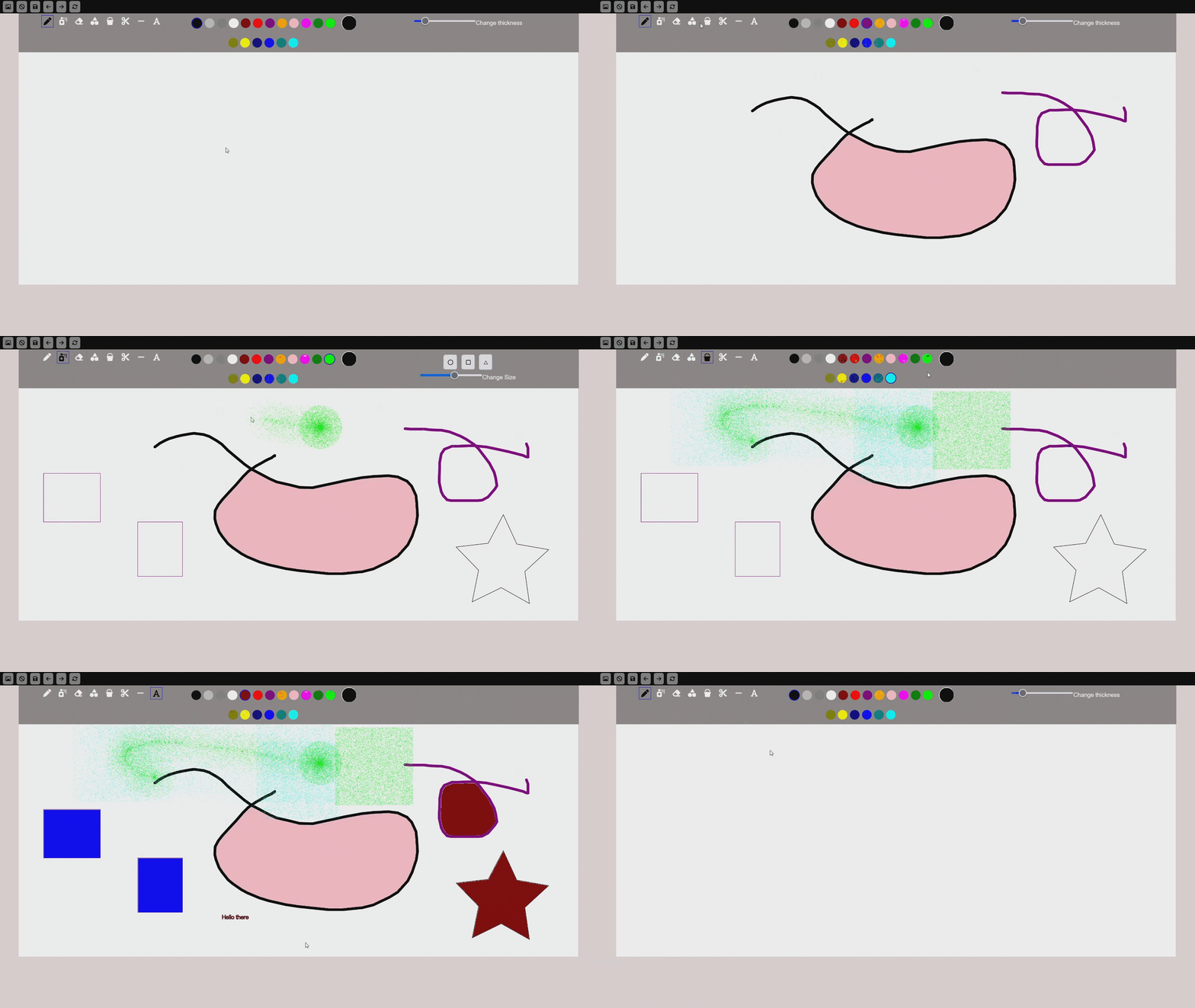
The Drawing App is a web-based drawing application implemented in JavaScript using Object-Oriented Programming (OOP) principles. This application allows users to draw using various tools and functionalities.
- Freehand Tool: Draw freehand lines.
- Line Tool: Draw straight lines.
- Shapes Tool: Draw various shapes such as rectangles, circles, and ellipses.
- Eraser: Erase parts of the drawing.
- Fill Tool: Fill areas with color.
- Spray Can Tool: Spray paint effect.
- Mirror Draw Tool: Draw symmetrical patterns.
- Text Tool: Add text to the canvas.
- Color Palette: Choose colors for drawing and filling.
- Cutting Tool: Cut parts of the drawing.
To run the application locally, follow these steps:
- Clone the repository:
git clone git@github.com:itzoverdark/Drawing-App.git
- Navigate to the project directory:
cd Drawing-App - Open the index.html file in your preferred web browser.
- Select a tool from the toolbox.
- Use the mouse to draw on the canvas.
- Choose different colors from the color palette.
- Use the eraser to remove parts of your drawing.
- Save your drawing or start a new one using the provided options.