I built this to move away from my previous site that was built using a template. Practice, practice, practice, and what better way than on my own page?
The site is deployed using Netlify and can be viewed at ➡️ ivanolmo.io.
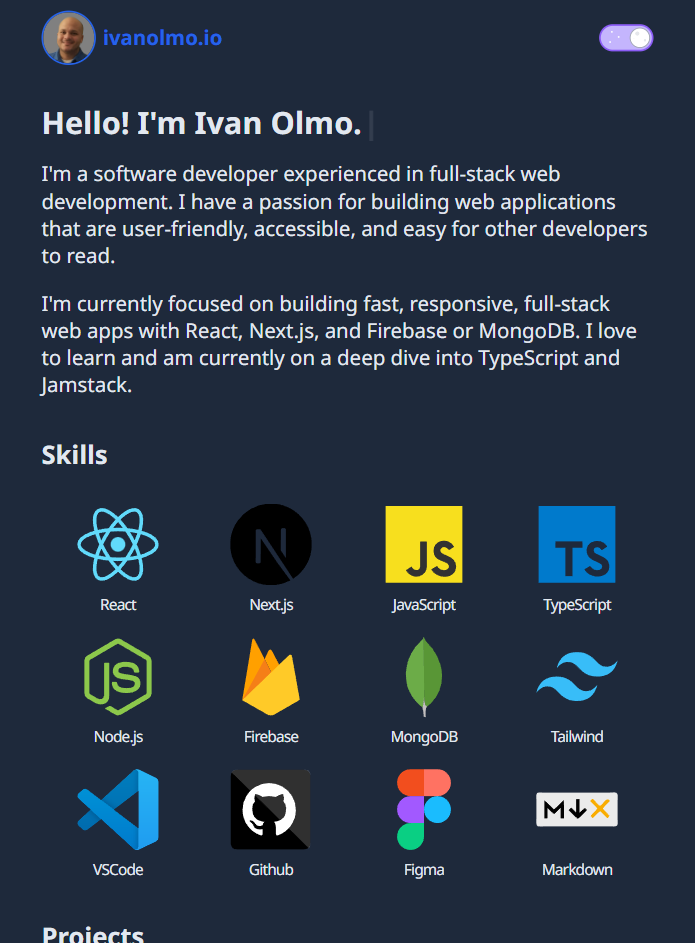
I built this using React with TypeScript and Next.js. I'm learning TypeScript at the moment, so although all valid JavaScript is also valid TypeScript, this site uses a bare amount of actual types. I wanted to get a little experience and deploy something simple before moving on to something where defining types would be beneficial, as I just didn't see the need to define more than a couple for this project.
I chose to use Next.js because of previous experience, and because this site will almost certainly be 100% static. Next.js is great for serving static content, even if you're not taking advantage of any server side features. I do plan to add a page for each project so that there's space to expand on each one. A few lines of description per project isn't really enough.
I built a nifty little sliding theme switching component using styling from this blog post, and I incorporated React state and a hook called useTheme (from the next-themes package) that made it really easy to toggle. I'm also checking localStorage on mount to check for a user preferred theme, and setting it if it exists.
I used the typewriter-effect package for my main headline because I've seen it here and there and I think it's cool. It's only used for 4 words, but I'm a fan of the simple effect.
There wasn't any real need for many optimizations other than using built in Next.js features like next/image along with the .webp format for my images. I'm currently using a bunch of SVG icons, and I know there's a much more optimized way to use multiple SVG's in a project by using sprites, and that's something I'll revisit in the next day or two.
I did a semi deep-dive into SEO and all the things you can do with <meta> tags, so obviously I added all of them 😎 Really though, if you take a look at the <Meta> component in the _app.tsx file, you'll see all the tags I added. The <Meta> component wraps the <Head> component provided by next, and that's where you can add anything <meta> related. I'm still kind of wrapping my head around what each one provides, but I took a look at the tags on the sites of well known devs and most of the tags seem common, so I've joined their club.
Thanks for reading!