A text-based GUI SSH connection manager for PowerShell.
sshmgr is an SSH connection manager for PowerShell. Instead of remembering tens of SSH usernames, hosts, ports, and identity files, sshmgr will help you keep them organized and accessible. It works by saving the connection strings in text files and presenting them in a PowerShell-based GUI. See the screenshots below for an example.
The simplest way to set up sshmgr is just to run it. It will create the default directory (~/Documents/sshmgr) if it doesn't exist. Once in sshmgr, simply press 'n' to create a new saved connecton. It will prompt you for the name and SSH string. For example, you might enter "ubuntu@test.local" for the name and "ssh -p 22 ubuntu@192.168.1.55" for the SSH string. From there you can add, rename, duplicate, delete, and connect to saved connections as you see fit.
If you want to configure sshmgr manually, you'll need to do the following:
- decide where you want to save your SSH connection files (the default is ~/Documents/sshmgr)
- edit sshmgr.ps1 and set the $CONNECTION_FOLDER variable to the folder you decided onin step 1
- add some connection files, where the file name is the display name in sshmgr (minus ".txt") and the contents are what sshmgr will execute when you connect to a saved connection
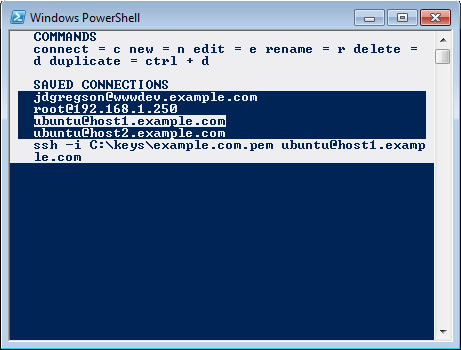
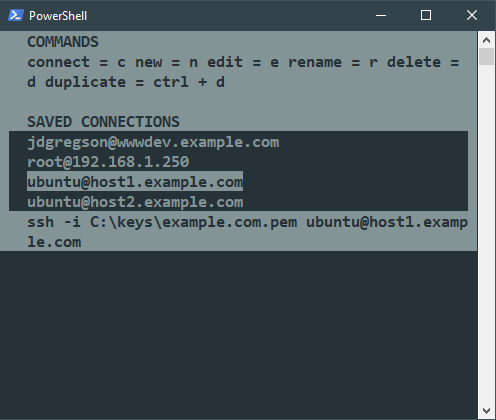
sshmgr is developed in PowerShell 5, but it is tested for compatibility with:
- PowerShell 5
- PowerShell 4
- PowerShell 2
You're more than welcome to contribute to sshmgr. Feel free to send a pull request if you've added some useful features. If you need any help, you can open an issue on the issue tracker, or contact me at jdgregson at gmail.
I am particularly interested in hearing the details of any PowerShell errors that you encounter. Because like, my error popup looks pretty neat, so we should put all of the errors in there.