A Rails application template to generate full-featured web apps fast:
- ⚡️ Go from
rails newto deployed in less than 5 minutes. Demos: self-hosted server | Fly.io | Heroku. - ✍️ Automated, yet looks handcrafted. Thoughtful code diffs are applied in just the right places.
- 🕹️ Use interactive mode or command-line options for extra customization.
- 🔀 Use carefully curated defaults or the omakase default Rails way.
- 🔄 Designed to keep up with future versions of Rails. Tested daily against Rails
main.
Ship your idea in record time, or learn how modern Rails 8+ apps are structured and deployed. See list of features.
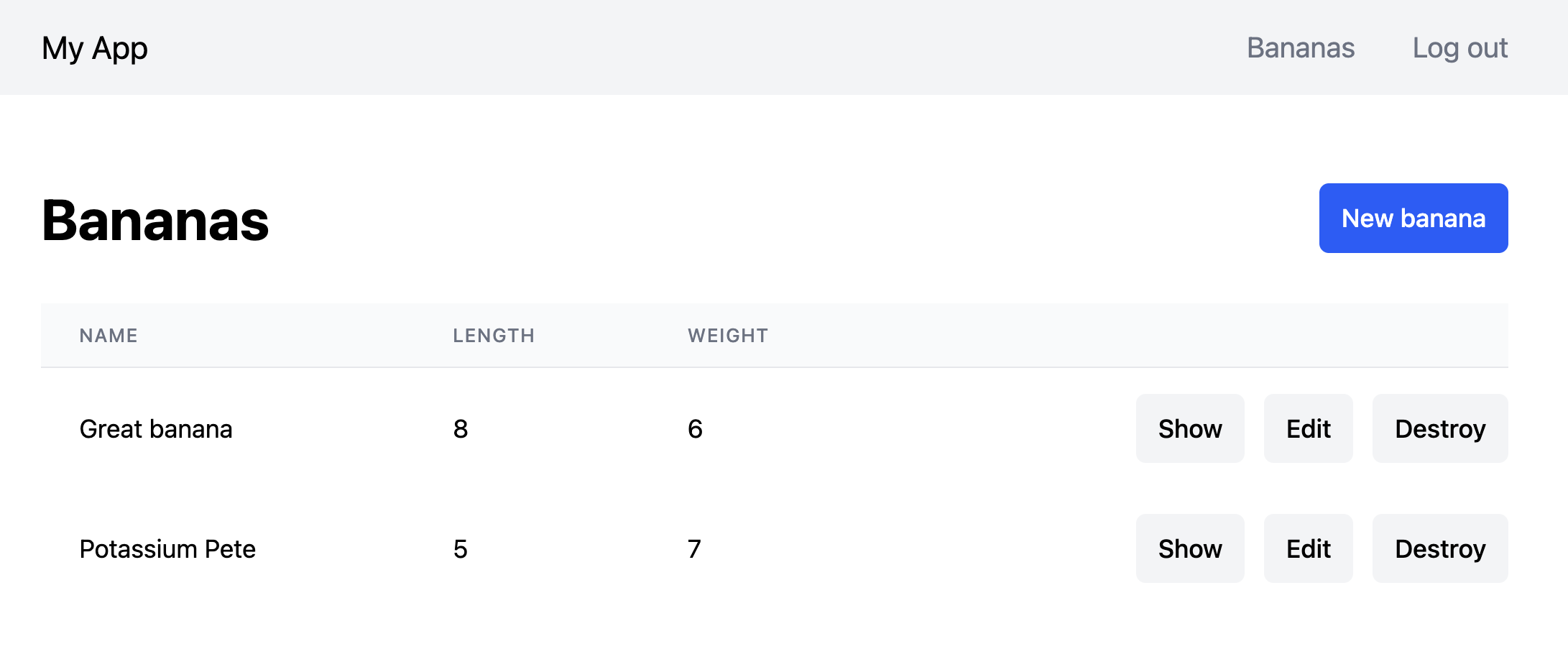
To create a basic app:
rails new myapp -m https://raw.githubusercontent.com/jeromedalbert/ace-template/stable/template.rbIt gets more interesting with options! You can choose template options
interactively
with -i:
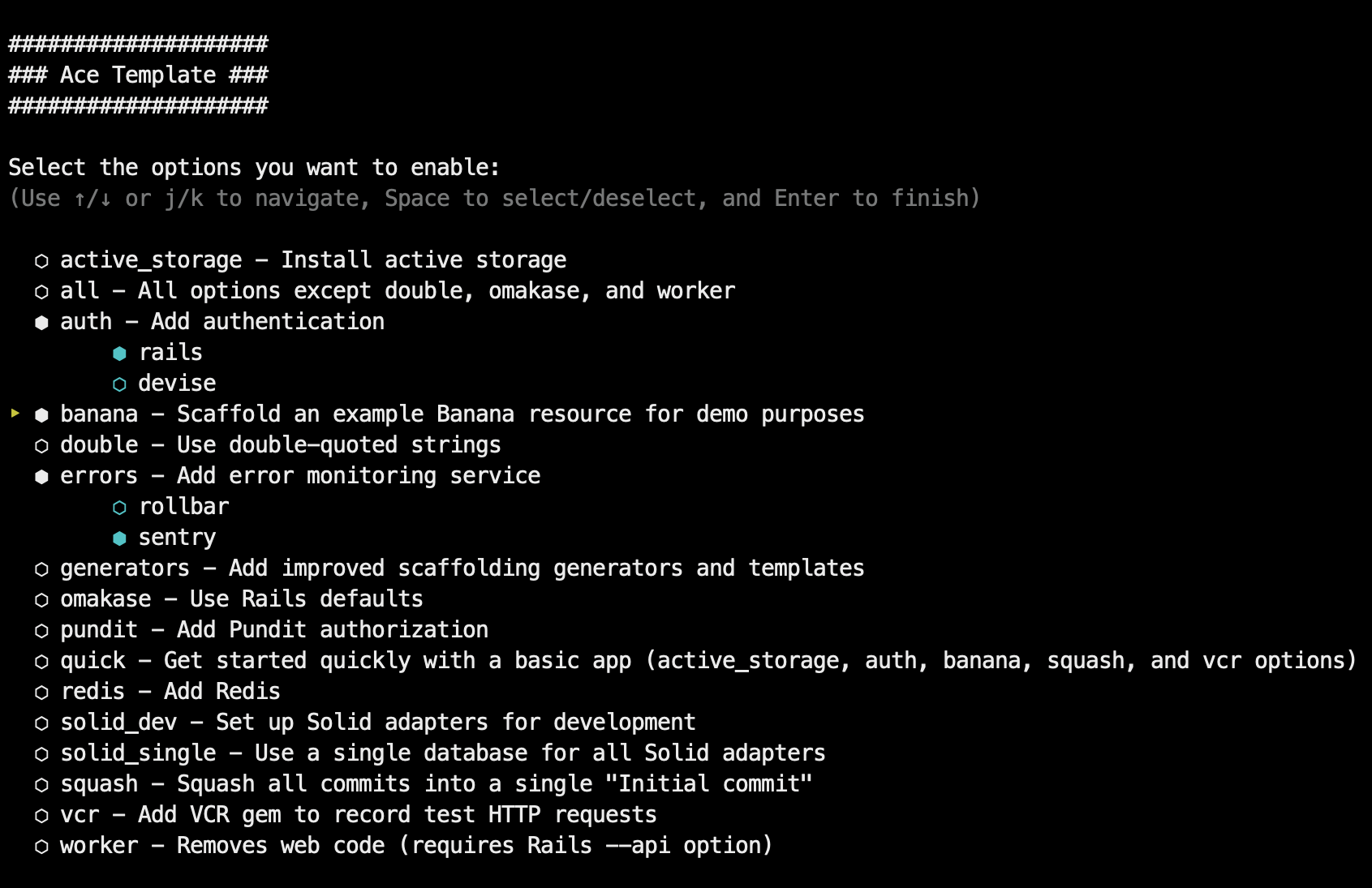
rails new myapp -i -m https://raw.githubusercontent.com/jeromedalbert/ace-template/stable/template.rbOr you can pass template options manually with -o (see -o help
for details). Rails options are also supported. For example, to create an app
with an example "Banana" resource and styled with Tailwind:
rails new myapp -o banana --css tailwind \
-m https://raw.githubusercontent.com/jeromedalbert/ace-template/stable/template.rbTo make commands shorter, you can add this function to your shell config (like
~/.bashrc or ~/.zshrc):
rn() {
  rails new $1 -m https://raw.githubusercontent.com/jeromedalbert/ace-template/stable/template.rb ${@:2}
}
The previous example can now be shortened to rn myapp -o banana --css tailwind.
- Easy-to-follow instructions to deploy with Kamal, Fly.io, or Heroku. Most instructions are copy-pasteable and can be found in the generated project Readme.
- Supports SQLite, Postgres, and MySQL databases.
- Supports the Tailwind and Bootstrap CSS frameworks, with default styles and HTML boilerplate that are ready to go.
- Each configuration step has its own commit, so you can see exactly how everything is set up.
- All generated code has thoughtful corresponding tests.
- Uses single quotes by default. Double quotes are supported as an option.
- Supports most
rails newoptions like--api,--skip-*,--main,--edge, etc.
banana: scaffolds an example "Banana" resource for quick demos or as a starting point.authentication: adds authentication that is ready to go with login and signup pages, either with Rails authentication or Devise.omakase: uses Rails omakase defaults instead of Ace Template's defaults.solid-dev: configures Solid Cable, Solid Cache, and Solid Queue to work in development.worker: removes web code, for apps like bots or scheduled scripts that do not need to be accessible with a web page.errors: adds an error monitoring service (either Rollbar or Sentry).pundit: adds Pundit authorization.redis: adds Redis.vcr: adds the VCR gem to record test HTTP requests.
See -o help for the full list of options.
Options can synergize with each other. For example if both banana and
authentication are selected, bananas will belong to a user and logged in users
will only have access to their own bananas.
IRBand rubydebugare kept as defaults for interactive Ruby sessions. This combo now works just as well as the old Pry gems. Amazing Print is used for pretty printing and is a modern successor to Awesome Print that works with rubydebugsessions and Rails 8.2+.- Solid Cable, Solid Cache, and Solid Queue are kept as great defaults that can get you pretty far.
- Rubocop for linting and SyntaxTree for auto-formatting that looks good. Standard is also used as a collection of sensible Rubocop defaults that are further customized to fit Ace Template's own style.
- RSpec tests by default. Rails test cases (backed by Minitest) are supported as an option.
- Dotenv as a simple way to manage secrets. Rails credentials are supported as an option.
- FactoryBot for test data. Rails fixtures are supported as an option.
- Spring to run Rails commands and tests instantly on your local.
- Lograge to make production logs simple and easy to read.
If you prefer to stick to Rails defaults, use the omakase template option.
I made most of this template in the pre-AI era for my personal use. I think it is still relevant today, as it provides a solid foundation designed with care by a human. It is predictable, token-free, and the generated app becomes a mini harness of sorts that leads by example.
I recently added some finishing touches and open-sourced the project, in the hope that some people find it useful as a productivity or learning tool.
A goal of this template is to be simple and to the point. I wanted it to run
via the familiar rails new command with no extra dependencies. It provides
extra options, but this is not a heavier SaaS starter kit. It's just plain
Rails, with some sprinkles!
Bug reports and pull requests are welcome! See guide to contributing for more information.
The project is available as open source under the terms of the MIT License.
Everyone interacting in the Ace Template project's codebases, issue trackers, chat rooms and mailing lists is expected to follow the code of conduct.