Install a userscript extension.
-
Firefox: Greasemonkey | Violentmonkey
-
Chrome/Edge: Violentmonkey
- Create a new userscript.
- Copy and paste wc-gm.js (Greasemonkey) or wc-vm.js (Violentmonkey) into the new script.
- Go to the chapter that you want to extract word count from.
- An icon with the text "Wc" will appear at the top.

- Save your work and click on the icon to run word count.
- Wait until the script finishes running.
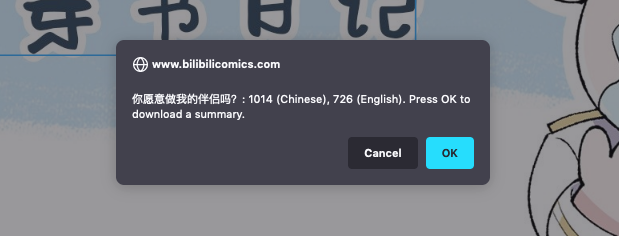
- Press OK to download a summary (an Excel file).
- Done!