구글 디벨로퍼에 있는 코틀린 코스 작업물들 기록
모든 자료와 이미지 출처: https://developer.android.com/courses/android-basics-kotlin/course
- RecyclerView 활용해보기
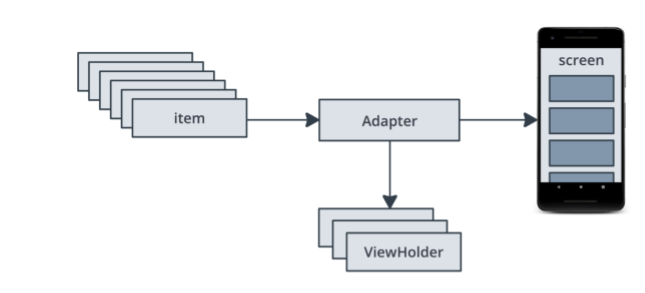
- Adapter, ViewHolder, Item List 등 RecyclerView Structure 익히기
- 용도에 따라 파일나눠 관리하는 연습하기(dataset 준비/ data class 정의/ MainActivity 등)
- color theme 을 쉽게 적용해볼 수 있는 곳 : https://material.io/resources/color/#!/?view.left=0&view.right=0
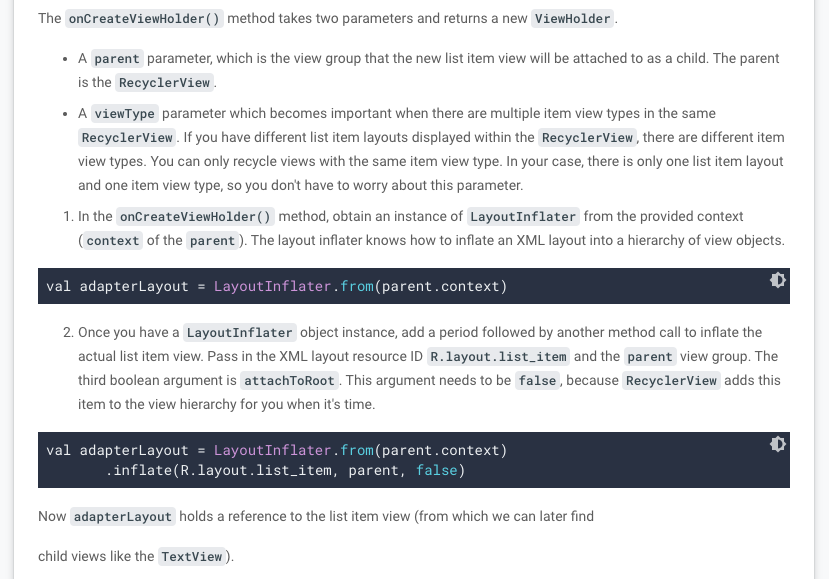
- RecyclerView 구현 중 Adapter에서 아직 이해하지 못한 부분: onCreateViewHolder()
- 새로 사용하는 개념: lambdas, higher order functions
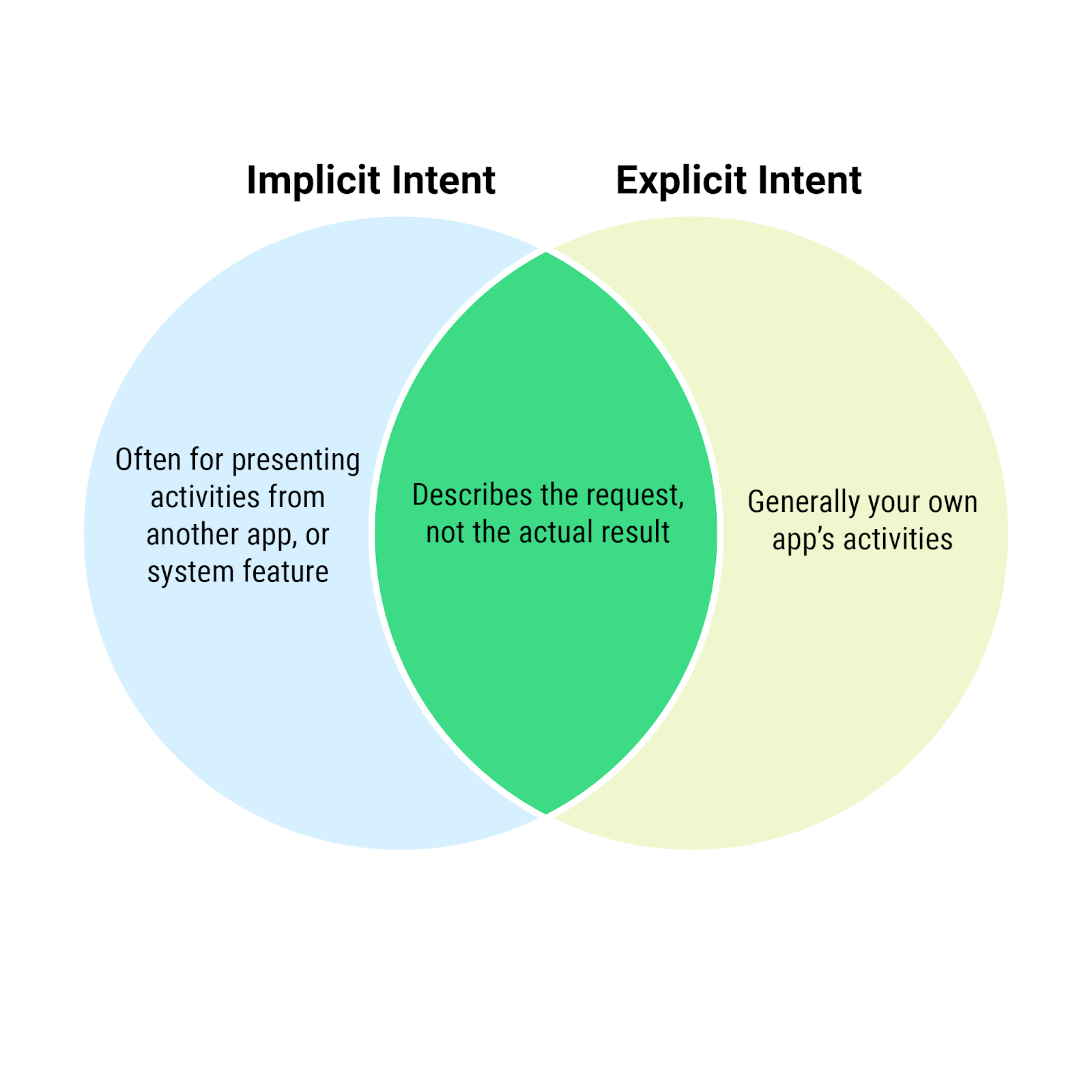
- navigation between multi activities, explicit/ implicit intent 활용해보기
- menu option 다뤄보기
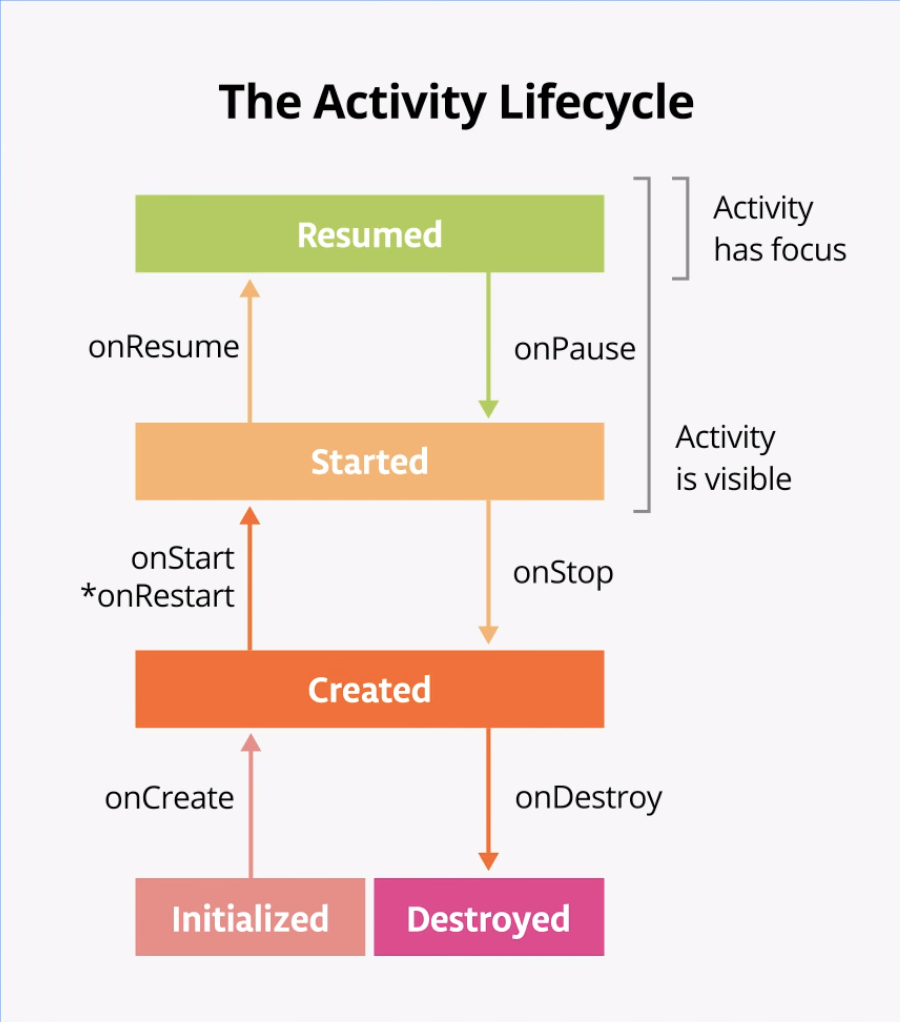
- Activity LifeCycle 이해하기
- Preserving activity state( onSaveInstanceState(), onRestoreInstanceState() )
- Configuration changes
- happens when the state of the device changes so radically that the easiest way for the system to resolve the change is to destroy and rebuild the activity
- Fragment 활용해보기
- navigation graph 활용해보기
- lifecycle 과 callback methods 들은 액티비티와 유사하나, onCreate() 에서의 작업에 유의해야 한다. 액티비티에서는 onCreate() 에서 inflating layout 과 view binding 을 진행하지만, 프레그먼트에서의 onCreate()는 아직 view가 생성되지 않은 상태이므로 진행할 수 없다. inflating layout은 onCreateView()에서, view binding 은 onViewCreated()에서 해줘야한다.
- 위와 연결되는 사항으로, view binding 시 nullable 하며, 초기값은 null 이다. onCreateView() 에서 값을 할당해줄거다. (세번째 이미지 참고)
- Jetpack Navigation Components 그래들 설정 페이지: https://developer.android.com/codelabs/basic-android-kotlin-training-fragments-navigation-component?continue=https%3A%2F%2Fdeveloper.android.com%2Fcourses%2Fpathways%2Fandroid-basics-kotlin-unit-3-pathway-2%23codelab-https%3A%2F%2Fdeveloper.android.com%2Fcodelabs%2Fbasic-android-kotlin-training-fragments-navigation-component#6


그 밖에 기록해놓을만한 부분들
- findViewById 와 view binding (Unit2 Part1의 5번째 활동)
