Repository navigation
Controls Controllers and Voice
WolkaraForever supports the documented touch, keyboard, controller, and dictation paths. Grant device permissions only when you choose to use the corresponding feature. Simulator or source checks prove code paths, not physical controller, microphone, Metal, or gameplay behavior.
Report device results with the installed build, device, iPadOS version, client build, execution mode, and exact SHA.
The in-game toolbar provides cursor, keyboard, gamepad, settings, and leave-game controls. The touch trackpad supports pointer movement, two-finger scrolling, and drag gestures. Physical keyboard and controller input can be mapped in the app; the on-screen controller has documented layout, size, opacity, grid, and haptic controls.
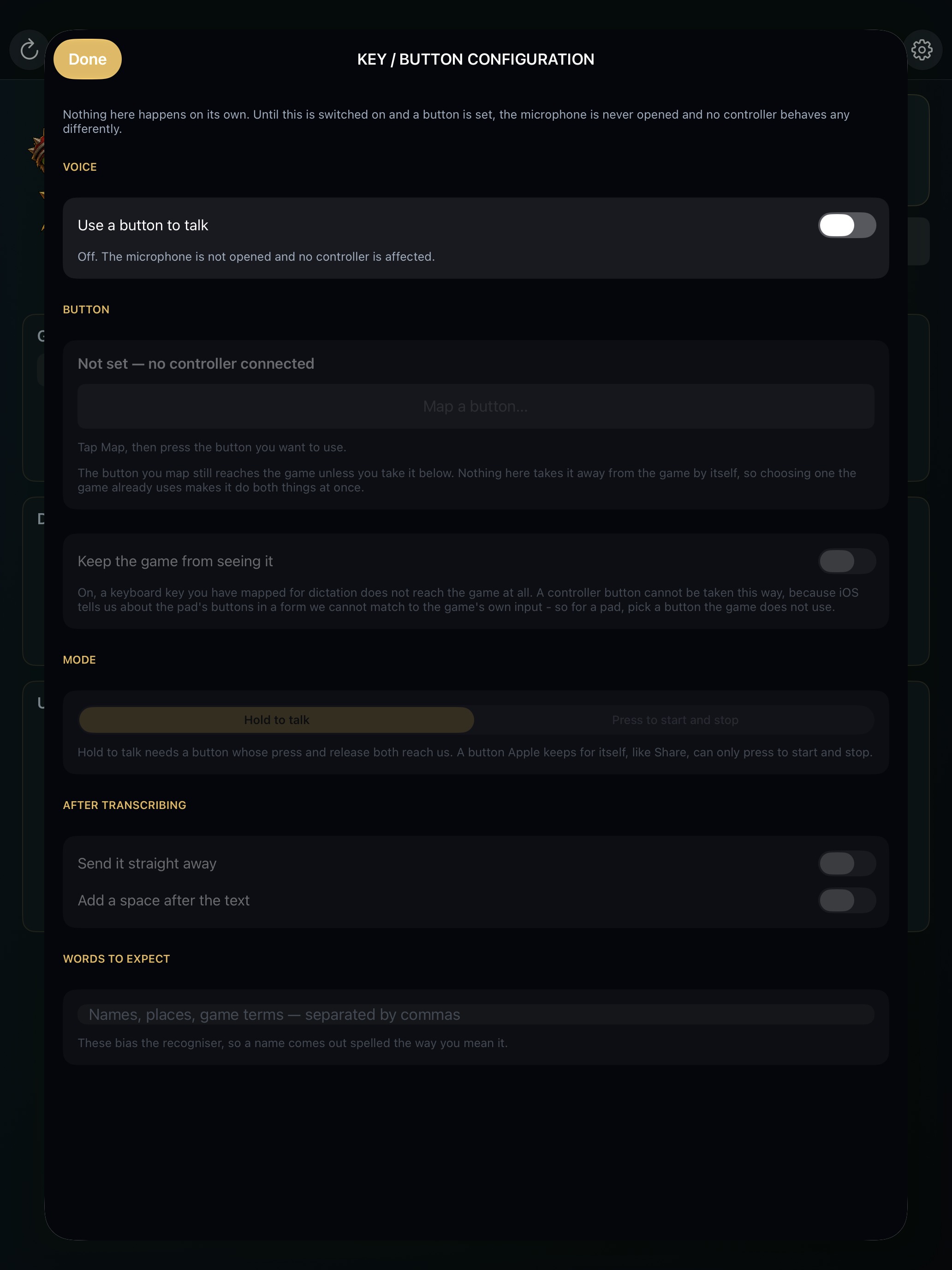
Open Key / Button Configuration, enable button-to-talk, choose Map a button, press a supported keyboard or controller control, and select hold-to-talk or press-to-toggle. Run Test Voice before opening the game whenever the mapping changes. Voice uses Microphone and Speech Recognition permissions. Review the controller-collision warning before withholding a mapped control from the game.
An app self-test proves session wiring and input routing, not that a person spoke, that a particular controller button was delivered by iPadOS, or that the game accepted text. Those are separate device or human evidence.
Source of truth: using the launcher and testing guidance Last reviewed: 2026-10-30