Repository navigation
First Launch and Game Installation
Choose the supported edition, CDN region, and game language in the launcher. The launcher downloads or updates only the selected language and blocks Play until that language's files are ready.
WolkaraForever does not distribute game data. It does not alter the original executable; imported application data remains hash-verified input to the local runtime.
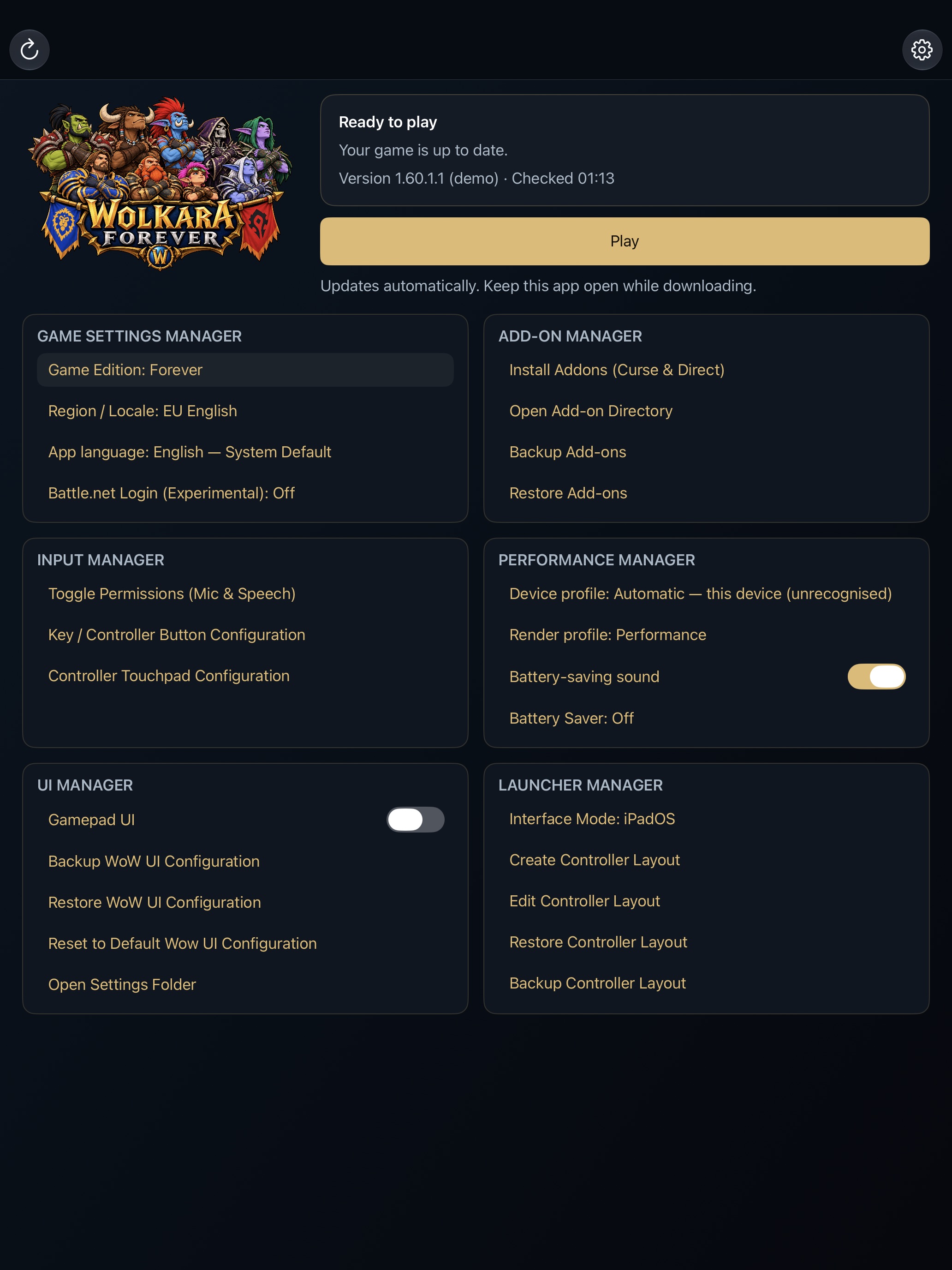
- Open WolkaraForever and choose Forever.
- Select the CDN region and game language you intend to use.
- Choose Install and keep the app foregrounded while it downloads and verifies the client.
- Choose Play only when it is available. Memory preparation may take several minutes; keep the app foregrounded and allow the private tunnel if asked.
- Sign in only with your own account inside the game.
Changing game language updates both game text and audio locale settings. If the installed files belong to another language, the launcher requires a language update before Play. It never changes the account's login region, binding settings, add-ons, or other unrelated game configuration.
If startup stalls, reopen the app rather than deleting it. Deleting the app removes downloaded data and enrollment state; Settings → Technical details gives the actionable reason for a failed readiness check.
Source of truth: using the launcher and launcher design Last reviewed: 2026-10-30