
CodeInk is a free, open-source online Markdown editor with a clean, professional UI. Real-time preview, Mermaid diagrams, KaTeX math, syntax highlighting, and markdown linting. 100% client-side — your documents never leave your browser.
Get Started ✦ Markdown Cheat Sheet ✦ License
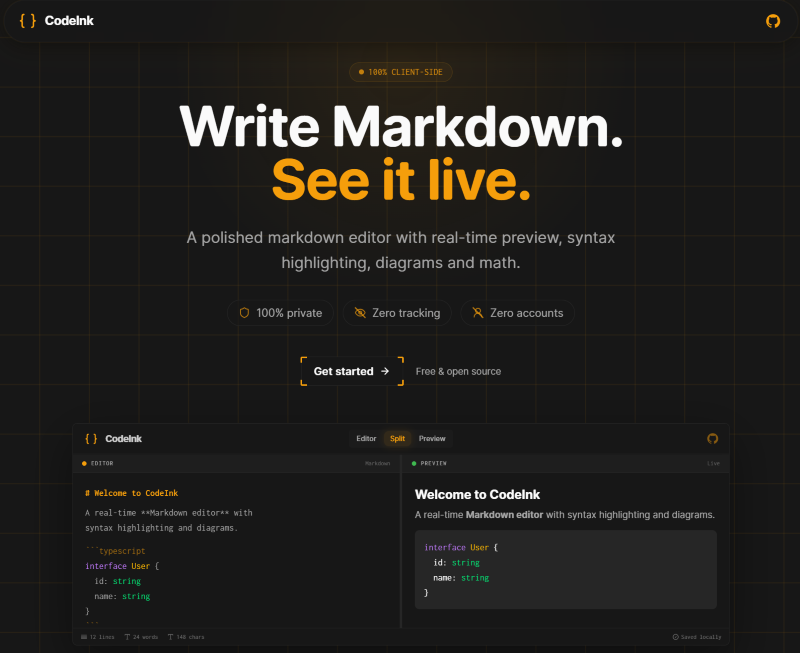


- Real-time Markdown preview — split-pane editor with instant rendering
- Mermaid diagrams — flowcharts, sequence diagrams, ER diagrams, Gantt charts, class diagrams, and more
- KaTeX math — inline and display mode LaTeX expressions
- Syntax highlighting — 16+ languages via Shiki with One Dark Pro theme
- GitHub-style alerts — NOTE, TIP, IMPORTANT, WARNING, CAUTION
- Tables and footnotes — full GFM support
- 100% client-side — your documents never leave your browser
- Zero tracking — no analytics, no cookies, no accounts
- Installable PWA — install CodeInk on desktop or mobile from supported browsers
- Local storage — documents saved via IndexedDB
- Offline-ready —
/editorand/documentswork offline after first load - Markdown linting — real-time diagnostics via remark-lint with one-click auto-fix
- Multiple view modes — editor, split, and preview modes with resizable panes
- Export — Markdown export
- Bun installed on your system
- Node.js 18+ (optional)
# Clone the repository
git clone https://github.com/jorgefl8/codeink.git
cd codeink

# Install dependencies
bun install

# Start development server
bun dev
The development server will start at http://localhost:4321
bun run build- First load must happen online so the service worker can cache app routes and assets.
- After that,
/editorand/documentsare available offline from cache + IndexedDB. - Other static routes are best-effort offline and may show
/offlineif not cached yet.
- Run
bun devand open the app in Chrome. - Visit
/editorand/documentsonce while online. - Open DevTools > Application > Service Workers and confirm registration.
- Switch DevTools Network to Offline and reload
/editoror/documents. - Verify install CTA appears when
beforeinstallpromptis available.
This project is licensed under the MIT License. See the LICENSE file for details.