Mini MNIST Serving
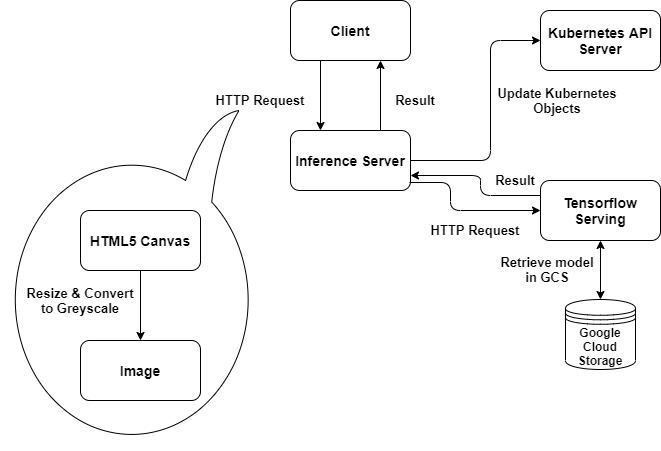
This project is tested on Go 1.14.6 and any other environments should be tested later.
Also Kubernetes cluster should be installed and Nginx ingress controller should exist.
To run the application, you need to set some arguments.
-
-google-app-creds
- Google application credentials json file path
- Because the application accesses the Google Cloud Storage, we need to set credentials to retrieve data.
- Please follow the Link to get json file.
- ex) /home/josh9191/key.json
-
-ingress-host
- Kubernetes Nginx ingress host
- Domain name of server where Nginx ingress controller runs
- ex) my.example.com
-
-kubeconfig (optional - but the file should exist)
- Kubernetes client configuration file path
- Copy your .kube/config file from your cluster to your local machine where server is running on.
- By default, it is set to "$HOME/.kube/config".
- ex) /etc/kube/config
You can run server as follows.
go run cmd\main.go \
  -google-app-creds /home/josh9191/gcp/key.json \
  -ingress-host my-serving.duckdns.org \
  -kubeconfig /etc/kube/config
After the server started, you can access the web page via http://localhost:8080.
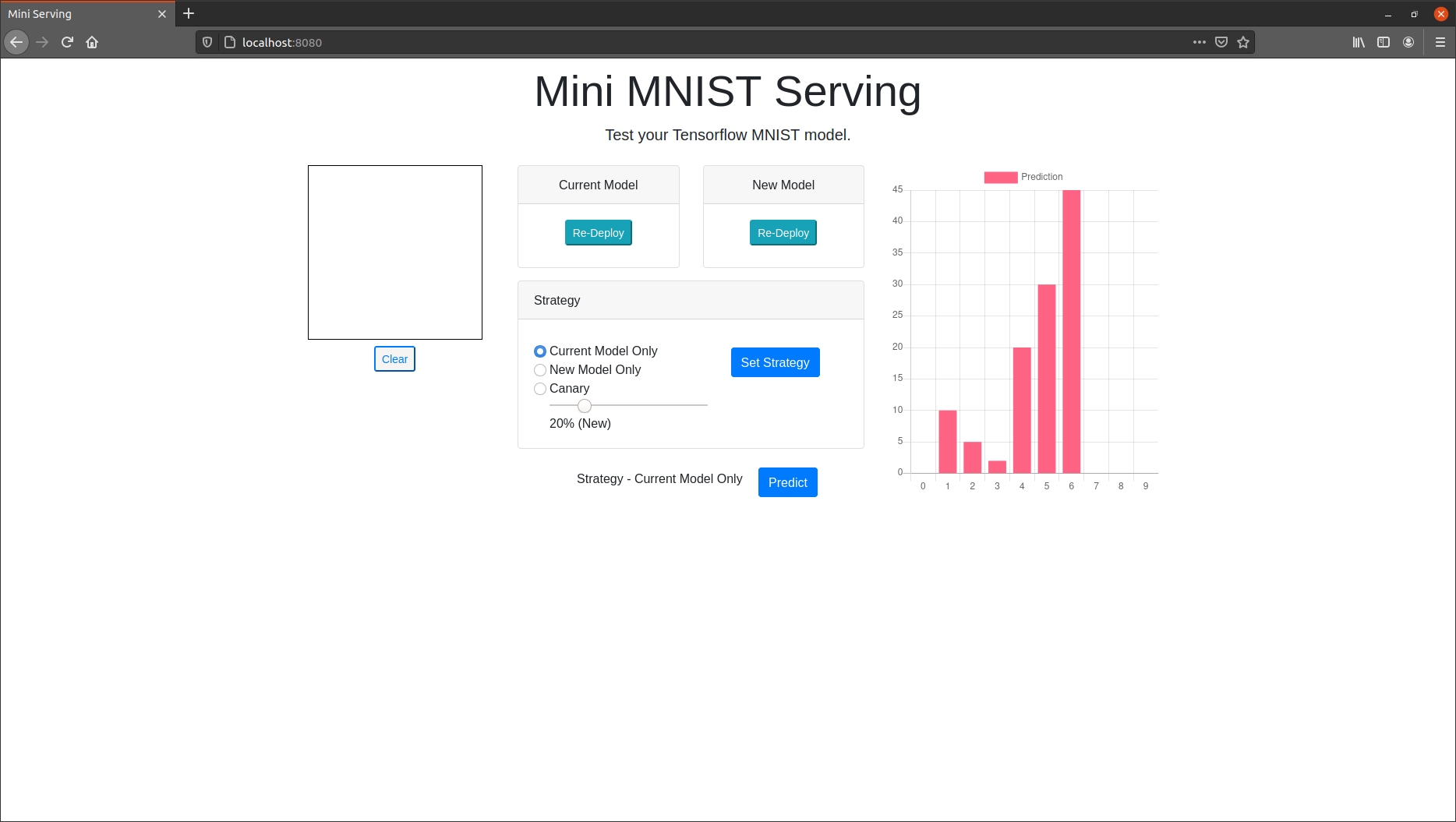
You can see "Deploy" buttons in both "Current Model" and "New Model" sections.
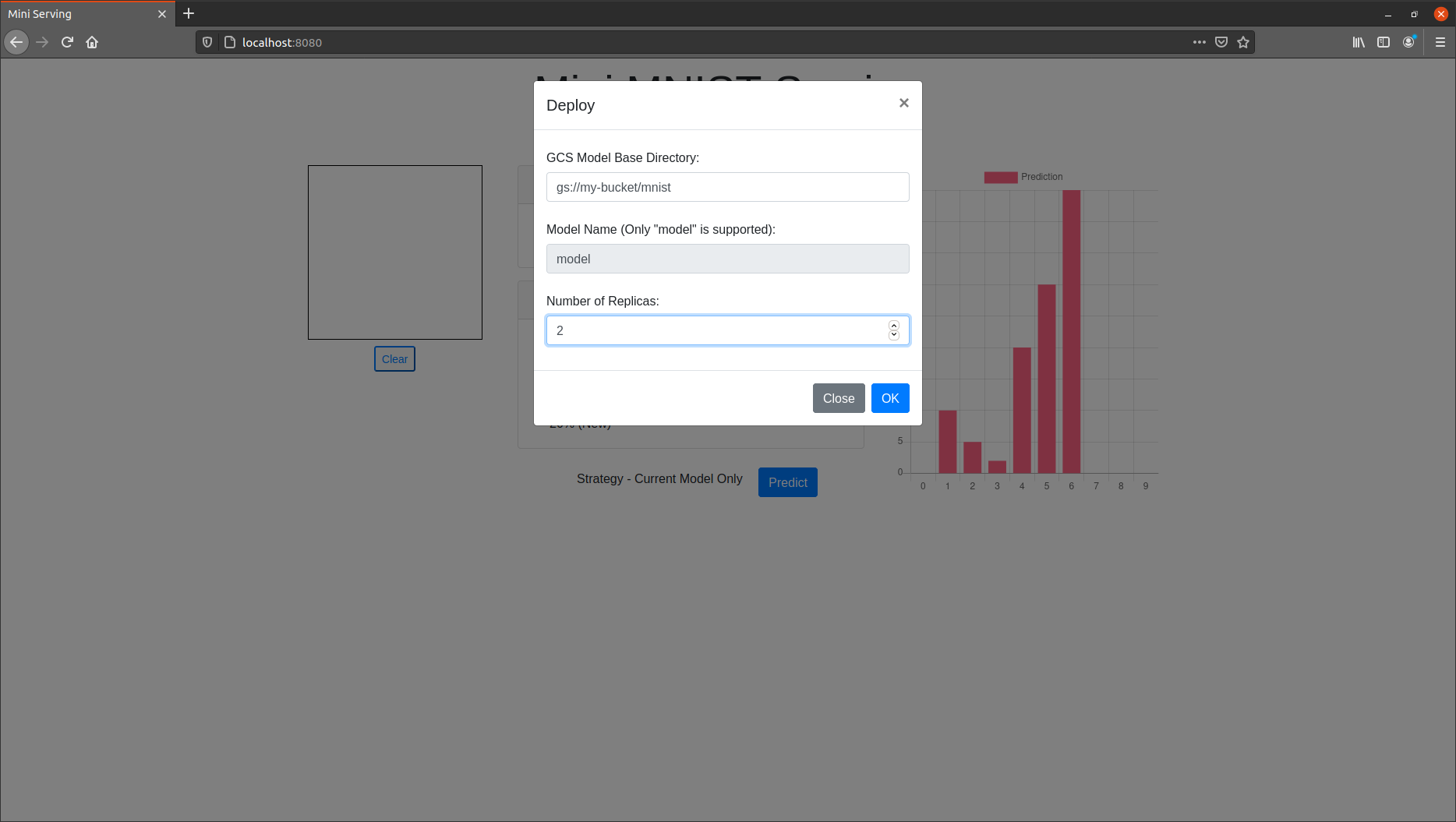
Please set the Tensorflow model directory in your Google Cloud Storage (currently storage services other than GCS are not supported) and number of replicas (number of Pods) in the form. In the example below, the Tensorflow saved model should be located in "gs://my-bucket/mnist/model/1" directory.
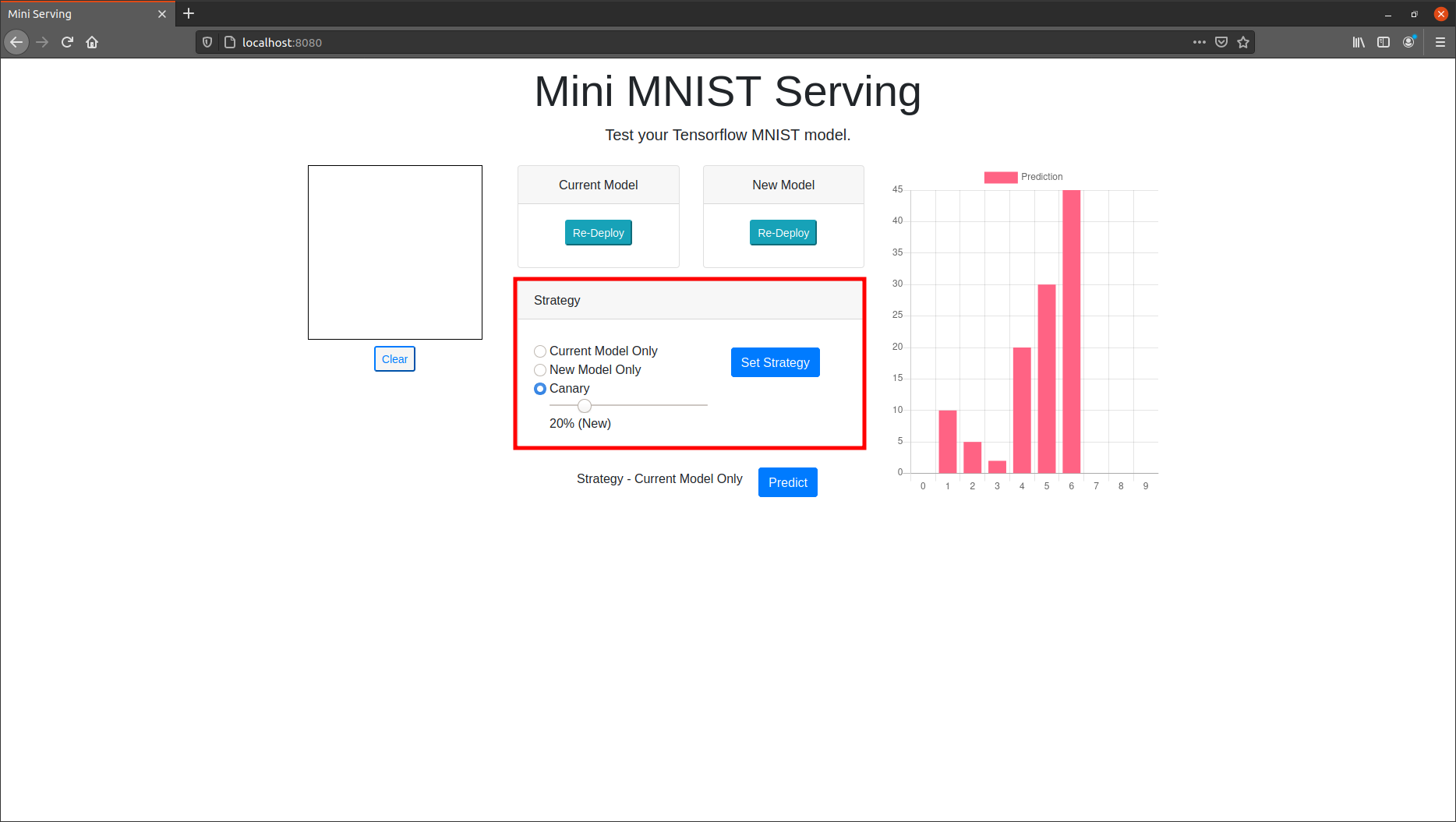
After the models are deployed, you can re-deploy or set strategy (Current model only / New model only / Canary) and predict your hand-written image.
You can set strategy using "Set Strategy" button. When you select "Canary", the portion of requests to be sent to your model can be adjusted by range bar.
Depending on your strategy, the input data will be sent to the current model or new model.
After the strategy has been set, you can run prediction using your own hand-written image by clicking "Predict" button.

You can check the result (probability) in a chart on the right side. Enjoy!
- TODO