This is a basic command-line interface allowing users to track their last scores on Valorant using the terminal.

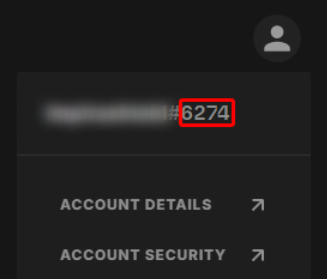
On first start-up, the cli will ask you for your username and tag, which you can find in on the game launcher next to your username.
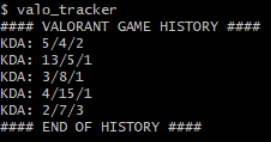
Once you've provided your credentials, the cli will return the latest games with the Kills/Deaths/Assists for each.
--reset:
In case you want to redefine your tag and username.
--help:
Displays the available options.
--current:
Displays your current tag and username.
Run the following command:
go get . && go run .
You can build the binary yourself with Go:
make build
That should create a valo_tracker executable in ./bin.
Or download the one corresponding to your operating system in the releases section.
Best way to use this kind of CLI is to add it to your path so you can simply use it in your terminal from anywhere as:
$ valo_tracker
How to do it: