Repository navigation
Addendum Gophics
An addendum to One Go App, Served Five Ways. Same spec, same shared core, same harness. Other addenda: Home.
Stack Gophics at commit 8d36097 (no releases yet) ·
Compared with MyGo native UI mode, NSGo, go-gui, Fyne · Measured 2026-11-21, same machine as the article
Verdict: a fast, good-looking self-drawn toolkit with no cgo anywhere, close to NSGo on speed. Very young: one framework crash had to be worked around, and several native features are missing.
Stronger than the comparators at: no cgo on any desktop, macOS included; a cold build of 8.8 s; the fastest browser start of the single-codebase options (681 ms); table scroll as smooth as MyGo native UI and NSGo, with no loading rows on the desktop or in the browser; a hands-on style score of 5 out of 5 from the author.
Weaker at: maturity (no releases, needs Go 1.27); the blind style score was 3, one below NSGo, in three separate passes; its dropdown crashes on macOS; no split view, spin box, disabled state, menu shortcuts or native save-as dialog; a larger browser download than MyGo native UI and NSGo (4.5 MB). Linux, the author's main work platform, is its weakest point: 9 of 12 checks pass against 12 for NSGo and IUP-Go. There is no menu bar (About cannot be reached), it ignores the desktop's dark mode, the window class is fixed at
gogpuso launchers and docks cannot match it, and file dialogs and notifications rely onzenity/kdialogandnotify-sendbeing installed.
A lot of data? Yes, on the desktop and in the browser: smooth to row 1,000,000 with no loading rows. Need cgo? No, on macOS, Linux or Windows. GPU drivers load at run time. Web, native, or both? Both from one Go UI codebase, drawn the same way everywhere; the browser needs WebGPU.
The rest of this page is the evidence for the box above.
A pure-Go UI toolkit that draws every widget itself on the GPU, through its own pure-Go WebGPU stack: Metal on macOS, Vulkan on Linux, DirectX 12 on Windows and WebGPU in the browser. It uses no webview and no native widgets. Built from the spec by an agent, like the article's apps, then fixed in two passes after the author's hands-on check. The project has no releases and needs Go 1.27 or newer.
Before the build, the coordinating agent wrote down a prediction for every
number on this page (results/gophics-prediction.md).
It got 7 of 14 calls right, plus 1 near miss; most of the misses
underestimated Gophics.
Desktop, median of 5 runs. Bold is the best figure in the row.
| gophics | mygoui | nsgo | gogui | fyne | |
|---|---|---|---|---|---|
| Ready (ms) | 399 | 236 | 498 | 277 | 572 |
| Jump to row 500k (ms) | 88 | 69 | 78 | 85 | 146 |
| Table scroll, max frame gap (ms) | 18 | 13 | 11 | 17 | 40 |
| Switch to cards (ms) | 68 | 51 | 59 | 117 | 104 |
| Sort (ms) | 284 | 241 | 272 | 262 | 254 |
| Peak memory (MB) | 332 | 219 | 369 | 279 | 1412 |
| Cold build (s) | 8.8 | 13.7 | 8.0 | 12.7 | 19.1 |
| Style, blind (1 to 5, one pass) | 3 | 5 | 4 | 1 | 2 |
Browser (Chrome, single run, frame gaps timed by the browser for all).
| gophics | mygoui | nsgo | gogui | fyne | |
|---|---|---|---|---|---|
| Download, gzip (MB) | 4.5 | 4.0 | 4.2 | 6.5 | 12.4 |
| Ready (ms) | 681 | 921 | 940 | 720 | 830 |
| Table scroll, max frame gap (ms) | 68 | 67 | 51 | 151 | 217 |
| Cards scroll, max frame gap (ms) | 51 | 33 | 49 | 151 | 135 |
How much code it took (lines of Go and Make, tests excluded):
| gophics | mygoui | nsgo | gogui | fyne | |
|---|---|---|---|---|---|
| Shared | 2,124 | 1,418 | 2,244 | 1,877 | 2,401 |
| Desktop only | 226 | 217 | 188 | 228 | 250 |
| Web only | 41 | 154 | 75 | 130 | 130 |
| Desktop plus web overhead | 267 (11%) | 371 (21%) | 263 (11%) | 358 (16%) | 380 (14%) |
| Custom cells (stock bar, status, stars) | 126 | 128 | 197 | 133 | 581 |
Beyond the cells, the agent built several pieces Gophics does not have: the table itself (on the framework's lazy list), the draggable split, a text field that sees shortcuts first, the dropdown replacement and the export file-name dialog. They are counted in the shared lines.
The style row is from the fifth blind pass, so go-gui's score differs from its own page. Two more checks, both with a row selected and the light cards added, gave the same order: an Opus judge scored MyGo native UI 4.5, NSGo 4 and Gophics 3, and a side-by-side pass scored NSGo 4 and Gophics 3 with the sides swapped.
Hands-on (macOS). Table and cards scrolled smoothly with no loading rows; jump, sort, editing, Revert, validation, themes, export, notification, Reveal, Copy Row and the Host dialog all worked. After two fix passes:
- Fixed: rating stars drawing over the form, a scrollbar drawn off screen, card text shifting when selected, thick header dividers, a selection highlight too faint to see, shortcuts not firing while a text field had focus, and (in the browser) the table header drawing over the form.
- Left: the scrollbars fade out when idle and can only be dragged while visible, and export asks for a file name in an in-app dialog, then a folder, because the framework's save dialog never returns the chosen path.
- The author's style score was 4 out of 5 before the fixes and 5 after: "really clean and appealing", even though not every part looks native.
Why the two style scores differ. The author used the app in both themes and both views. The judges saw still images, and marked Gophics down for oversized controls, labels sitting high on their fields, uneven spacing, crude ▼ dropdown arrows and a bold Category field. Not all of that is the agent's doing:
| Judge's complaint | Whose | Why |
|---|---|---|
| ▼ arrows, bold Category | framework | Its dropdown crashes on macOS, so the agent used a button that opens a menu. |
| Orange accent against blue stock bars | neither | Orange is the default theme; the blue bar is a spec color every app uses. |
| Monospace-looking SKU dashes | framework | Default font. |
| Labels off their fields' centers, uneven spacing | agent | Its own layout; fixable. |
The hands-on fixes covered only what the author found by hand, as for every other app.
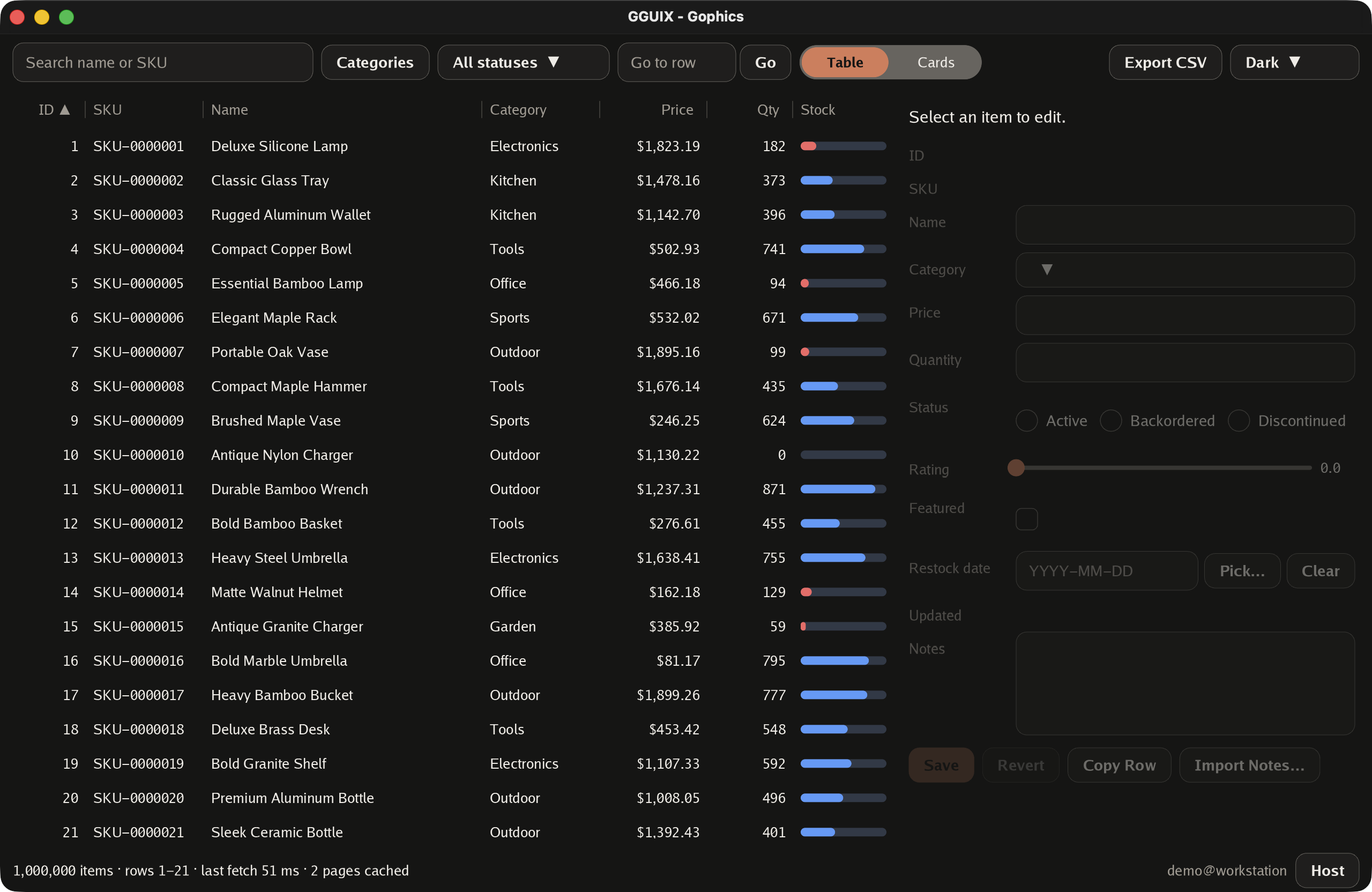
Desktop
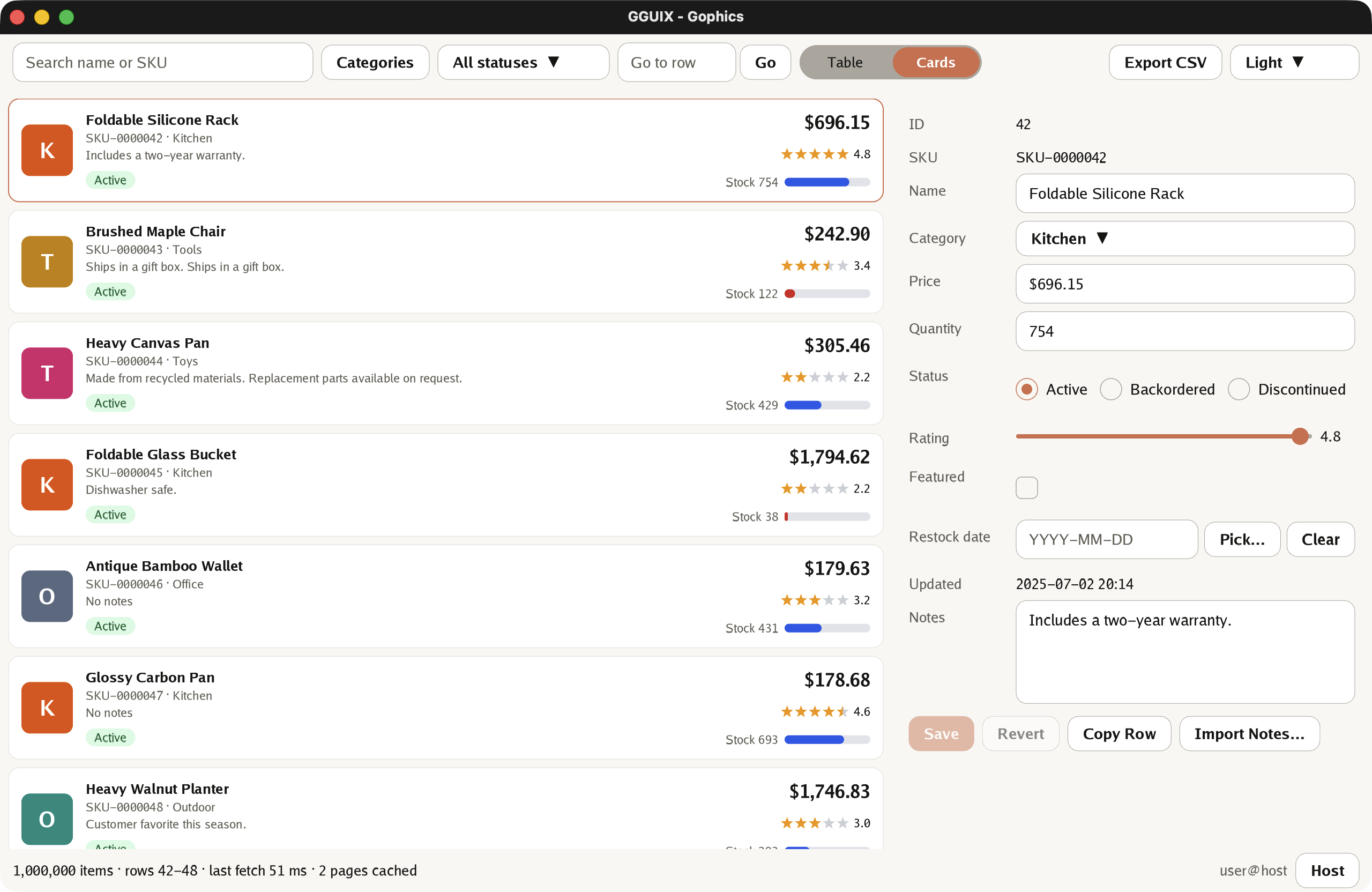
Desktop, cards
Browser
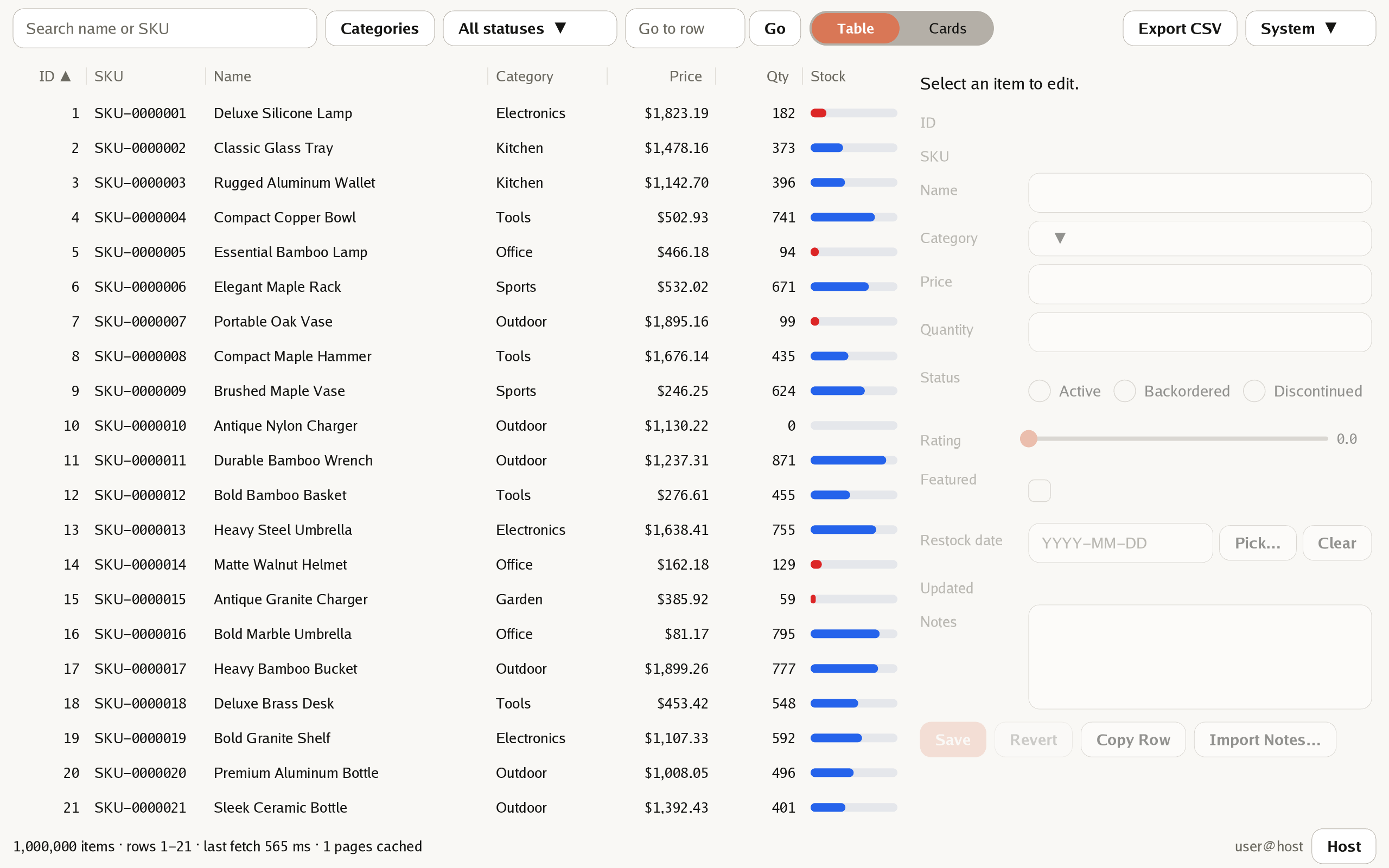
A lot of data? Yes. Desktop scroll and jump are close to NSGo and MyGo native UI, and neither scroll test showed a loading row. The table is the agent's own, built on the framework's lazy list, because the stock table has no way to scroll it from code. In the browser it scrolls as smoothly as MyGo native UI.
Need cgo? No. CGO_ENABLED=0 builds on all three desktops, macOS
included, and cross builds for Linux and Windows need no extra tools. The
Linux binary links only libc; Vulkan and the Mesa drivers load at run time.
The article's cgo test core (a core that needs cgo) runs on the desktop, and
in the browser through web-remote, where the core runs on a Go server.
Web, native, or both? Both from one Go UI codebase. Gophics draws the
same widgets everywhere, so the browser looks like the desktop, but it needs
a browser with WebGPU (Chrome here); the ✓ glyph shows as an empty box there.
On Linux (the article's container check, X11 and sway) 9 of 12 checks pass
on software Vulkan: file dialogs (through zenity, as separate windows),
notification, Reveal, clipboard and shortcuts work. There is no menu bar,
the window class is fixed at gogpu, and it ignores the desktop's dark
setting (it reads only GTK_THEME and KDE's config, with no live switch).
Code: apps/gophics/ · Full results: results/gophics/ ·
Method: results/HARNESS_CHANGES.md (E9), style passes results/judge-addenda5/