Repository navigation
Addendum Shirei
An addendum to One Go App, Served Five Ways. Same spec, same shared core, same harness. Other addenda: Home.
Suggested by a reader · Stack Shirei v0.10.0 (commit 1a03e95) ·
Compared with MyGo native UI mode, NSGo, Gophics, go-gui · Measured 2026-11-25, same machine as the article
Verdict: the first immediate-mode option tested, and a fast, good-looking one: smooth on the desktop and in the browser, no cgo, the fastest build measured. It draws everything itself, including menus, file dialogs and notifications, so nothing on the desktop is native.
Stronger than the comparators at: cold build (5.5 s, the fastest measured); desktop start (269 ms, second only to MyGo native UI); smooth scrolling with no loading rows on the desktop and in the browser; the least custom-cell code of any app (118 lines); cross builds for Windows and Linux with no extra tools.
Weaker at: no native menu bar, file dialogs or notifications, on any platform (all are drawn in the window); no horizontal scroll or column resize in its table; inputs have no disabled state, and there is no spin box, date picker or dropdown; maturity (one author, first commit in 2025). On Linux, the author's main work platform, it runs on X11 and Wayland with almost nothing installed, but sets no window class on X11 and sent no desktop notification.
A lot of data? Yes: smooth to row 1,000,000 with no loading rows, on the desktop and in the browser. Need cgo? No, on macOS, Linux or Windows. Web, native, or both? Both from one Go UI codebase, drawn the same way everywhere; nothing native on the desktop.
The rest of this page is the evidence for the box above.
A pure-Go immediate-mode toolkit: the UI is a Go function that runs again for each frame and describes what is on screen, instead of a tree of widget objects that the app creates once and updates. State that belongs to a widget (focus, scroll, hover) is kept by the framework, keyed by each widget's place in the tree. It draws everything itself: Metal on macOS, its own software renderer or GL on Linux (X11 and Wayland), Win32 on Windows, and WebGL2 in the browser. Built from the spec by an agent, like the article's apps, then fixed in two passes after the author's hands-on check.
The author prefers retained mode and finds the immediate-mode model harder to reason about, which is the context for this test. The measurements are not affected by it; the hands-on notes are the author's.
Before the build, the coordinating agent wrote down a prediction for every
number on this page (results/shirei-prediction.md).
It got 10 of 19 calls right, plus 4 near misses; most of the misses
underestimated Shirei.
Desktop, median of 5 runs. Bold is the best figure in the row.
| shirei | mygoui | nsgo | gophics | gogui | |
|---|---|---|---|---|---|
| Ready (ms) | 269 | 236 | 498 | 399 | 277 |
| Jump to row 500k (ms) | 91 | 69 | 78 | 88 | 85 |
| Table scroll, max frame gap (ms) | 17 | 13 | 11 | 18 | 17 |
| Switch to cards (ms) | 133 | 51 | 59 | 68 | 117 |
| Sort (ms) | 267 | 241 | 272 | 284 | 262 |
| Peak memory (MB) | 362 | 219 | 369 | 332 | 279 |
| Cold build (s) | 5.5 | 13.7 | 8.0 | 8.8 | 12.7 |
| Style, blind (1 to 5, one pass) | 3.5 | 4.5 | 3.5 | 4 | 2 |
Browser (Chrome, single run, frame gaps timed by the browser for all).
| shirei | mygoui | nsgo | gophics | gogui | |
|---|---|---|---|---|---|
| Download, gzip (MB) | 4.0 | 4.0 | 4.2 | 4.5 | 6.5 |
| Ready (ms) | 933 | 921 | 940 | 681 | 720 |
| Table scroll, max frame gap (ms) | 50 | 67 | 51 | 68 | 151 |
| Cards scroll, max frame gap (ms) | 83 | 33 | 49 | 51 | 151 |
How much code it took (lines of Go and Make, tests excluded):
| shirei | mygoui | nsgo | gophics | gogui | |
|---|---|---|---|---|---|
| Shared | 1,688 | 1,418 | 2,244 | 2,124 | 1,877 |
| Desktop only | 191 | 217 | 188 | 226 | 228 |
| Web only | 80 | 154 | 75 | 41 | 130 |
| Desktop plus web overhead | 271 (14%) | 371 (21%) | 263 (11%) | 267 (11%) | 358 (16%) |
| Custom cells (stock bar, status, stars) | 118 | 128 | 197 | 126 | 133 |
The style row is from the sixth blind pass (fifteen apps), so the comparators' scores differ from their own pages: in that pass Gophics rose a point and NSGo fell half a point, so read single-pass scores as within about a point.
The desktop scroll steps took about twice their time budget (6.7 s for 3.2 s of steps), and the frame gap sat at about one display refresh (16.7 ms) on almost every step, so each step appears to wait for a refresh. No loading rows appeared, and by hand scrolling was smooth throughout.
Idle CPU. Shirei says an idle app costs nothing, since it draws a frame
only on input or request. Left untouched for 30 s after start, the app used
0.48 s of CPU (about 1.6% of one core), against 0.04 s for MyGo native UI and
0.03 s for Gophics. Small, but not zero, and not the lowest. Shirei's own
demos/small and demos/controls, built from the same v0.10.0 source and
measured the same way, used 0.62 s and 0.49 s, so the idle cost comes from
the framework, not from this app.
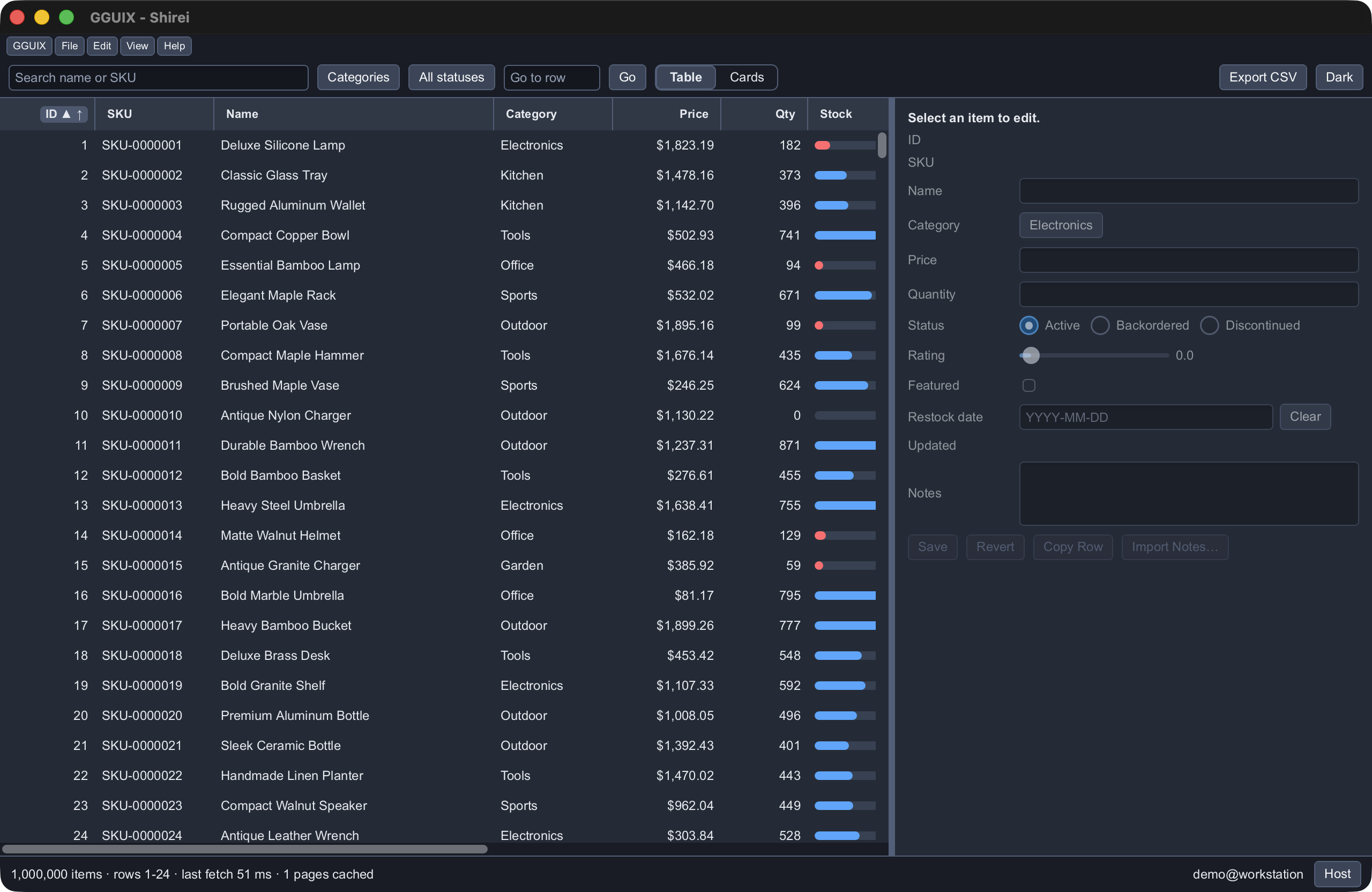
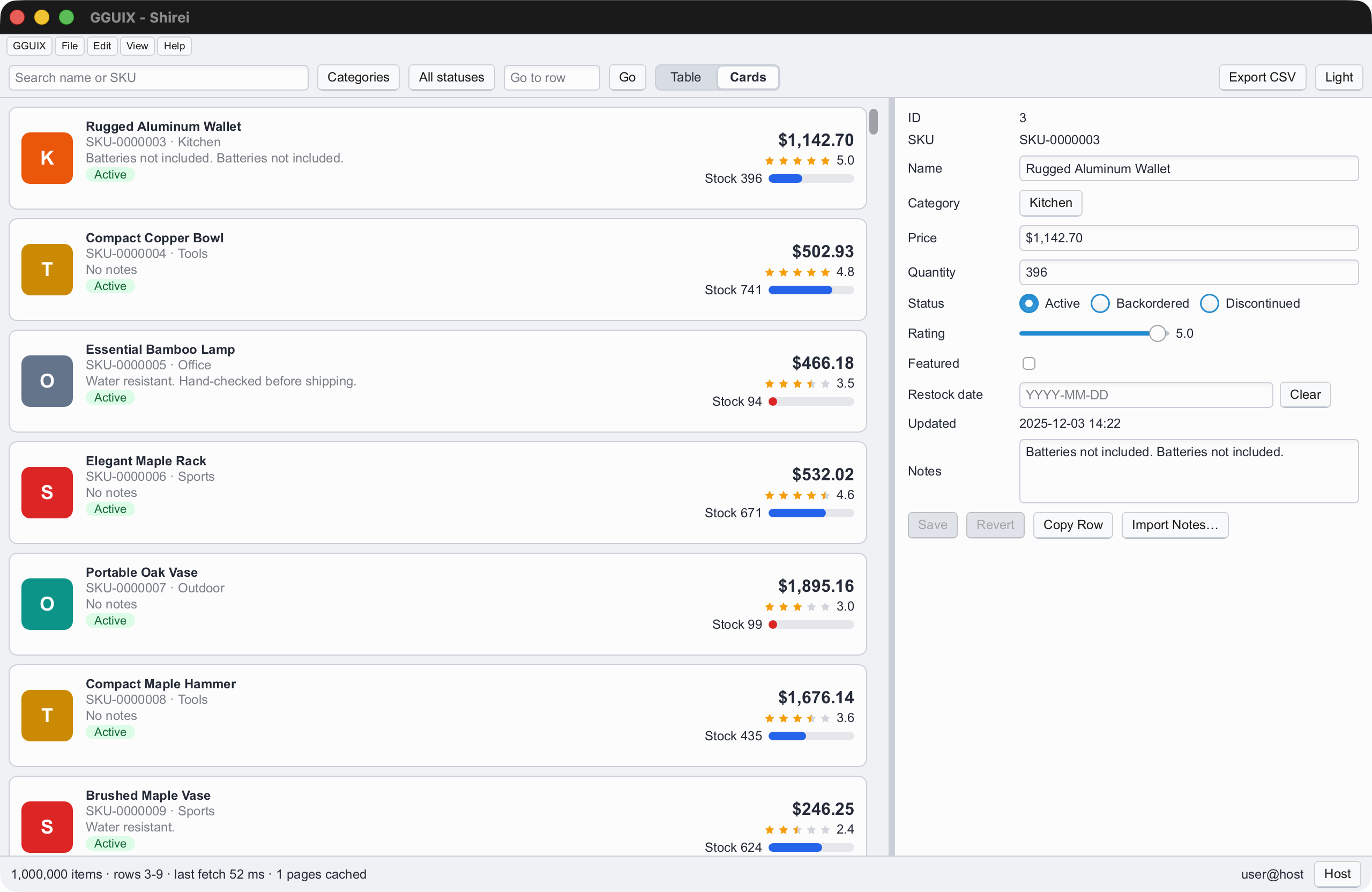
Hands-on (macOS). Scrolling, jump, sort and search were smooth; the cards view, the form, export, clipboard, Reveal, the Host dialog, the in-app menus and shortcuts, and restore all worked. After two fix passes:
- Fixed: no scrollbars and no way to reach the right-hand columns, small stars, switching from cards back to the table landing on row 1 instead of the selected row, the form being clipped when a field was clicked in a narrow panel, the export bar's width jumping, and the light theme's dark toolbar strip behind white buttons.
- Worked around: Shirei's text inputs grew when the panel widened and never shrank back (each input sized its text by its width from the previous frame); the form now pins each input to its row's width.
- Left: horizontal scrolling moves a whole column at a time and columns cannot be resized (the table cannot scroll sideways), the Category and Status dropdowns are menu buttons, and the open, save and notification features are drawn in the window.
- The author's style score was 3.5, "or almost 4".
Reading the code (the author's verdict). The author read the app's main
parts (the frame, toolbar, table, form and star cells) and did not like the
model: "I don't like the globals. I'm used to operating on widget methods
that have clear context." Shirei's calls such as Container, Button,
IsClicked and ModAttrs are package functions that act on hidden "current"
state, so their meaning depends on where they sit in the code. The author
also disliked "defining a widget while checking its use at that moment
(button clicks)", preferring to "lay out the whole custom widget first and
then do the wire ups lower down or in another method." This is a matter of
style, not a flaw in Shirei: the same global context is how other
immediate-mode toolkits such as Dear ImGui work.
Desktop
Desktop, cards
Browser
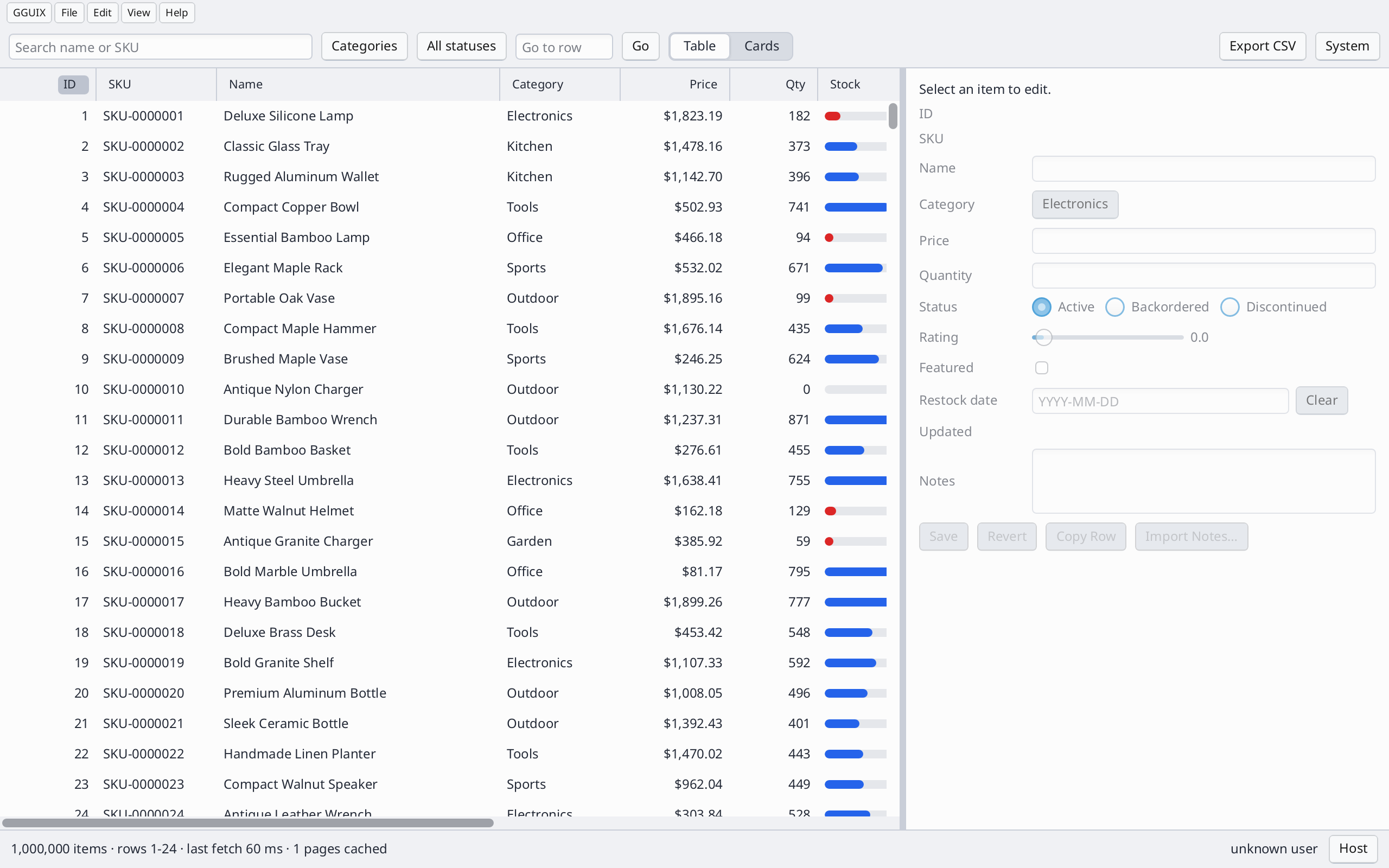
A lot of data? Yes. The stock table takes a slice of rows and sorts in memory, so the agent fed it row numbers and paged the core behind them, with sorting done by the core. With that, scrolling stayed smooth with no loading rows on the desktop and in the browser, where it scrolled as smoothly as NSGo. Switching to cards (133 ms) was the slowest of the self-drawn options.
Need cgo? No. CGO_ENABLED=0 builds on all three desktops, and cross
builds for Linux and Windows need no extra tools. System libraries load at run
time. The article's cgo test core runs on the desktop, and in the browser
through web-remote, where the core runs on a Go server.
Web, native, or both? Both from one Go UI codebase, drawn the same way
everywhere, so the app looks and behaves alike on every platform, including
its menus and dialogs. The price is that nothing is native on the desktop:
no menu bar, no system file dialogs, no system notifications, and .app
packaging needs a Developer ID. On Linux (the article's container check, X11
and sway) everything worked or fell back to its in-window version: it started
on X11 and native Wayland, needed only libc and libxkbcommon at run time,
followed the system dark setting live, and copied to the clipboard. It sets
no window class on X11 (Wayland gets one from the executable name), and no
desktop notification was sent. The container has no GPU, so only its software
renderer ran there.
Code: apps/shirei/ · Full results: results/shirei/ ·
Method: results/HARNESS_CHANGES.md (E10), style pass results/judge-addenda6/