




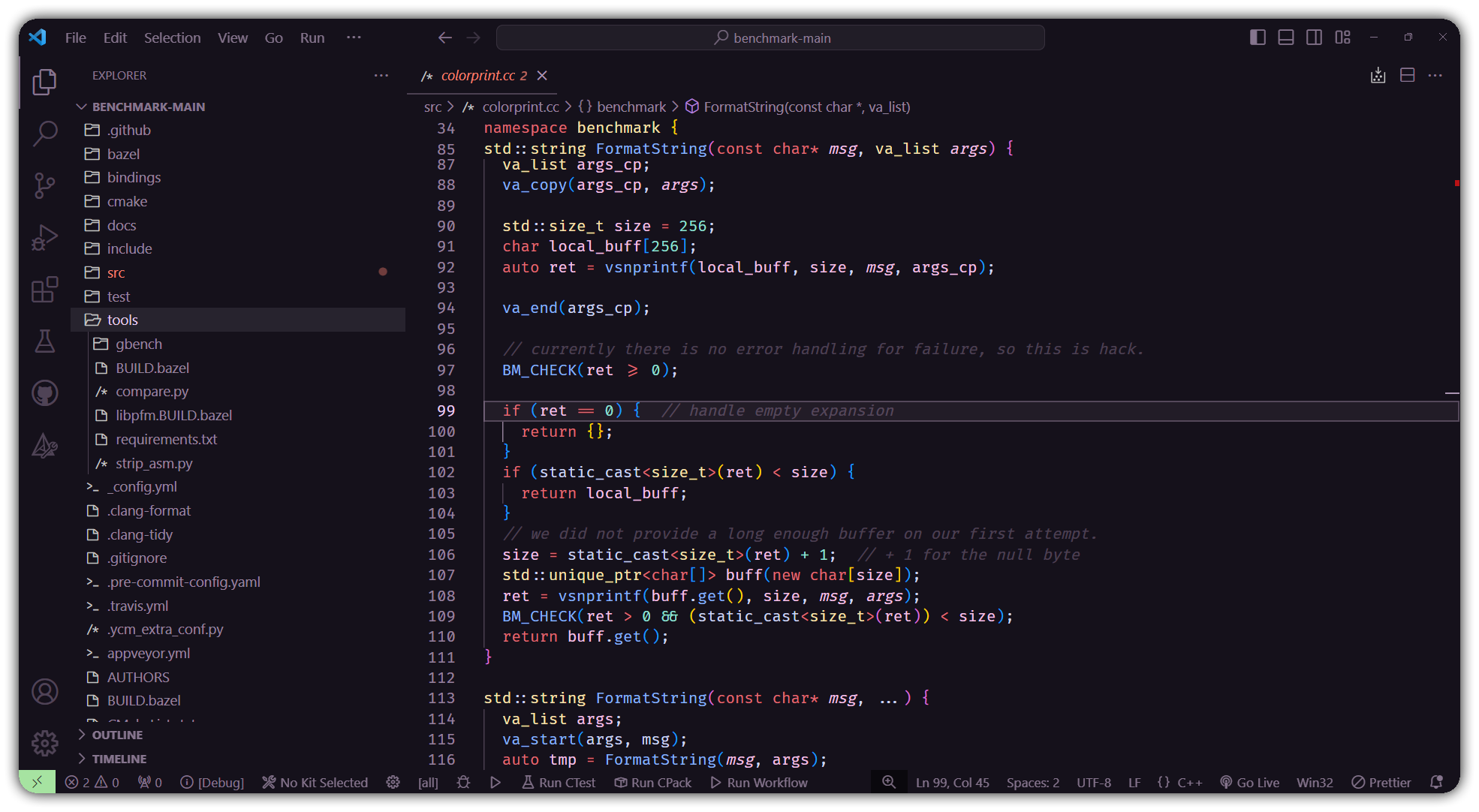
Purstel is a dark purple theme featuring pastel highlights. Partially created with Theme Studio.
To download this theme, you can visit the Visual Studio Code Marketplace, or search Purstel in Visual Studio Code.
To select this theme, open the command pallete: `
Ctrl + Shift + POn Linux and Windows⌘ + Shift + Pon MacoOS
Begin typing theme and select Preferences: Color Theme. Once the extension is installed, a Purstel option will appear.
You can toggle semantic italics for certain keywords in the extension settings, or by changing purstel.useSemanticItalics in your settings.json file.
The full list of scopes italicized by this setting is available within the extension.ts file.
The repository for this theme is available on Github.
| Color | Use |
|---|---|
#f38ba8 |
Keywords, Error Squiggles, Diff Editor Removed, Terminal Red |
#f9e2af |
Classes, Constants, Warning Squiggles, Terminal Yellow |
#a6e3a1 |
Strings, Diff Editor Inserted, Terminal Green |
#94e2d5 |
Numbers, Operators, Special Functions, Terminal Cyan |
#89b4fa |
Functions, Methods, Active Links, Info Squiggles, Terminal Bright Blue |
#f5c2e7 |
Variables, Properties, Buttons, Terminal Magenta |
#bac2de |
Editor Foreground, Terminal White |
#45475a |
Terminal Black |
#ebcdf4 |
General Foreground |
#15111b |
Theme Background |
Color pallete uses place-hold.it | Copyright © Synanesthetics 2024
