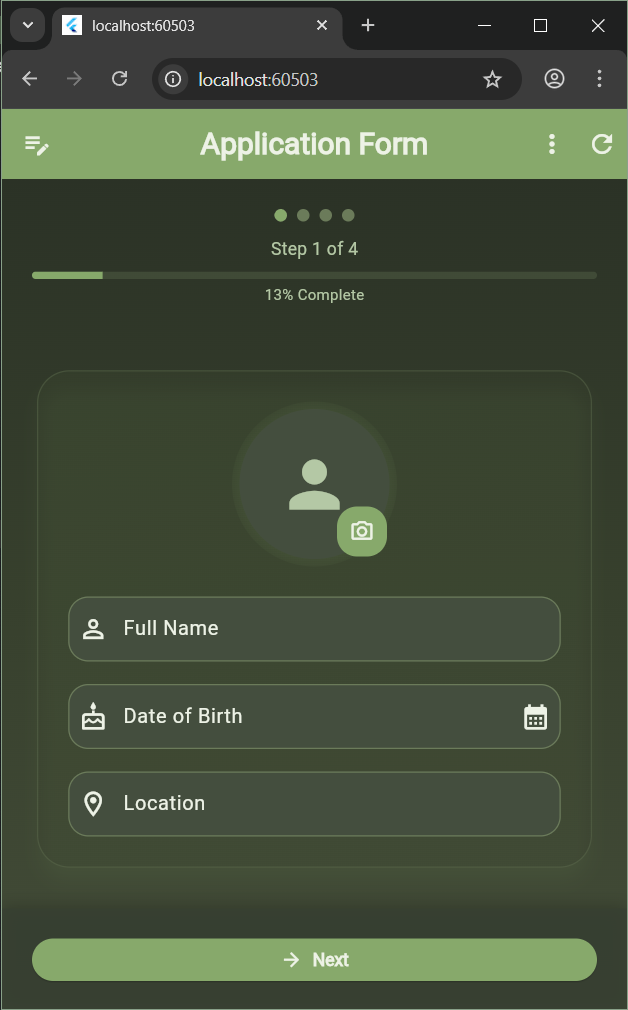
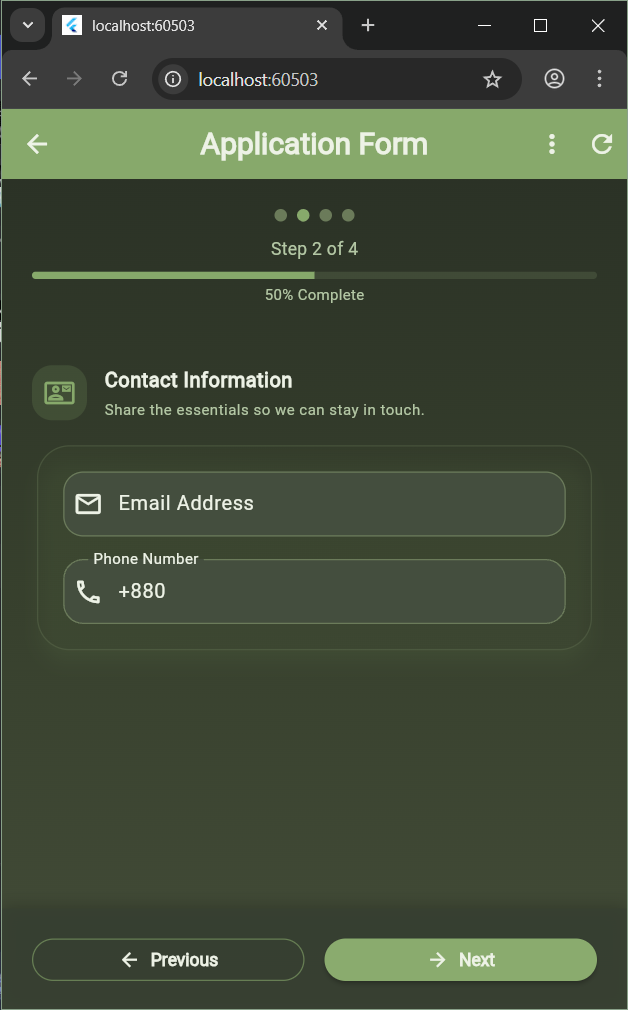
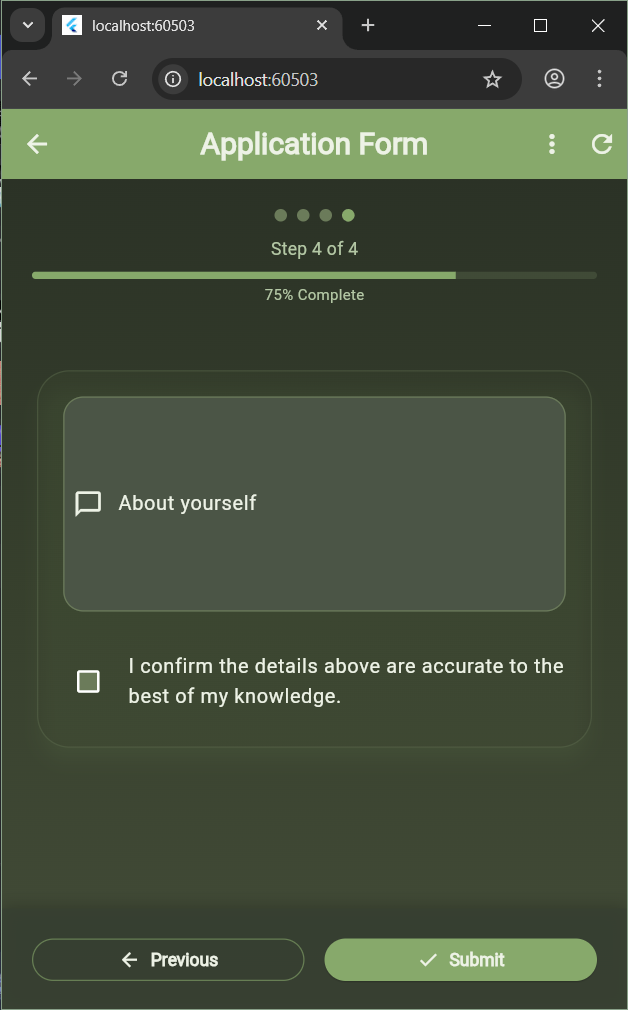
A beautiful, feature-rich multi-step registration form built with Flutter, featuring a modern sage green theme, smooth animations, and advanced functionality.



- Multi-Step Wizard: Intuitive 4-step form with smooth navigation
- Progress Tracking: Visual progress indicator with completion percentage
- Auto-Save: Automatic form data persistence with local storage
- Real-time Validation: Debounced validation with instant feedback
- Data Persistence: Form data saved automatically and restored on app restart
- Beautiful Sage Green Theme: Elegant dark theme with sage green accents
- Smooth Animations: Fade and slide transitions between steps
- Haptic Feedback: Tactile responses for better user interaction
- Confetti Celebration: Animated celebration on successful submission
- Visual Track Selection: Interactive cards with icons for track selection
- Image Picker: Choose from gallery, camera, or enter image URL
- Export & Share: Export form data as JSON or share as text
- Form Statistics: View completion percentage and form statistics
- Completion Tracking: Real-time completion percentage calculation
- Error Handling: Comprehensive validation with helpful error messages
- Profile photo with multiple upload options
- Full name with validation
- Date of birth picker
- Location/Address
- Email address with real-time validation
- Phone number (defaults to +880 for Bangladesh)
- Visual error feedback
- Interactive track selection cards with icons:
- 📱 Mobile Development
- 🌐 Web Development
- 🎨 UI/UX Design
- 📊 Data & Analytics
- 📋 Project Management
- Experience level slider (0-15 years)
- About yourself text field
- Terms and conditions checkbox
- Final review before submission
The app features a beautiful sage green color scheme:
- Primary: Sage Green (#87A96B)
- Background: Dark sage tones
- Text: Light cream/off-white
- Accents: Muted sage green variants
-
Fill out the form step by step
- Navigate through steps using Next/Previous buttons
- Form data is automatically saved as you type
-
Upload a profile photo
- Click the camera icon on the profile photo
- Choose from Gallery, Camera, or enter an image URL
-
View statistics
- Tap the menu button (three dots) in the app bar
- Select "View Stats" to see form completion percentage
-
Export or Share
- Use the menu to export data as JSON
- Share form summary as text
-
Submit the form
- Complete all required fields
- Review the summary sheet
- Confirm submission to see the celebration!
The app requires the following permissions:
Android:
android.permission.CAMERA- For taking photosandroid.permission.READ_EXTERNAL_STORAGE- For accessing gallery
iOS:
NSPhotoLibraryUsageDescription- For accessing photo libraryNSCameraUsageDescription- For taking photos
Your Name
- GitHub: @kanizadev
- Flutter team for the amazing framework
- All package contributors
- Design inspiration from modern UI/UX practices
⭐ If you like this project, please give it a star!