A beautiful, modern language translation app built with Flutter featuring glassmorphism design, voice input, text-to-speech, and translation history.



- Glassmorphism Design - Stunning frosted glass effects with blur and transparency
- Sage Green Theme - Calming, nature-inspired color palette
- Responsive Layout - Adapts perfectly to mobile, tablet, desktop, and web
- Smooth Animations - Polished transitions and micro-interactions
- Clean Minimal Icons - Professional Material Design icons throughout
- Real-time Translation - Instant translation using Google Translate API
- Auto-Translate Mode - Automatic translation with debouncing (500ms)
- 18+ Languages Supported - English, Spanish, French, German, Hindi, Arabic, Chinese, Japanese, Korean, and more
- Detected Language Display - Shows the detected source language when using Auto mode
- Speech-to-Text - Voice input for hands-free translation
- Text-to-Speech - Listen to translations with native pronunciation
- Copy & Paste - Quick clipboard actions for input and output
- Translation History - Persistent storage of up to 50 recent translations
- Favorites System - Mark important translations with hearts
- Character Counter - Real-time character count display
- Swap Languages - Quick language reversal with one tap
- ✅ Android
- ✅ iOS
- ✅ Web
- ✅ Windows
- ✅ macOS
- ✅ Linux
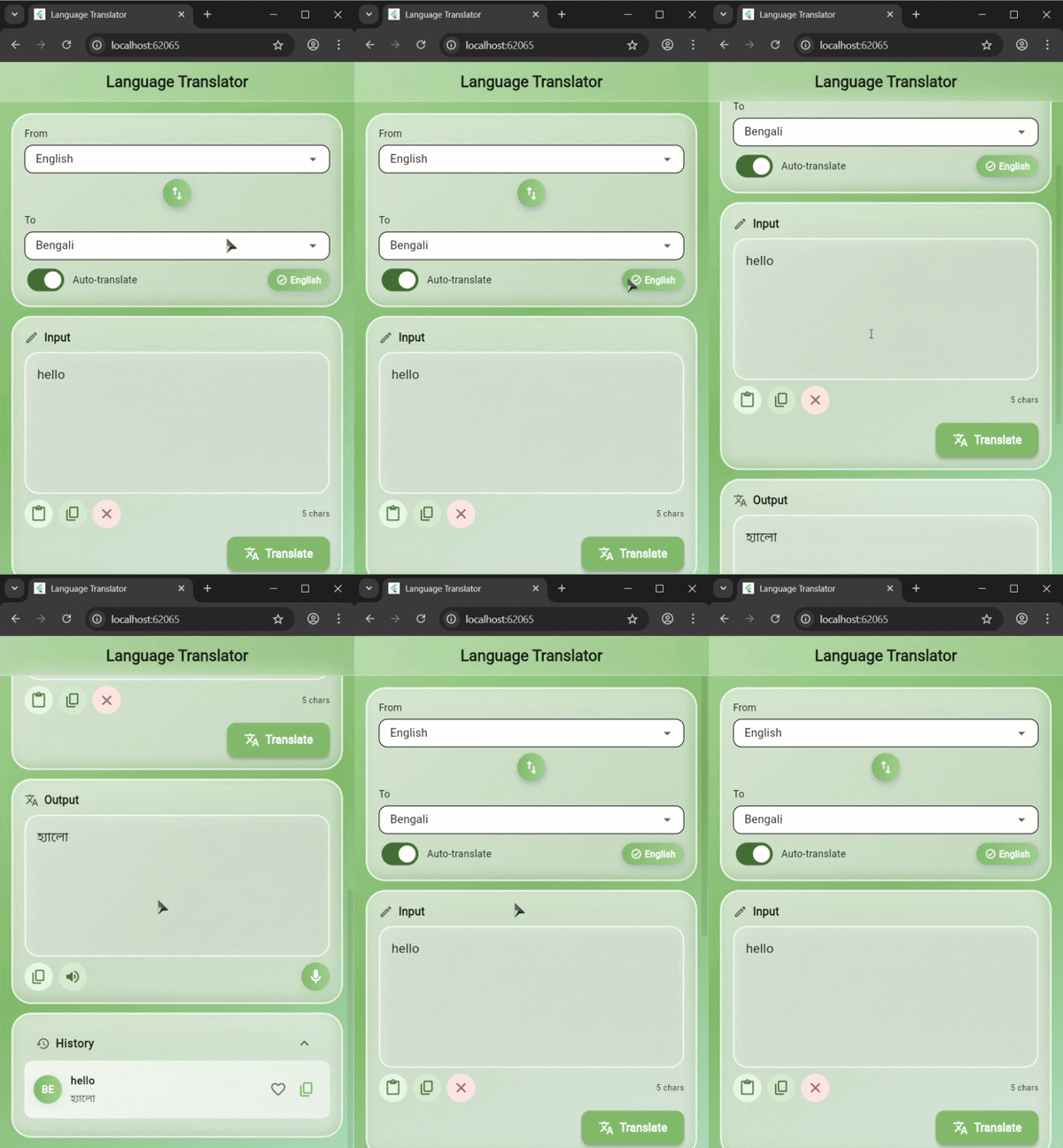
The app features:
- Gradient sage green background (light → medium → mint)
- Frosted glass cards with blur effects
- Side-by-side input/output on wide screens
- Stacked layout on mobile devices
- Expandable history section with gradient avatars
- Color-coded action buttons
- Select source language (or use Auto-detect)
- Select target language
- Type or paste text in the input field
- Tap "Translate" or wait for auto-translate
- Tap the microphone button
- Speak your text
- Translation happens automatically if auto-translate is enabled
- After translation appears
- Tap the speaker icon to hear the pronunciation
- All translations are automatically saved
- Tap any history item to reuse it
- Tap the heart icon to mark as favorite
- Tap the copy icon to copy the translation
- Press Enter to translate (when auto-translate is off)
- Copy/Paste with standard shortcuts (Ctrl+C/V or Cmd+C/V)
- TranslatorPage: Stateful widget managing translation state
- _GlassCard: Glassmorphism effect with BackdropFilter
- _LanguageDropdown: Custom dropdown for language selection
- Translation Logic: Google Translate API integration
- History Storage: SharedPreferences for persistence
- Speech Integration: speech_to_text & flutter_tts
The app uses a sage green color scheme:
Primary Colors:
- Light Sage: #9DC88D
- Medium Sage: #7FB069
- Mint Green: #A8D5BA

Accent Colors:
- Light backgrounds: #E8F5E3, #D4E8D0
- Dark text: #5A7C4A, #4A6B3F
- Clear button: #FFE8E0 / #B85C50
To change the theme, modify the gradient colors in main.dart:
gradient: LinearGradient(
  colors: [Color(0xFF9DC88D), Color(0xFF7FB069), Color(0xFFA8D5BA)],
)- SharedPreferences on Web: May show
MissingPluginExceptionon first hot restart. Do a full restart to resolve. - Speech-to-Text: Not available on all platforms. The app gracefully handles unavailability.
- BackdropFilter Performance: May be slower on older devices. Consider reducing blur values if needed.
@kanizadev
Created with ❤️ using Flutter
- Google Translate API for translation services
- Flutter team for the amazing framework
- Material Design for beautiful icons
- All open-source package contributors
If you encounter any issues or have questions:
- Open an issue on GitHub
- Check the Flutter documentation
- Review the package documentation for dependencies
Star ⭐ this repository if you find it helpful!