A beautiful and feature-rich Sudoku game built with Flutter. Challenge your mind with multiple grid sizes, difficulty levels, and advanced features like hints, notes, and conflict detection.



- Multiple Grid Sizes: Play 6×6, 9×9, or 16×16 Sudoku puzzles
- Difficulty Levels: Choose from Easy, Medium, Hard, or Expert
- Smart Hints: Get help when you're stuck (limited hints available)
- Undo Functionality: Undo your moves and try different approaches
- Notes Mode: Take notes in cells to track possible numbers
- Conflict Detection: Real-time highlighting of conflicting numbers
- Progress Tracking: Visual progress bar showing completion percentage
- Timer: Track your solving time
- Auto-save: Your game progress is automatically saved
- Modern Design: Beautiful gradient-based UI with smooth animations
- Intuitive Controls: Easy-to-use number pad and cell selection
- Visual Feedback: Color-coded cells for conflicts and selections
- Responsive Layout: Works seamlessly on different screen sizes
- Game Statistics: Track your games played, wins, and solving times
- Move Counter: Monitor your efficiency
- Achievement System: Unlock achievements as you play
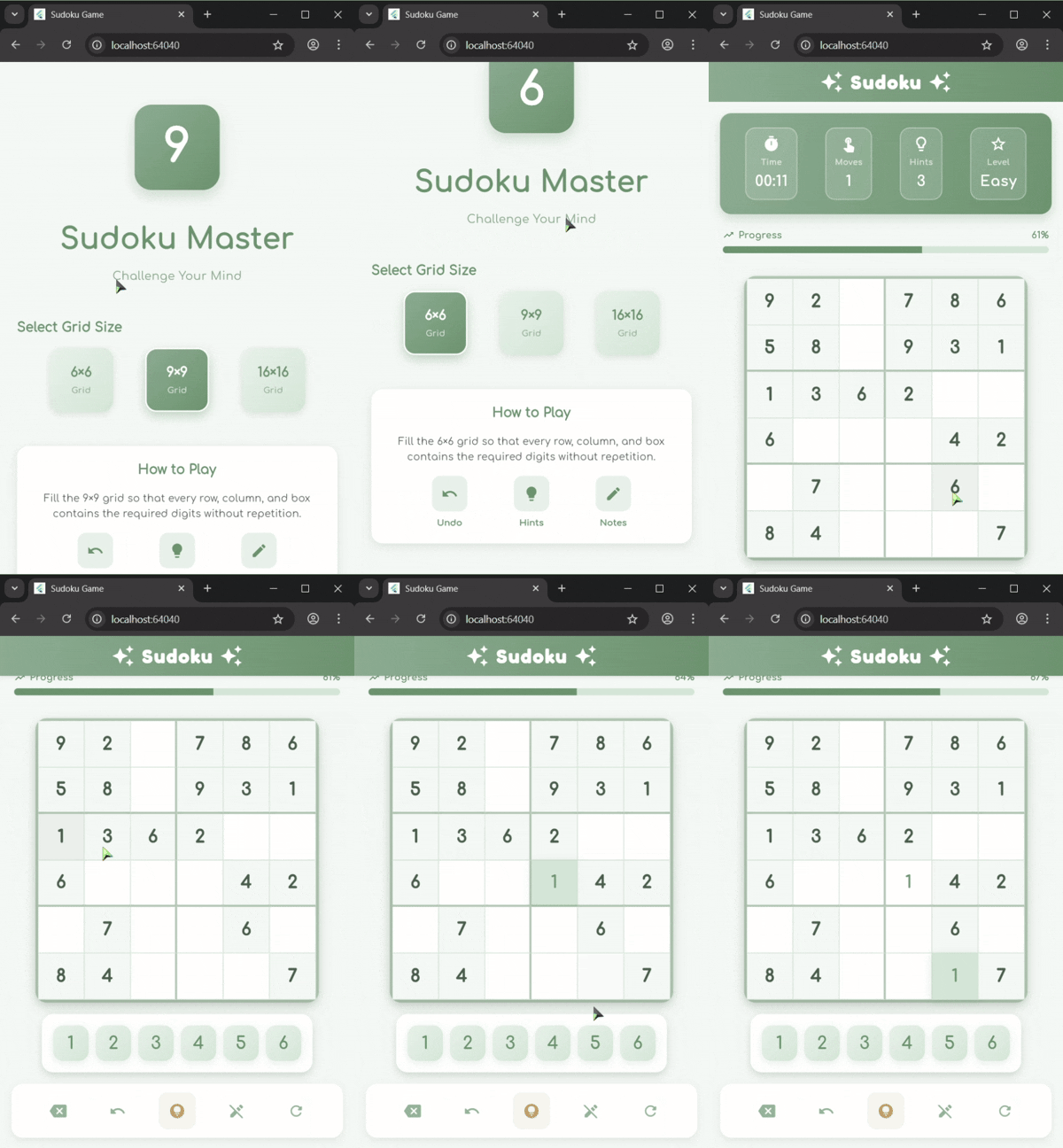
- Start the Game: Launch the app and you'll see the home screen
- Select Grid Size: Choose between 6×6, 9×9, or 16×16
- Choose Difficulty: Pick Easy, Medium, Hard, or Expert
- Fill the Grid:
- Tap a cell to select it
- Use the number pad to enter a number
- Toggle notes mode to add possible numbers
- Use hints if you're stuck
- Undo moves if you make a mistake
- Win: Complete the grid correctly to win!
- Flutter: Cross-platform UI framework
- Dart: Programming language
- Google Fonts: Custom typography (Comfortaa, Fredoka)
- Shared Preferences: Local data persistence
- 6×6: Perfect for beginners, faster gameplay
- 9×9: Classic Sudoku experience
- 16×16: Ultimate challenge for experts
- Easy: More given numbers, perfect for learning
- Medium: Balanced challenge
- Hard: Fewer clues, requires advanced techniques
- Expert: Maximum difficulty, for Sudoku masters
- Conflict Detection: Automatically highlights duplicate numbers in rows, columns, and boxes
- Notes System: Add multiple possible numbers in a cell
- Undo Limit: Configurable undo limit (default: 20 moves)
- Hints: Limited hints to help you progress
- Auto-save: Game state is saved automatically
- Flutter team for the amazing framework
- Google Fonts for beautiful typography
- The Sudoku community for inspiration
For questions or suggestions, please open an issue on GitHub.
Enjoy playing Sudoku Master! 🎉