pip install PyKafka
pip install psycopg2
The binaries for these is included in the bin folder if your environment can't access them.
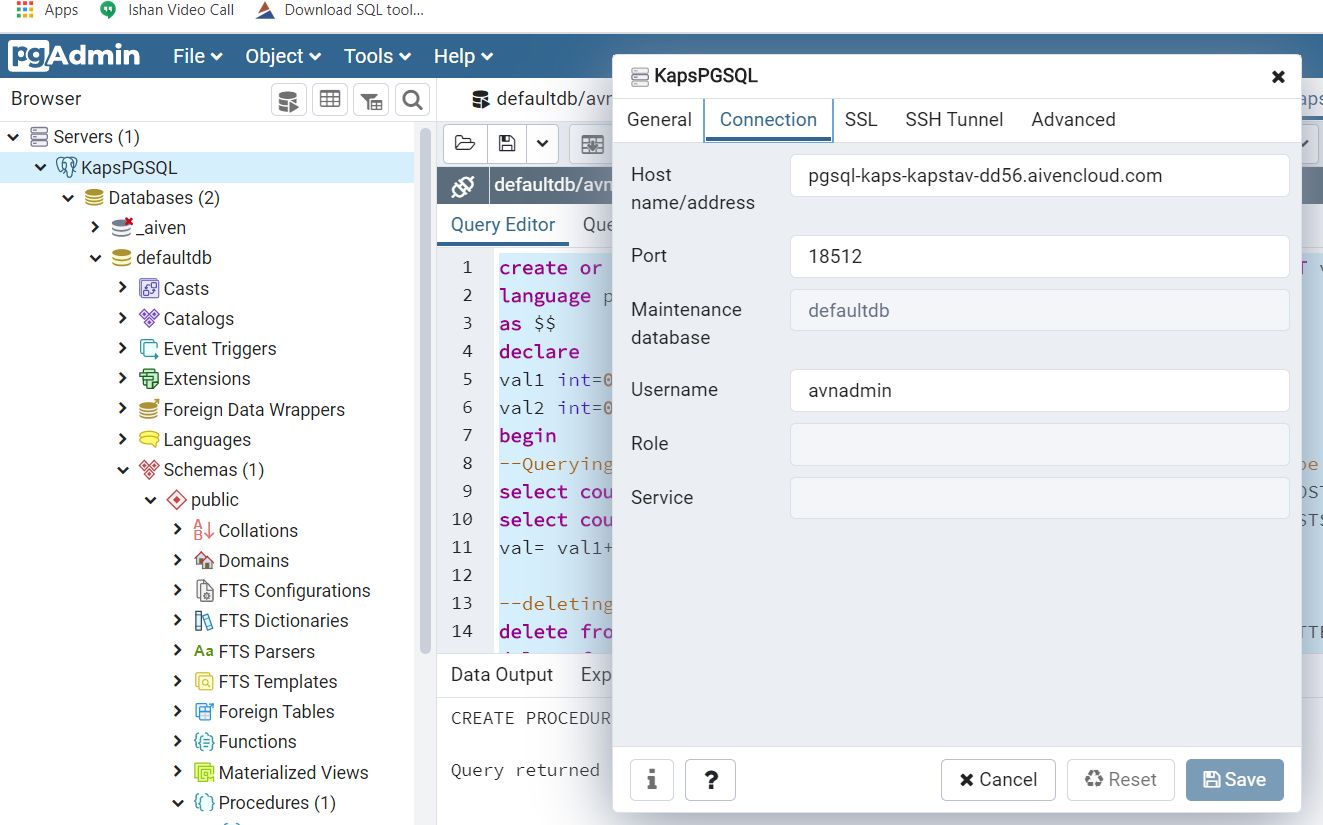
Run the following command in a fresh PostgreSQL window which has defaultdb created in public schema using any client of your choice, seek help of a db developer if in confusion.
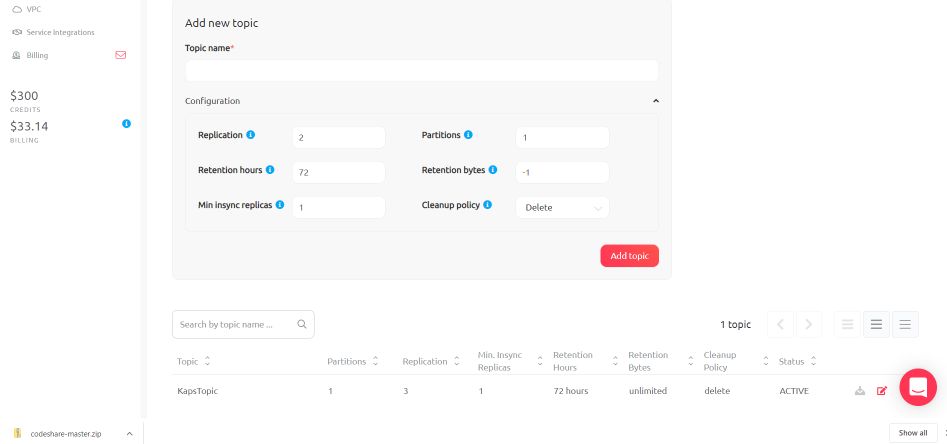
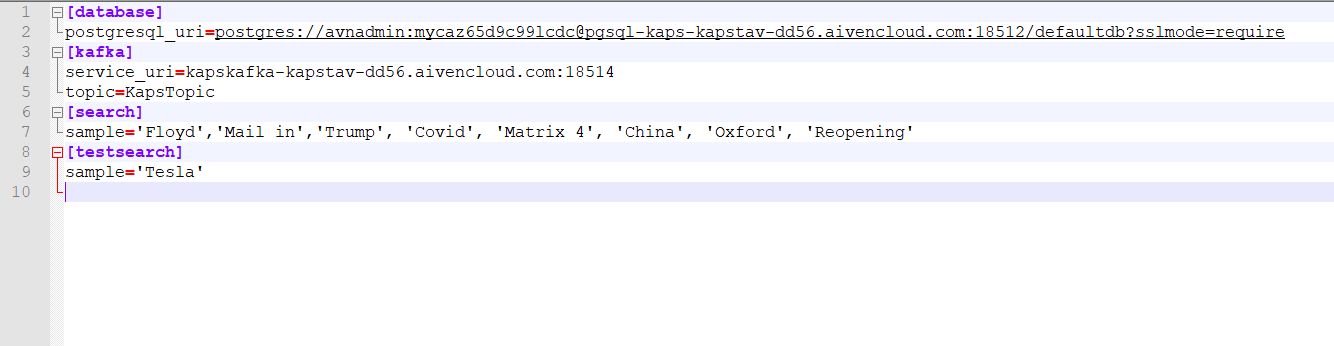
-- Table: public.CellPhoneWebSearchesThe kafka & pgsql endpoints, topic name and sample seed data are set in config.ini. Open it and update appropriately with your subscriptions gotten from Aiven Console. The search strings are single quoted array of some current arbitrary search popular words. Note in testsearch there just one word allowed for now (Tesla). These words can be changed to anything in config.ini. These are randomly selected.-- DROP TABLE public."CellPhoneWebSearches";
CREATE TABLE public."CellPhoneWebSearches" ( "GUID" uuid, "WEBPAGEID" character varying(24) COLLATE pg_catalog."default", "TOTALHITS" bigint, "MOSTSEARCHED" character varying(16) COLLATE pg_catalog."default", "CRTDT" timestamp without time zone, "SRCREGION" character varying(16) COLLATE pg_catalog."default", "CONSUMER" character varying(16) COLLATE pg_catalog."default" )
TABLESPACE pg_default;
ALTER TABLE public."CellPhoneWebSearches" OWNER to avnadmin;
COMMENT ON TABLE public."CellPhoneWebSearches" IS 'GUID, WEBPAGEID, TOTALHITS, MOSTSEARCHED,CRTDT';
COMMENT ON COLUMN public."CellPhoneWebSearches"."SRCREGION" IS 'Source Region';
;
-- Table: public.DesktopWebSearches
-- DROP TABLE public."DesktopWebSearches";
CREATE TABLE public."DesktopWebSearches" ( "GUID" uuid, "WEBPAGEID" character varying(24) COLLATE pg_catalog."default", "TOTALHITS" bigint, "MOSTSEARCHED" character varying(16) COLLATE pg_catalog."default", "CRTDT" timestamp without time zone, "SRCREGION" character varying(16) COLLATE pg_catalog."default", "CONSUMER" character varying(16) COLLATE pg_catalog."default" )
TABLESPACE pg_default;
ALTER TABLE public."DesktopWebSearches" OWNER to avnadmin;
COMMENT ON TABLE public."DesktopWebSearches" IS 'GUID, WEBPAGEID, TOTALHITS, MOSTSEARCHED,CRTDT';
COMMENT ON COLUMN public."DesktopWebSearches"."SRCREGION" IS 'Source Region';
;
create or replace procedure crtWebSearches(xGUID varchar(24),xWEBPAGEID varchar(16), xTOTALHITS varchar(4), xMOSTSEARCHED varchar(16) ,xCRTDT varchar(24),xSRCREGION varchar(16), xCONSUMER varchar(16)) language plpgsql as $$ declare begin IF xCONSUMER ='Web' THEN IF NOT EXISTS (SELECT * FROM "DesktopWebSearches" WHERE "GUID" = UUID(xGUID)) THEN INSERT INTO "DesktopWebSearches"("GUID","WEBPAGEID","TOTALHITS","MOSTSEARCHED","CRTDT","SRCREGION","CONSUMER") VALUES(UUID(xGUID),xWEBPAGEID, CAST(xTOTALHITS as bigint), xMOSTSEARCHED,CAST(xCRTDT as timestamp),xSRCREGION, xCONSUMER); END IF; ELSE IF NOT EXISTS (SELECT * FROM "CellPhoneWebSearches" WHERE "GUID" = UUID(xGUID)) THEN INSERT INTO "CellPhoneWebSearches"("GUID","WEBPAGEID","TOTALHITS","MOSTSEARCHED","CRTDT","SRCREGION","CONSUMER") VALUES(UUID(xGUID),xWEBPAGEID, CAST(xTOTALHITS as bigint), xMOSTSEARCHED,CAST(xCRTDT as timestamp),xSRCREGION, xCONSUMER); END IF;
END IF;end; $$
; create or replace procedure testWebSearches(xPATTERN varchar(16),INOUT val varchar(16) DEFAULT null) language plpgsql as $$ declare val1 int=0; val2 int=0; begin --Querying the number of fresh record created in the database should be 20. (5/producer X 2producer X 2consumer) select count() INTO val1 from public."CellPhoneWebSearches" Where "MOSTSEARCHED" IN(xPATTERN); select count() INTO val2 from public."DesktopWebSearches" Where "MOSTSEARCHED" IN(xPATTERN); val= val1+val2;
--deleting records for next test session for this pattern delete from public."CellPhoneWebSearches" Where "MOSTSEARCHED" IN(xPATTERN); delete from public."DesktopWebSearches" Where "MOSTSEARCHED" IN(xPATTERN); end; $$ ;
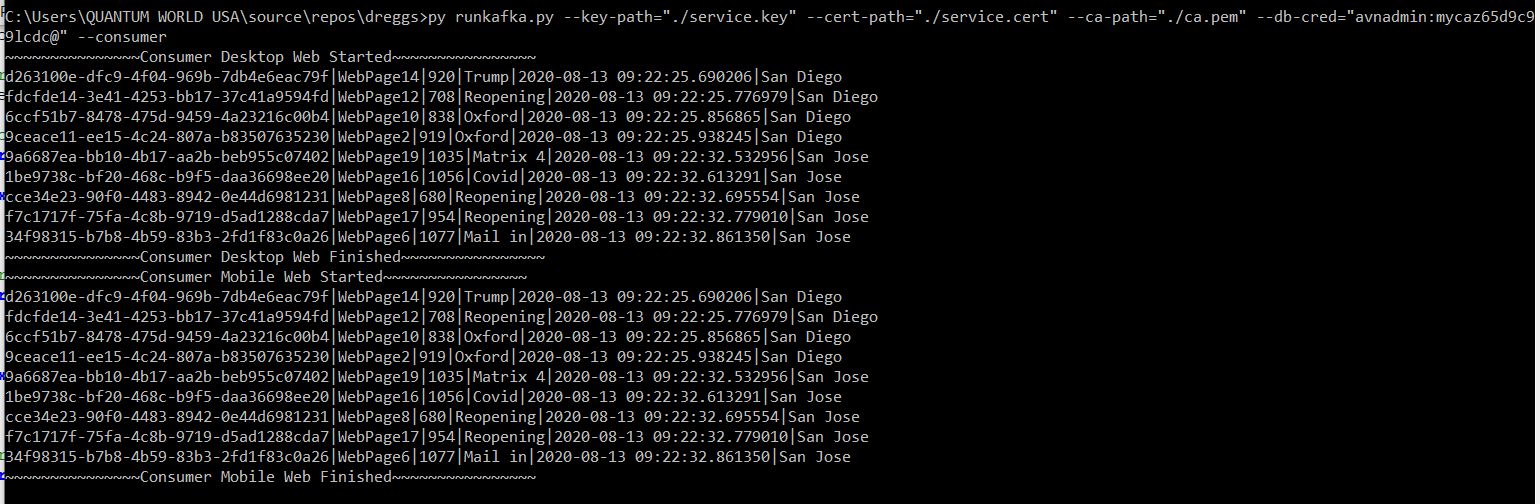
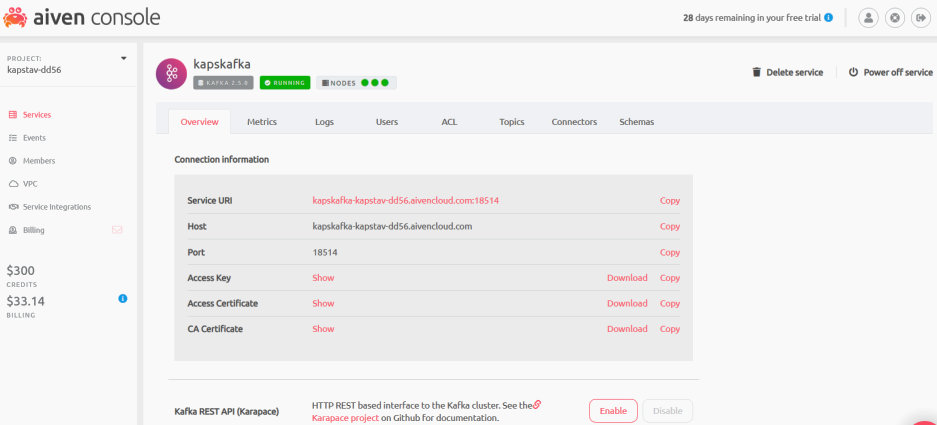
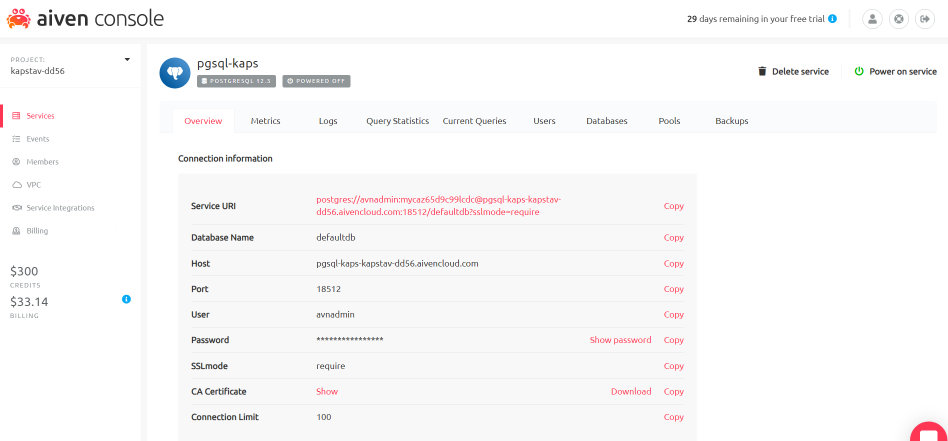
Download service.key, service.cert and ca.pem in local drives from Aiven Console on server (say ./home/) and change the path appropriately. Replace the appropriate URI in the service uri parameter too.Pass postgresql log & password for the URI provided by Aiven Console as colon (:) separated string. py runkafka.py --key-path="./home/service.key" --cert-path="./home/service.cert" --ca-path="./home/ca.pem" --db-cred="avnadmin:xxxxxxxxxc99lcdc@" --consumer
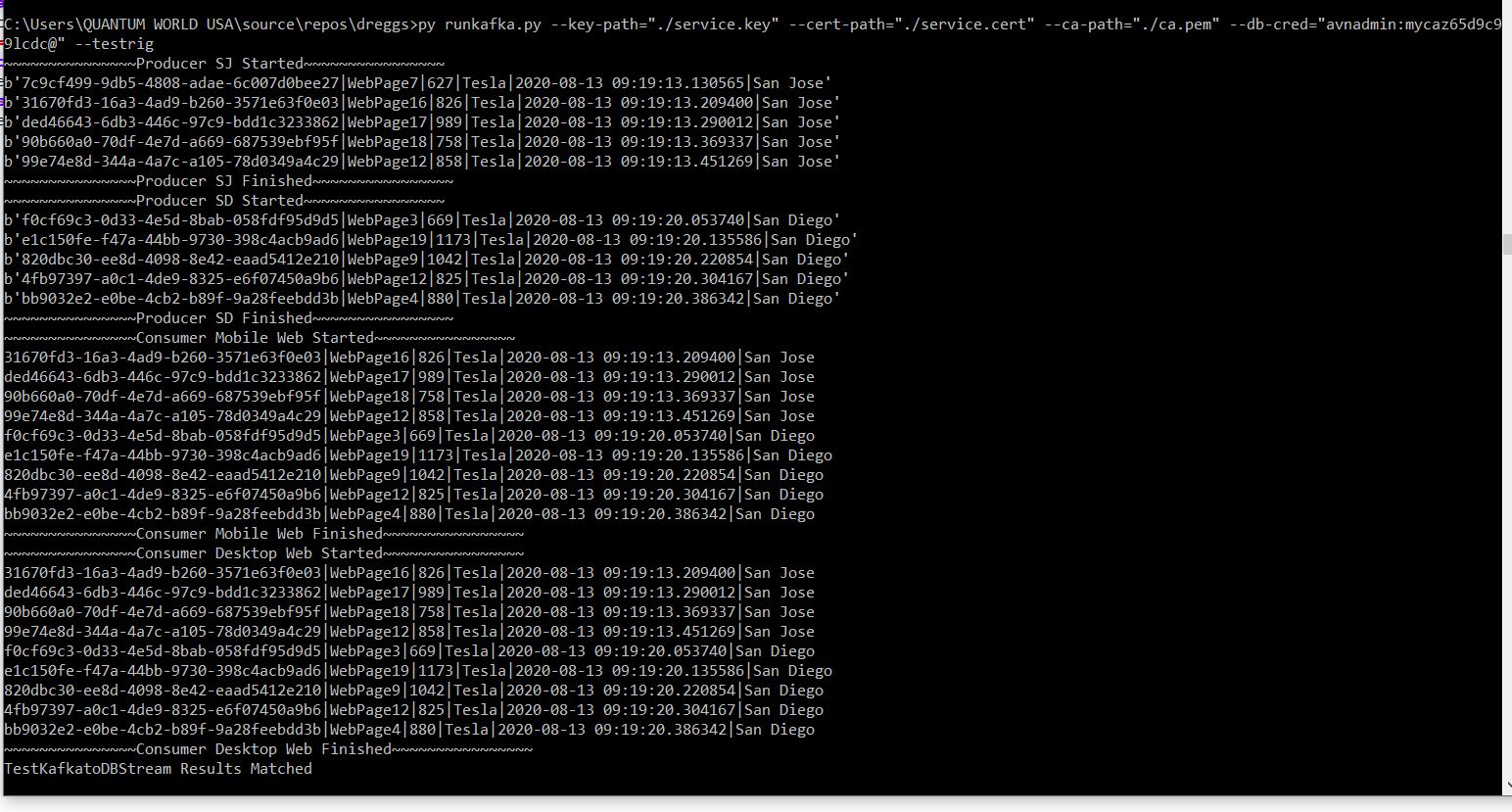
Download service.key, service.cert and ca.pem in local drives from Aiven Console on server (say ./home/) and change the path appropriately. Replace the appropriate URI in the service uri parameter too.Pass postgresql log & password for the URI provided by Aiven Console as colon (:) separated string. py runkafka.py --key-path="./home/service.key" --cert-path="./home/service.cert" --ca-path="./home/ca.pem" --db-cred="avnadmin:xxxxxxxxxxc99lcdc@" --testrig
Download service.key, service.cert and ca.pem in local drives from Aiven Console on server (say ./home/) and change the above path appropriately. Replace the appropriate URI in the service uri parameter too. Pass postgresql log & password for the URI provided by Aiven Console as colon (:) separated string.
The project would demo Aiven kafka elements deployment using standard python libraries to populate postgresql with browser stats from the wild.
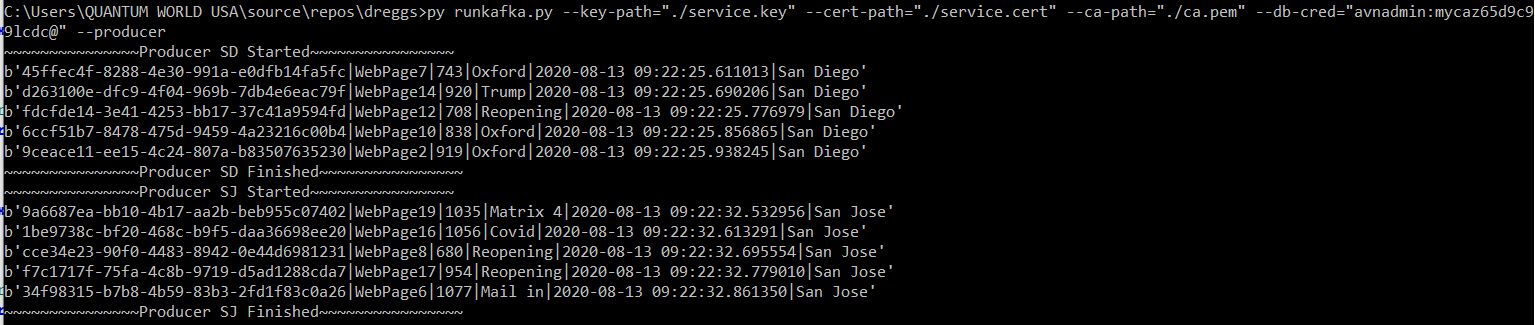
Windows Console Applications are created in this project for producing and consuming the data streams. Producer and consumer needs to be run concurrently or consumer can run later, the offset of last read is maintained. Both have to share the same topic.
The producers are simulated to be in San Diego and San Jose and consumers are attached to either Mobile App Group or Web App Group. A single topic is serving every traffic here although both the producer and consumer are adding their own tags to identify the source and destination for the dataset.
Will generate arbitrary data for website visits and most searched phrases. Python Random function will be used here.
Will write a comma separated data string in the topic for website statistics sample data generated above
Five rows of randomized data will be created per invocation. To end do a Ctrl-Z on command prompt
There are two producer sources. One has San Diego and another has San Jose marked for easy identification
Will pick only fresh additions to topic
It commits the consumed records into the database using crtWebSearches. The entries are double, one from Desktop & one from Mobile.
Can be made to poll for constant additions to topic. To end do a Ctrl-Z on command prompt. This release we commit in a second and stop the consuming process.
There are two consuming end points. One has Mobile Group and another has Web Group marked for easy identification
Will act as both a Producer and a Consumer
It commits the consumed records into the database
It invokes a testWebsearches Stored Procedure to validate the counts generated. If count matches a threshold (20), it throws a success
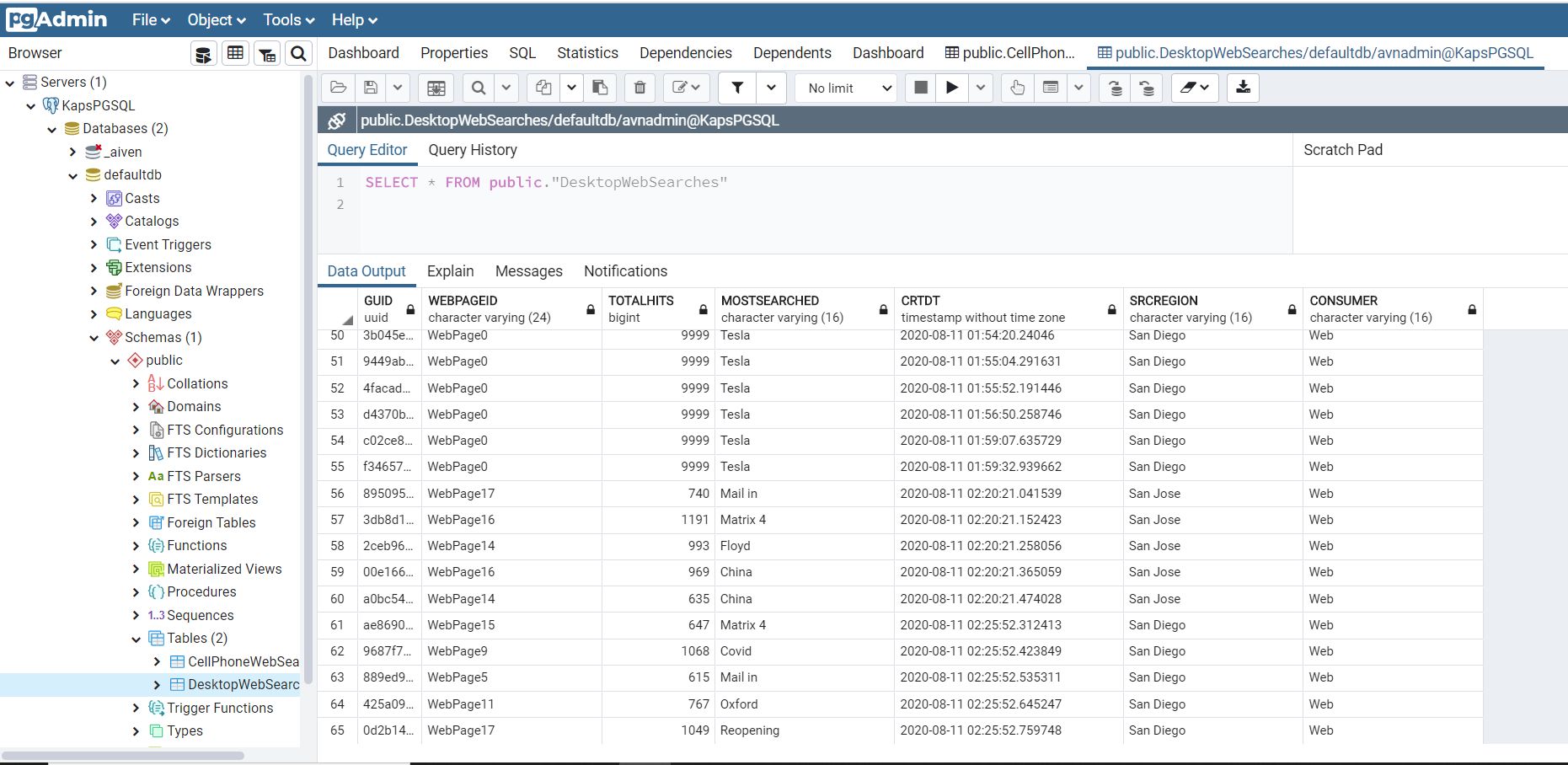
This is a postgreSQL table connected to MobileConsumer created in defaultdb public schema
This is a postgreSQL table connected to DesktopConsumer created in defaultdb public schema
This is a postgreSQL stored procedure invoked by consumers to populate the above two tables.
This is a postgreSQL stored procedure invoked by consumers to create test records and do validation with the number of records created.