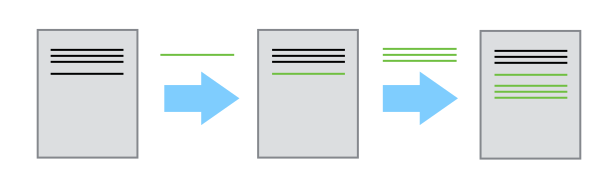
- Git versus GitHub

http://onlywei.github.io/explain-git-with-d3/#commit
- Git init a repo
- Clone a repo onto your own machine
- Make changes on your own machine
- Save and push to GitHub

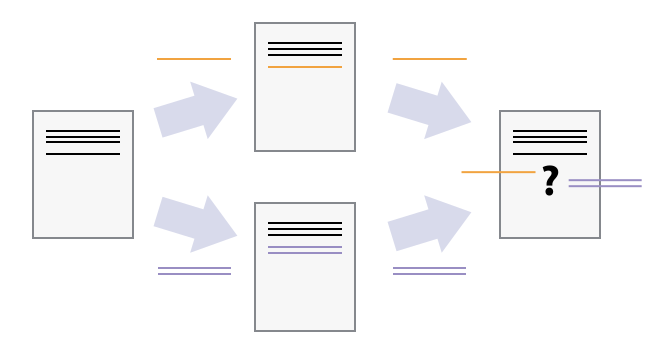
- Hey Bijan, I'm going to work on this now <<<<<<< HEAD
- Here's another one =======
- new step
79ec5df553182485455da2588d7ecdfa3f0110f3
- Generally you submit a pull request to a repo that someone else manages
git push origin master
- But if you are both frequently pushing/pulling and you trust this person to not constantly break your code you can add collaborators so that you can avoid pull requests
- Use commit messages that make sense
- Push often, push always
- Develop on a dev branch, keep your master branch deployable

(E.g. you forget to push or you are editing the same chunk of your code as a collaborator)
ignore all .a files
*.a
but do track lib.a, even though you're ignoring .a files above
!lib.a
only ignore the TODO file in the current directory, not subdir/TODO
/TODO
ignore all files in any directory named build
build/
ignore doc/notes.txt, but not doc/server/arch.txt
doc/*.txt
ignore all .pdf files in the doc/ directory and any of its subdirectories
*.pdf
Erase mistakes and craft replacement history
$ git reset [commit]
Undoes all commits after [commit], preserving changes locally
$ git reset --hard [commit]
if you're not sure?
git stash
git pulling
and when you've decided that you just should have stayed in bed today and not broken your entire code/app
git reset --hard HEAD