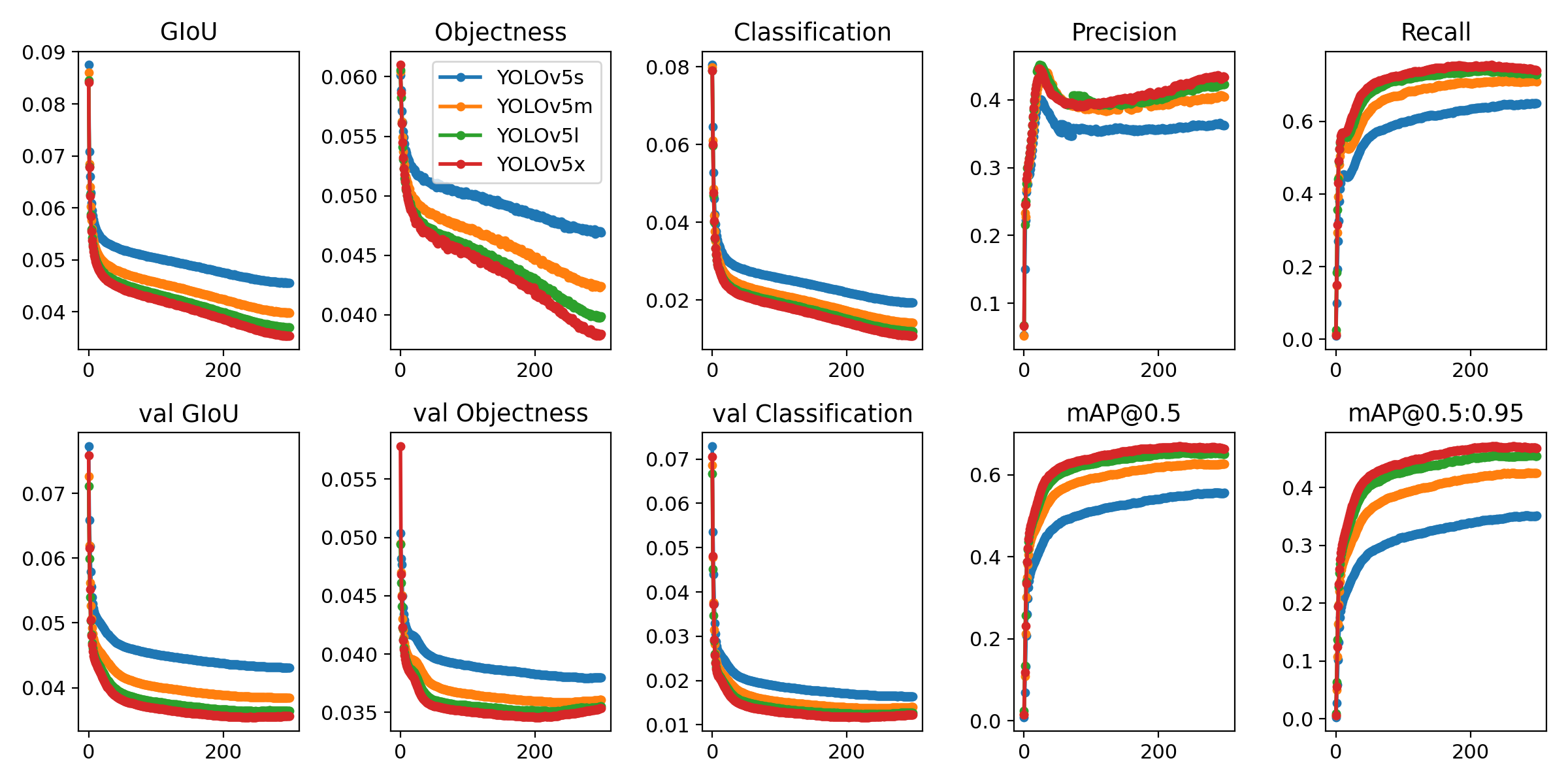
- マスク装着の有り、無しを検出する物体検出モデル
- 学習モデル: yolov5
annotation

mask    :1200
no-mask :1100


このリポジトリは、将来の物体検出方法に関するUltralyticsのオープンソース研究を表しており、匿名化されたクライアントデータセットを用いて何千時間ものトレーニングと進化を続けてきた教訓とベストプラクティスが組み込まれています。すべてのコードとモデルは開発中のものであり、予告なく変更または削除される場合があります。

| Model | size | APval | APtest | AP50 | SpeedV100 | FPSV100 | params | GFLOPS | |
|---|---|---|---|---|---|---|---|---|---|
| YOLOv5s | 640 | 36.8 | 36.8 | 55.6 | 2.2ms | 455 | 7.3M | 17.0 | |
| YOLOv5m | 640 | 44.5 | 44.5 | 63.1 | 2.9ms | 345 | 21.4M | 51.3 | |
| YOLOv5l | 640 | 48.1 | 48.1 | 66.4 | 3.8ms | 264 | 47.0M | 115.4 | |
| YOLOv5x | 640 | 50.1 | 50.1 | 68.7 | 6.0ms | 167 | 87.7M | 218.8 | |
| YOLOv5x + TTA | 832 | 51.9 | 51.9 | 69.6 | 24.9ms | 40 | 87.7M | 1005.3 |
Python 3.8 以降で、torch>=1.7 を含むすべての requirements.txt 依存関係がインストールされています。インストールするには、下記を実行
$ pip install -r requirements.txtdetect.pyは様々なソースから推論を行い,最新のYOLOv5リリースからモデルを自動的にダウンロードし,結果を返す runs/detect.
- webcamを使用した、リアルタイム推論
$ python detect.py --source 0 --weights weights/train/last.ptサンプル画像に対して推論を実行するには data/images:
$ python detect.py --source data/images --weights yolov5s.pt --conf 0.25

Namespace(agnostic_nms=False, augment=False, classes=None, conf_thres=0.25, device='', img_size=640, iou_thres=0.45, save_conf=False, save_dir='runs/detect', save_txt=False, source='data/images/', update=False, view_img=False, weights=['yolov5s.pt'])
Using torch 1.7.0+cu101 CUDA:0 (Tesla V100-SXM2-16GB, 16130MB)

Downloading https://github.com/ultralytics/yolov5/releases/download/v3.1/yolov5s.pt to yolov5s.pt... 100%|██████████████| 14.5M/14.5M [00:00<00:00, 21.3MB/s]

Fusing layers...
Model Summary: 232 layers, 7459581 parameters, 0 gradients
image 1/2 data/images/bus.jpg: 640x480 4 persons, 1 buss, 1 skateboards, Done. (0.012s)
image 2/2 data/images/zidane.jpg: 384x640 2 persons, 2 ties, Done. (0.012s)
Results saved to runs/detect/exp
Done. (0.113s)
以下のコマンドを実行して、COCOのデータセットで結果を再現してください(初回使用時にデータセットが自動ダウンロードされます)。YOLOv5s/m/l/xの学習時間は、1台のV100で2/4/6/8日です(マルチGPUの方が速いです)。GPUが許す最大のバッチサイズを使用してください(バッチサイズは16GBのデバイスで表示されています)。
$ python train.py --data coco.yaml --cfg yolov5s.yaml --weights '' --batch-size 64
                                         yolov5m                                40
                                         yolov5l                                24
                                         yolov5x                                16