
A terminal coding agent built for DeepSeek.
Read projects, edit files, run commands, search the web, and keep long project context in one recoverable terminal session.
Website · 中文文档 · Quick Start · Daily Workflow
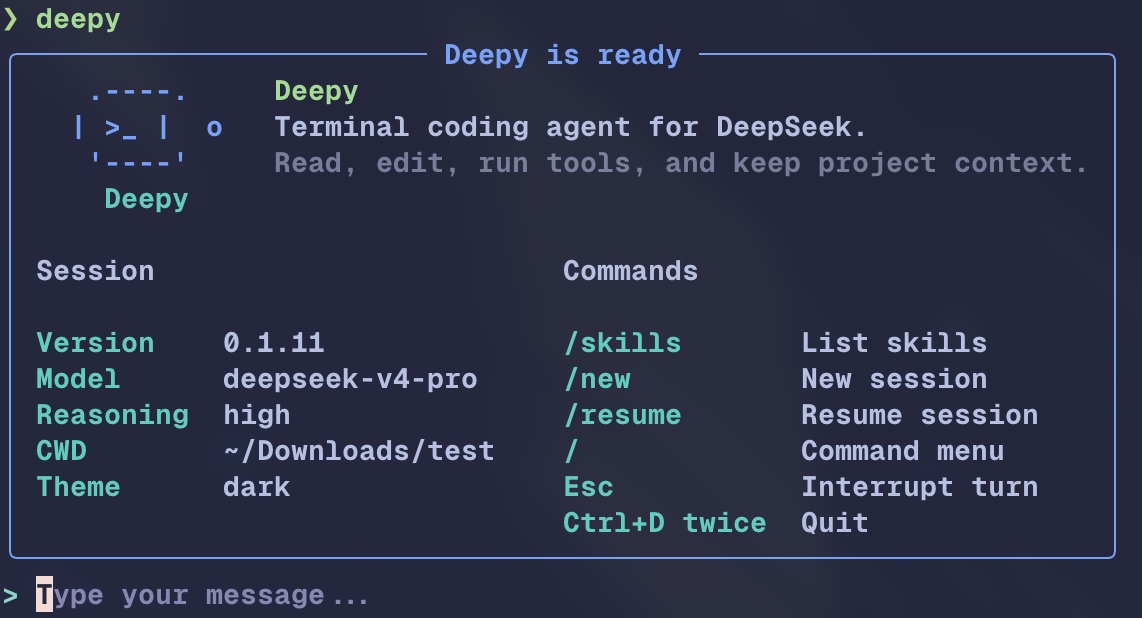
Deepy is a Python CLI coding agent for DeepSeek's OpenAI-compatible models. It keeps the working loop inside your terminal: inspect a project, ask questions, modify code, run validation commands, search or fetch web pages, and resume the same project session later.
Deepy is optimized for DeepSeek V4 thinking mode, long context, cache-friendly prompting, and a Rich terminal UI that makes the agent's actions visible instead of hiding tool calls behind chat text.
- DeepSeek-first defaults: starts with
deepseek-v4-pro, thinking enabled, andreasoning_effort=max. Use/modelto switch V4 Pro / V4 Flash and choosenone,high, ormaxthinking strength. - Project-aware coding tools: read files, write new files, modify existing files with stale-write protection, run shell commands, and review readable diffs.
- Visible terminal transcript: thinking, tool calls, shell output, usage, context status, and command results are shown in the terminal.
- Research from the terminal: use WebSearch for discovery and WebFetch when you already have an exact URL.
- Long-session continuity: JSONL sessions,
/resume,/new, context window status, automatic compacting, and manual/compact. - Local command mode: type
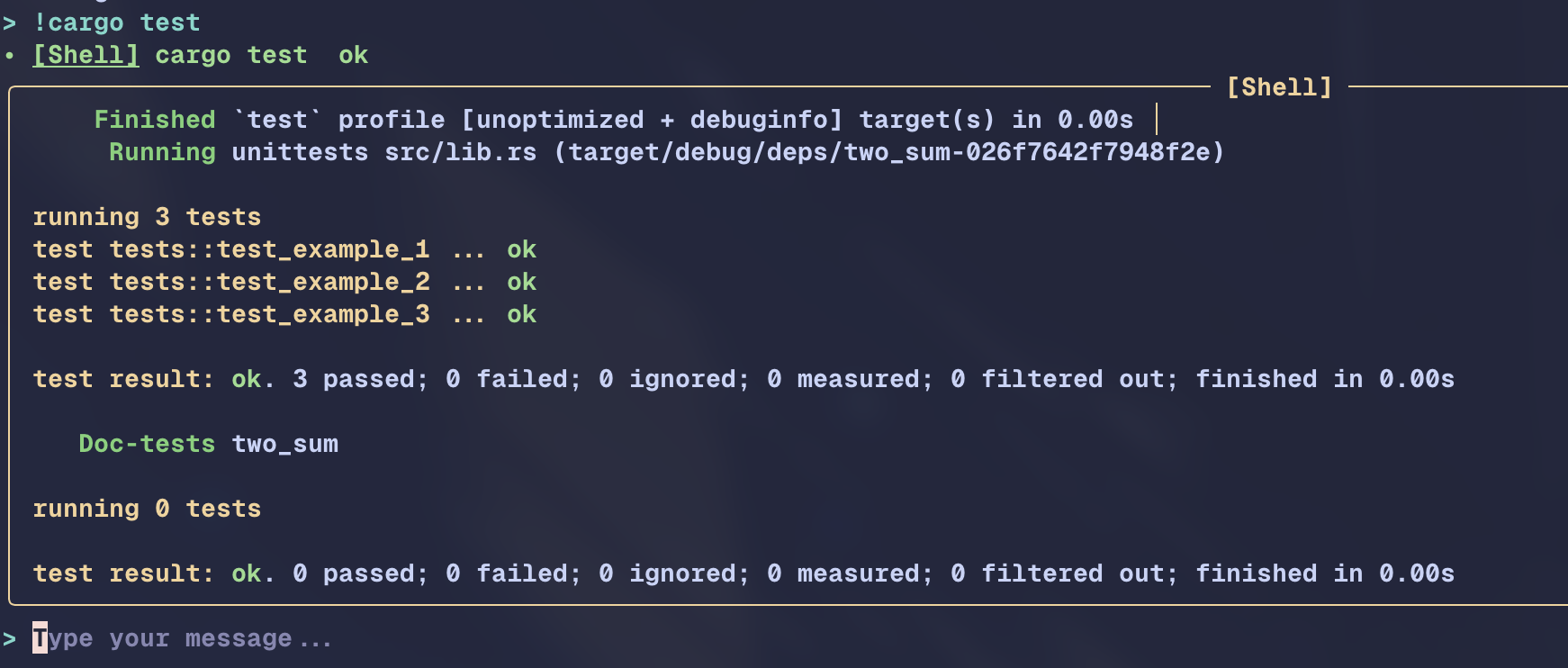
!cmdto run a non-interactive local shell command without sending it to the model; the result is still saved as context. - Cross-platform shell handling: POSIX shell, PowerShell, cmd, Windows paths, UTF-8 output, CRLF editing, and non-interactive Windows local command mode.
Deepy keeps model reasoning, WebFetch, shell output, and status lines visible in one transcript.
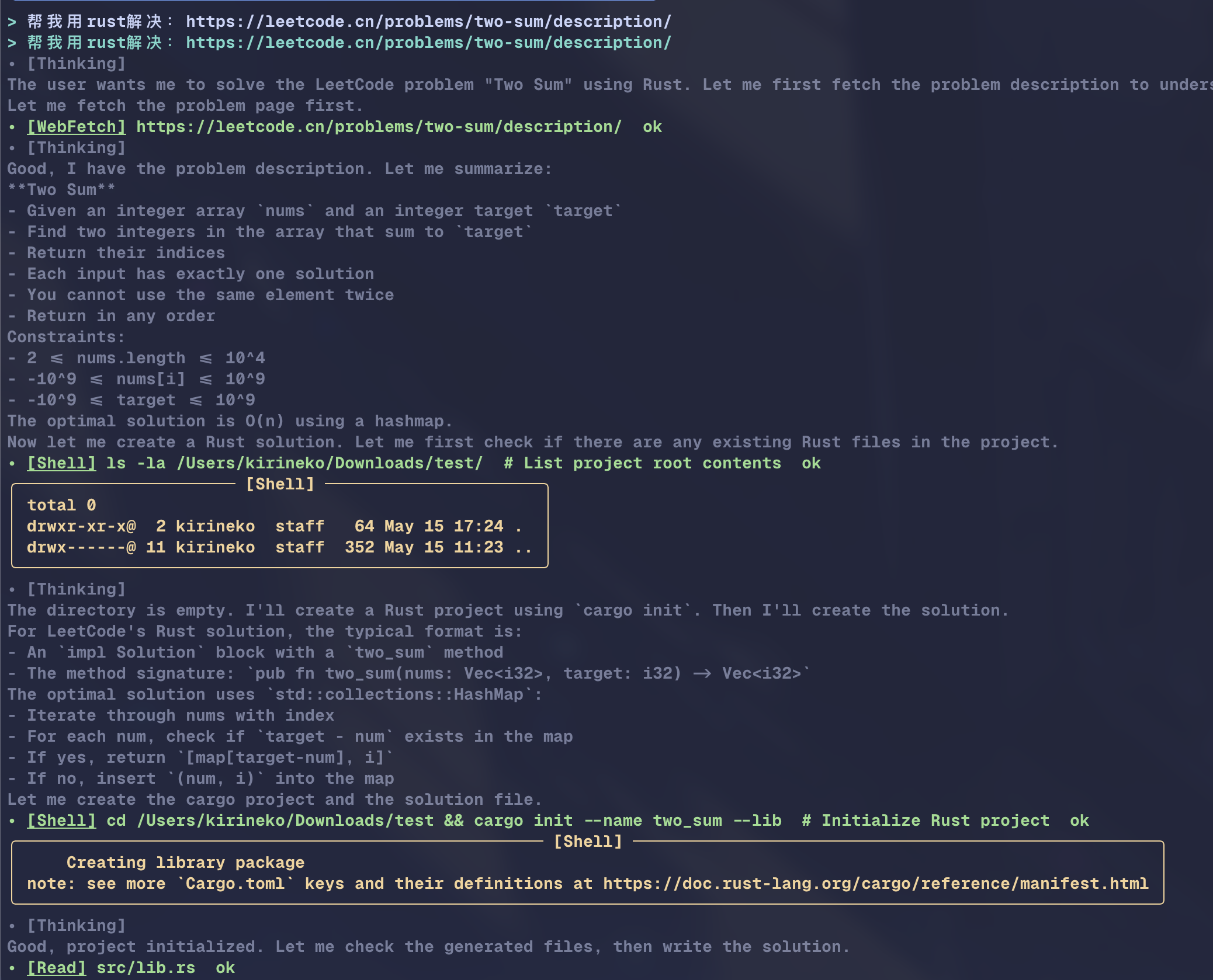
File edits are shown with path information and readable diff output so you can inspect what changed before continuing.
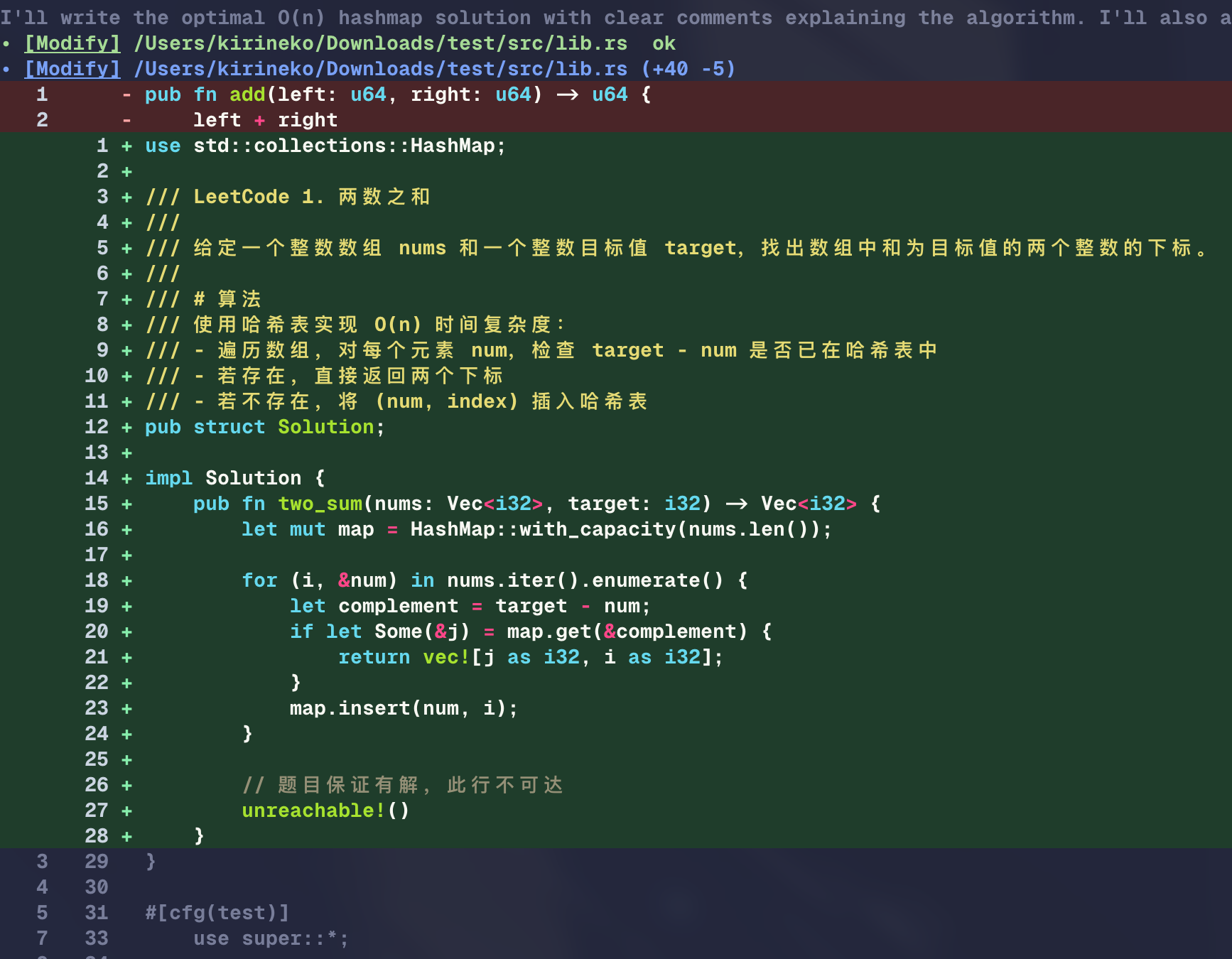
Use WebSearch / WebFetch for external context, @ for file mentions, and !
for direct local commands.
- Install
uv:
# macOS / Linux
curl -LsSf https://astral.sh/uv/install.sh | sh

# Windows PowerShell
powershell -ExecutionPolicy ByPass -c "irm https://astral.sh/uv/install.ps1 | iex"- Configure a uv mirror.
Linux / macOS: ~/.config/uv/uv.toml
[[index]]
url = "https://mirrors.tuna.tsinghua.edu.cn/pypi/web/simple/"
default = true
Windows: %AppData%\uv\uv.toml
[[index]]
url = "https://mirrors.tuna.tsinghua.edu.cn/pypi/web/simple/"
default = true- Install Deepy:
uv tool install deepy-cliThe installed command is deepy.
- Configure your DeepSeek API key and start Deepy:
deepy config setup

cd your-project
deepyUse this order for a fresh machine:
# macOS / Linux
curl -LsSf https://astral.sh/uv/install.sh | sh

# Windows PowerShell
powershell -ExecutionPolicy ByPass -c "irm https://astral.sh/uv/install.ps1 | iex"Linux / macOS: ~/.config/uv/uv.toml
[[index]]
url = "https://mirrors.tuna.tsinghua.edu.cn/pypi/web/simple/"
default = true
Windows: %AppData%\uv\uv.toml
[[index]]
url = "https://mirrors.tuna.tsinghua.edu.cn/pypi/web/simple/"
default = trueuv tool install deepy-clideepy config setup
cd your-project
deepyUpgrade or uninstall Deepy:
uv tool upgrade deepy-cli
uv tool uninstall deepy-cliInside an interactive Deepy session:
/model       Select model and thinking strength
/resume      Resume a previous project session
/new         Start a fresh session
/compact     Compact the active session context
/theme       Show or change terminal UI theme
@src/app.py  Mention a file in the current project
!pytest -q   Run a local non-interactive command
Esc          Interrupt the current model turn
Ctrl+D       Press twice to quit
Typical usage:
Ask Deepy to inspect a bug, edit files, run tests, and summarize what changed.
Use @ to reference files precisely.
Use ! for commands you want to run directly without model mediation.
Use /resume when returning to a project later.
Use /compact when a long session needs a durable summary.
Deepy uses TOML configuration at ~/.deepy/config.toml.
[model]
api_key = "sk-..."
name = "deepseek-v4-pro"
base_url = "https://api.deepseek.com"
thinking = true
reasoning_effort = "max"

[context]
window_tokens = 1048576
compact_trigger_ratio = 0.8
reserved_context_tokens = 50000
compact_preserve_recent_messages = 2

[ui]
theme = "auto" # auto, dark, or light
Set config without the interactive wizard:
deepy config init --api-key sk-... --model deepseek-v4-pro
deepy config theme light
WebSearch uses Deepy's hosted SearXNG endpoint by default. You can override it:
[tools.web_search]
searxng_url = "https://your-searxng.example/"
Deepy can also load MCP servers through the OpenAI Agents SDK. Most users only
need ~/.deepy/mcp.json:
{
  "mcpServers": {
    "tavily": {
      "transport": "stdio",
      "command": "npx",
      "args": ["-y", "tavily-mcp"],
      "env": {"TAVILY_API_KEY": "${TAVILY_API_KEY}"},
      "roles": ["web_search"]
    }
  }
}
When an active MCP tool is marked or detected as web search, Deepy instructs the
model to prefer it over built-in WebSearch and keeps built-in WebSearch as a
fallback. Project MCP config is ignored by default because stdio MCP servers can
start local commands; enable mcp.allow_project_config only for trusted
projects. Use /mcp to inspect server status and exposed tools. Advanced MCP
configuration is documented in docs/mcp.md.
deepy --version
deepy config setup
deepy config reset
deepy config theme
deepy doctor
deepy doctor --live --json
deepy status
deepy skills list
deepy sessions list
deepy sessions show <session-id>
deepy run "summarize this project"
Inside the interactive terminal:
/skills                 Manage local and market skills
/skills list            List discovered skills
/skills search <query>  Search the configured skill market
/skills install <name>  Install a market skill
/skill:<name> [request] Invoke a skill directly
/init                   Create or update project AGENTS.md
/mcp                    Show MCP server status and tools
Deepy automatically loads agent-facing instructions from:
~/.deepy/AGENTS.mdfor Deepy-wide personal guidanceAGENTS.mdfiles from the git root down to the current working directory.agents/skills/*/SKILL.md
Project AGENTS.md files are loaded from broad to specific. A file in a nested
directory appears after the repository root file and takes precedence when rules
conflict. Direct user instructions still take precedence over loaded
AGENTS.md guidance.
A concise AGENTS.md works best:
# AGENTS.md

## Commands
- Test: `uv run pytest`
- Lint: `uv run ruff check`
- Type check: `uv run ty check src`

## Architecture
- Keep CLI entry points thin; put reusable behavior under `src/`.

## Style
- Prefer small, focused changes that match existing patterns.

## Verification
- Run focused tests for touched code before broader checks.

## Boundaries
- Do not rewrite unrelated files or revert user changes.
Skills remain standard Agent Skills under .agents/skills/*/SKILL.md and are
loaded through the skill progressive-disclosure flow.
Run /init in the interactive terminal to have Deepy inspect the repository and
create or refresh the project root AGENTS.md.
uv sync --group dev
uv run pytest
uv run ruff check
uv run ty check src
uv build
The Python package is built from src/deepy. GitHub Pages files and screenshot
assets live outside the package directory and are not included in the wheel.