Native terminal visual capture for agents, TUI developers, and review workflows.


cellshot runs terminal programs at explicit dimensions, interprets their terminal state, and exports reviewable artifacts:
- SVG screenshots with foreground/background styling.
- PNG screenshots derived from SVG.
- JSON styled-frame data for future visual diffs and remote protocols.
- Text snapshots for logs and chat output.
- Raw ANSI/VT streams for replay through alternate terminal backends.
PNG artifacts render at 2x pixel density by default for sharp HiDPI viewing. SVG artifacts remain resolution-independent.
cellshot supports both a concise one-shot capture path and named persistent sessions for multi-step terminal interaction.
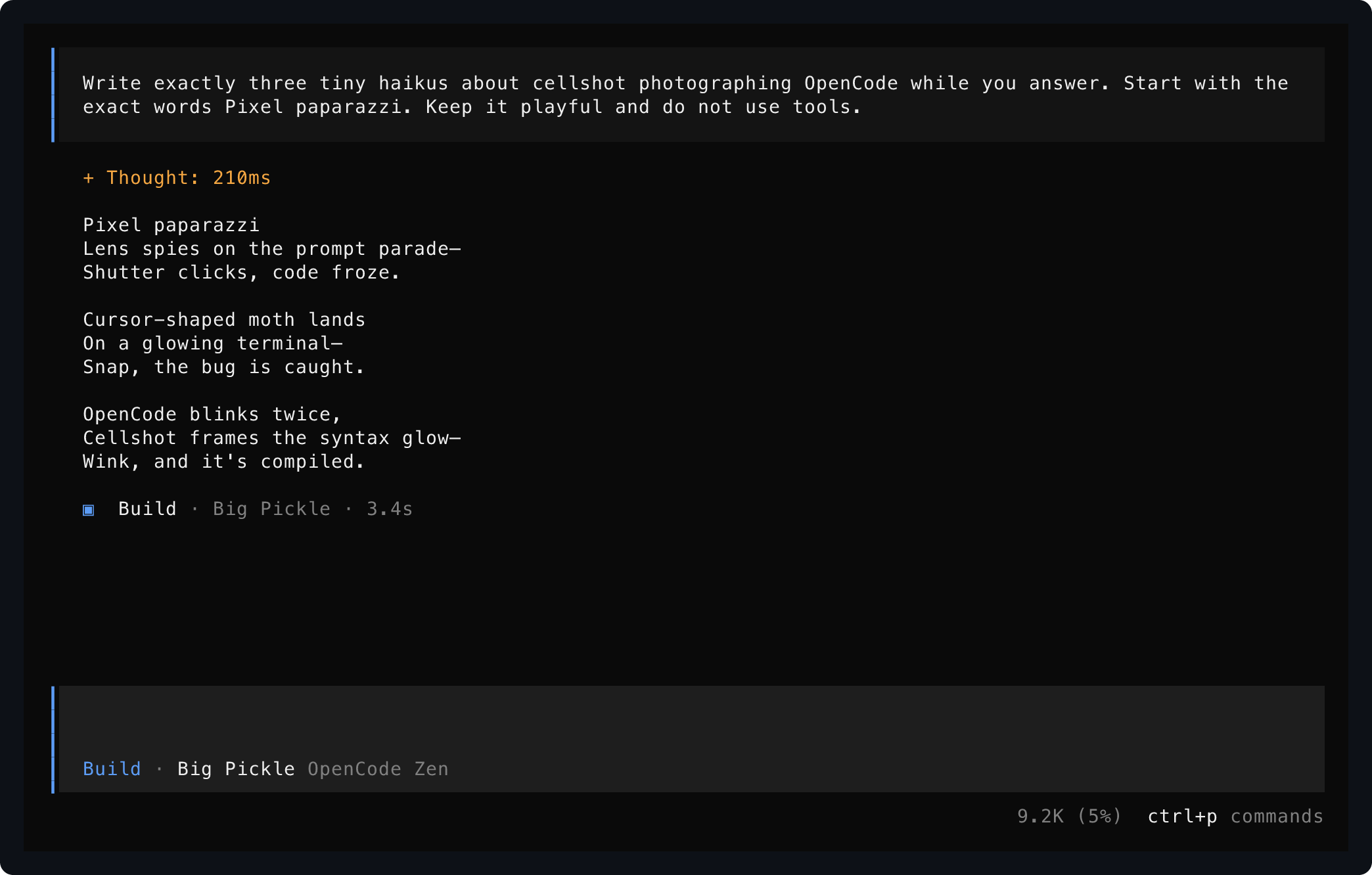
This is OpenCode, captured by cellshot while asking OpenCode to write haikus about being captured by cellshot:
The same persistent session before interaction:
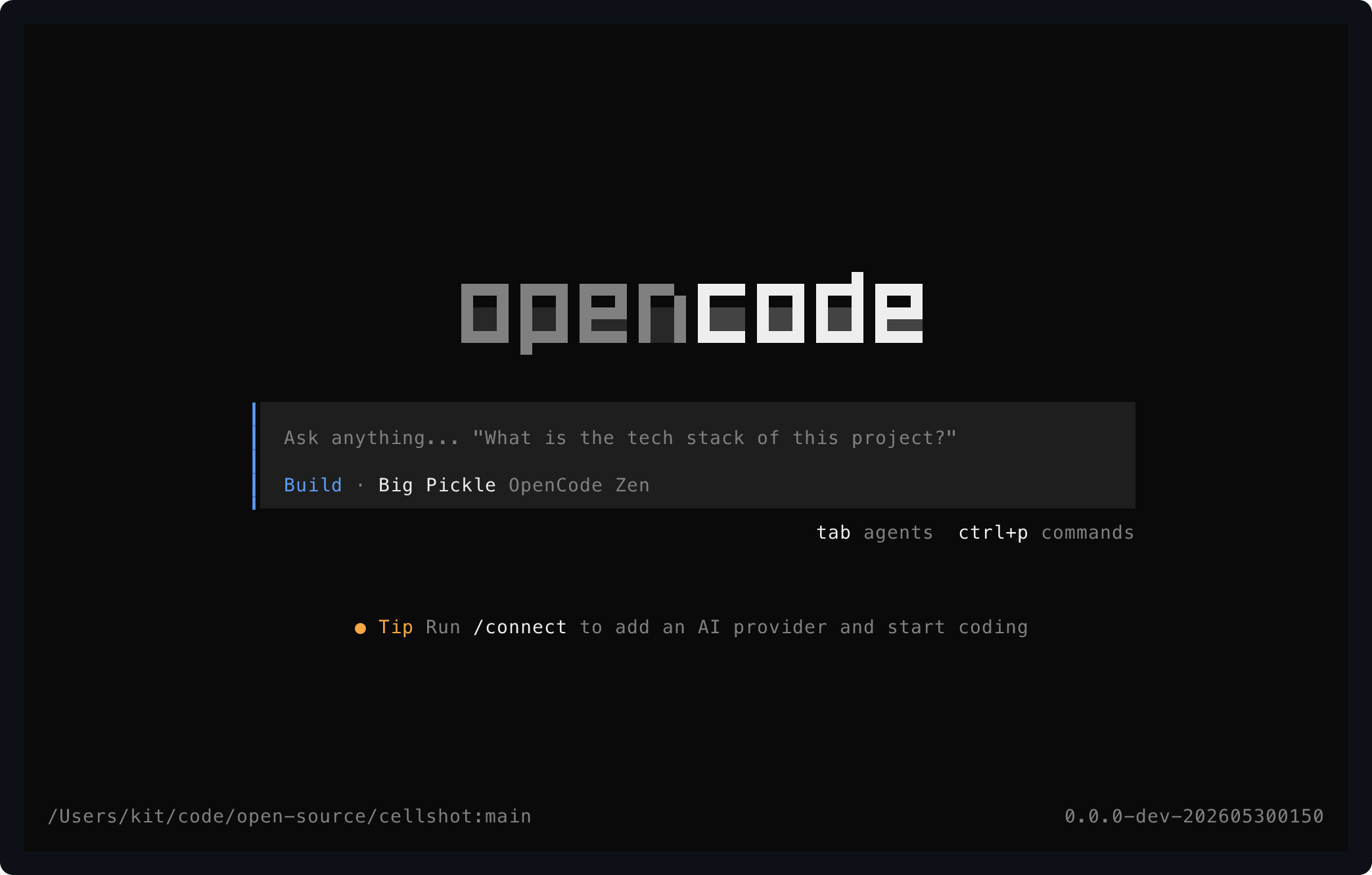
Both images were produced from one live TUI process using the session API:
cellshot launch --name meta --host opentui --cols 112 --rows 35 -- opencode
cellshot wait meta "Ask anything"
cellshot snapshot meta --hide-cursor --out docs/screenshots/opencode-home
cellshot send meta 'text:Write exactly three tiny haikus about cellshot photographing OpenCode while you answer. Start with the exact words Pixel paparazzi. Keep it playful and do not use tools.' enter
cellshot wait meta "Shutter clicks, code froze." --timeout-ms 60000
cellshot snapshot meta --hide-cursor --out docs/screenshots/opencode-haikus
cellshot close meta- Rust 1.93 or newer.
The first working backend uses the pure-Rust vt100 parser to keep installation small and dependable. A Ghostty VT adapter is planned for advanced protocol fidelity; the current published Rust binding was evaluated but its vendored Zig build is not yet dependable on this macOS toolchain.
Install the public crate from crates.io:
cargo install cellshot
cellshot --help
Update an existing installation:
cargo install --force cellshotInstall the current GitHub source head instead of the latest registry release:
cargo install --locked --git https://github.com/kitlangton/cellshot cellshotThe repository is a binary crate: the installed product is the cellshot executable. No application embedding API is promised yet.
Use a persistent session when an agent needs to inspect and drive more than one state of the same running application:
cellshot launch --name demo --host opentui --cols 112 --rows 34 -- opencode
cellshot wait demo "/connect"
cellshot snapshot demo --out captures/home
cellshot send demo text:/connect enter
cellshot wait demo "Connect a provider"
cellshot snapshot demo --out captures/provider
cellshot close demo
launch creates a background local PTY owner for the named session. wait, send, and snapshot are separate CLI invocations connected to that same live process, so an agent can navigate a TUI and capture several states without restarting it. Session control currently uses local Unix sockets and therefore supports macOS and Linux.
Use cellshot close <name> when finished. If an earlier controller process crashes, relaunching the same name cleans up a stale session socket once no running daemon responds.
Capture a real PTY command after its screen output becomes idle:
cellshot capture --cols 90 --rows 28 --out captures/colors -- \
  sh -lc 'printf "\033[48;2;30;34;42m\033[38;2;196;215;240m  cellshot  \033[0m\n\033[31merror\033[0m and \033[32msuccess\033[0m\n"'
Use --pixel-ratio 1 when a smaller PNG is preferable, or --pixel-ratio 3 for extra-large review assets.
Capture a long-running terminal UI after an idle checkpoint or deadline:
cellshot capture --cols 100 --rows 32 --settle-ms 500 --deadline-ms 4000 \
  --out captures/app -- my-terminal-app
Drive a menu open after the application's initial render, then capture the resulting state:
cellshot capture --cols 100 --rows 32 -s ctrl-p text:model enter \
  --out captures/command-menu -- my-terminal-app
Applications with startup logs can be gated until the intended UI has mounted:
cellshot capture --initial-delay-ms 1500 --wait-for "Commands" \
  -s ctrl-p --out captures/menu -- my-terminal-app
Render raw ANSI/VT bytes from stdin:
printf '\033[44;97m terminal output \033[0m\n' | cellshot ansi --out captures/stdinEach command produces:
captures/colors.svg
captures/colors.png
captures/colors.json
captures/colors.txt
captures/colors.ansi
An agent driving a single target TUI state can use capture:
- Run
cellshot capture --cols <width> --rows <height> --out <stem> -- <command> [args...]for a static initial screen. - Add
--wait-for '<visible text>'before-s/--sendwhen opening a dialog or selecting a view. A missing readiness checkpoint is an error, not a screenshot. - Add ordered input after one
-sflag: key values arectrl-p,enter,escape,up,down,left,right, andtab; typed input istext:<value>. Example:-s ctrl-p text:model enter. Quote events containing spaces, such as-s ctrl-p 'text:dark mode' enter. - Read
<stem>.txtto confirm visible labels and<stem>.jsonfor structured cells; open<stem>.pngfor visual review. Keep<stem>.ansiwhen diagnosing parsing or host-handshake behavior. - Increase
--deadline-mswhen startup is slow, increase--settle-msfor animations, and use--pixel-ratio 1only when a smaller PNG matters more than sharp review output.
For multiple states in one live TUI, prefer this sequence:
- Run
cellshot launch --name <session> [--host opentui] -- <command> [args...]once. - Run
cellshot wait <session> '<visible text>'before interacting with each expected view. - Run
cellshot snapshot <session> --out <stem>at each state worth reviewing. - Run
cellshot send <session> ctrl-p text:model enterto continue navigating without relaunching. - Run
cellshot close <session>when finished.
Both capture and snapshot write SVG and PNG visual output plus JSON, text, and raw ANSI artifacts. Use --no-png or --no-svg only to skip the corresponding visual file. ansi performs the same export from a recorded terminal stream or stdin without launching a process.
Capture the initial app view and inspect it as text before requesting visual review:
cellshot capture --cols 110 --rows 36 --out /tmp/app-home -- my-terminal-app
cat /tmp/app-home.txt
Open a command palette, type a search, accept it, and capture the resulting view in one process launch:
cellshot capture --cols 110 --rows 36 --deadline-ms 8000 \
  --wait-for "Commands" \
  -s ctrl-p text:theme enter \
  --out /tmp/app-theme -- my-terminal-app
Capture a real OpenCode dialog once its welcome screen exposes the /connect command hint:
cellshot capture --cols 112 --rows 34 --deadline-ms 10000 \
  --host opentui --wait-for "/connect" -s text:/connect enter \
  --out /tmp/opencode-connect -- opencode
capture is efficient for one target state: one PTY launch produces all artifact types and an ordered input burst avoids relaunching solely for type -> enter flows. --send remains repeatable when constructing one-shot commands programmatically, while -s ctrl-p text:model enter is the concise form. Persistent sessions are efficient for galleries and longer navigation flows because the TUI remains alive between snapshots.
Use --host opentui for OpenTUI programs such as OpenCode that request terminal capability responses during startup. Leave it unset for ordinary terminal programs; the generic capture path does not impersonate a richer terminal host.
Implemented now:
- PTY command launch at explicit terminal dimensions.
- Named persistent sessions with
launch,wait,send,snapshot, andcloseon macOS/Linux. - Idle/deadline snapshot capture for running applications.
- Ordered post-readiness input for driving menus and forms (
-s/--send). - Initial delay and visible-text gates for applications that log before mounting a TUI.
- Input checkpoints: with
--wait-forplus queued keys/text, interaction begins as soon as the target content appears rather than waiting on continuously animated screens to become idle. - An opt-in OpenTUI startup handshake response (
--host opentui) so applications waiting on terminal capabilities can render under capture without changing generic PTY behavior. - Screen freezing before process teardown, preserving alternate-screen TUI frames in exported artifacts.
- Bounded raw-stream retention (
--max-bytes, default 16 MiB) and bounded teardown for captured PTY processes. - ANSI/stdin rendering without process launch.
- Raw VT stream retention for debugging and backend replay.
- Styled visible frame extraction from the initial pure-Rust VT backend.
- SVG, PNG, JSON, text, and ANSI artifact output.
- HiDPI PNG export (
--pixel-ratio, default2).
--host opentui responds to the startup, palette, and graphics capability probes used by current OpenTUI applications such as OpenCode. It is deliberately opt-in so generic terminal commands are not given application-specific host responses. The terminal-host layer should continue to broaden before treating cellshot as a universal automation terminal.
Next layers:
- Resize and coordinate/click controls for live sessions.
- Session listing, crash metadata, and explicit daemon lifecycle/status inspection.
- Timestamped input/output recording and deterministic replay into screenshot sequences, animated images, or encoded video.
- HTML galleries and cell-level visual diffs.
- Native attach UI.
- Authenticated remote/SSH-forwarded control.
- Ghostty VT adapter, bundled deterministic fonts, and richer glyph/protocol rendering.
The central design choice is to preserve terminal state as structured visual data rather than only retaining ANSI bytes or pixels:
PTY or ANSI bytes
  -> terminal backend state (`vt100` now, Ghostty adapter planned)
  -> cellshot styled frame JSON
  -> SVG / PNG / text / future diffs and galleries
This lets terminal screenshots become inspectable and diffable review artifacts rather than opaque image captures.