
|
Notesync.md is a simple notes app built for organizing quick project thoughts into folders, notes, and timeline-style entries, then keeping them synchronized across Mac, iPhone, and iPad with iCloud. Notes are also mirrored to the local filesystem as Markdown files, making them easy to read, back up, edit, or use with project management agents and other developer workflows. |
Download Notesync.md for iOS and macOS from the App Store.
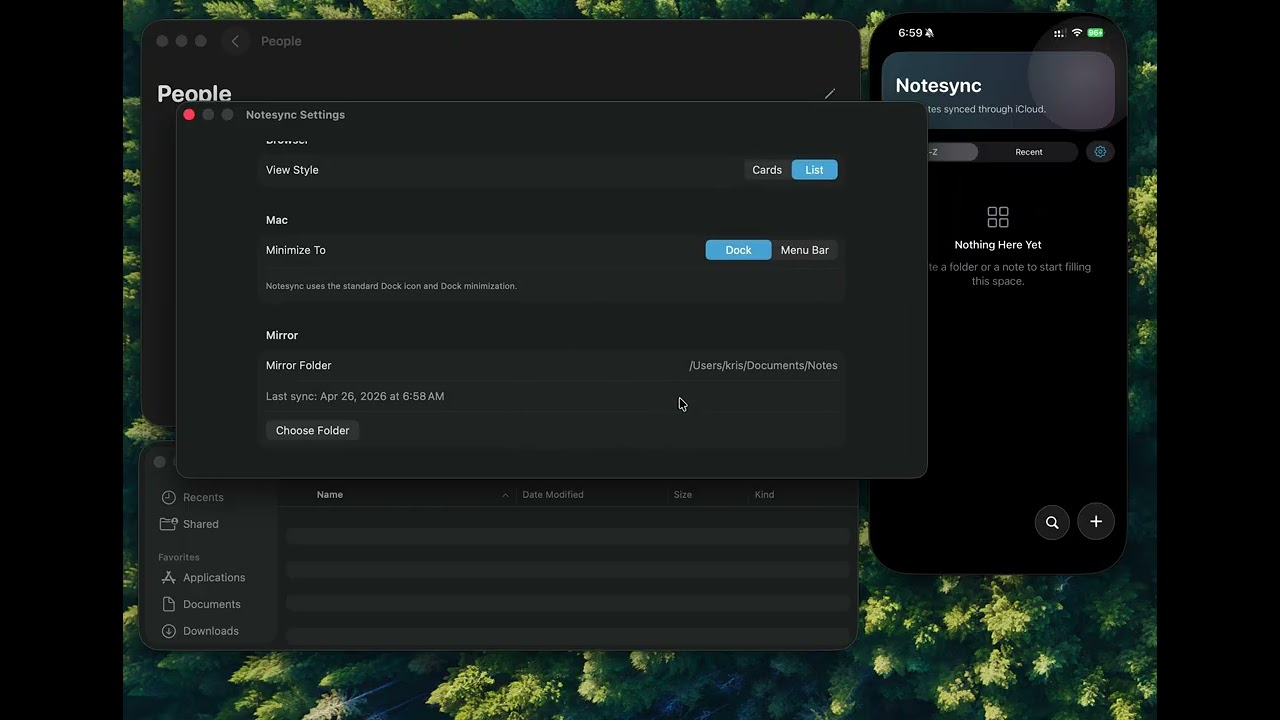
- Organize notes into folders with emoji and accent colors
- Switch between card and list views, with adjustable card sizes
- Favorite folders or notes so they appear at the top of the home screen
- Capture notes as dated entries, with autosave while typing
- Search folders, note titles, and note contents
- Sync across Mac, iPhone, and iPad using CloudKit
- Mirror notes on macOS to local Markdown files
On macOS, Notesync.md can mirror the CloudKit-backed note tree into a normal folder on disk. Folders become folders, and each note is exported as a single .md file:
<mirror root>/
  Project/
    Ideas.md
    Meeting Notes.md
This keeps notes available to local tools, scripts, editors, backup systems, and project management agents without giving up iCloud sync between Apple devices.
- Cloud sync uses the private CloudKit container
iCloud.com.linquist.notesync - The app keeps a local cache for fast editing and offline fallback
- Notes are stored internally as
.notepackages with one Markdown file per entry - The macOS mirror combines each package into a single readable Markdown file
Notesync.xcodeproj- Xcode projectNotesync/App- app entry pointNotesync/Models- shared models and preferencesNotesync/Services- repository, Markdown codec, CloudKit sync, and macOS mirror syncNotesync/Views- browser, creation sheet, note editor, and settings UIscripts/set-version.sh- updatesMARKETING_VERSIONand optionallyCURRENT_PROJECT_VERSIONscripts/build-macos-dmg.sh- builds a macOS release app and packages it into a DMGscripts/release-github.sh- tags the current commit and publishes the DMG to GitHub Releases
Set a new marketing version and optional build number:
./scripts/set-version.sh 1.1 2Build a local macOS DMG:
./scripts/build-macos-dmg.shThat writes the DMG to:
dist/Notesync-<version>-macOS.dmg
Publish a GitHub release for the current commit:
./scripts/release-github.shOr publish a specific version tag:
./scripts/release-github.sh 1.1For signed/notarized releases and App Store uploads, copy scripts/release.local.env.example to scripts/release.local.env and fill in your App Store Connect API key values. scripts/release.local.env is ignored by git and is loaded automatically by the release scripts.
Local builds default to unsigned DMGs. To sign for distribution:
SIGN_FOR_DISTRIBUTION=1 ./scripts/build-macos-dmg.shTo build a signed and notarized DMG:
cp scripts/release.local.env.example scripts/release.local.env
$EDITOR scripts/release.local.env
SIGN_FOR_DISTRIBUTION=1 NOTARIZE_DMG=1 ALLOW_PROVISIONING_UPDATES=1 ./scripts/build-macos-dmg.sh
To notarize an already-built DMG:
./scripts/notarize-macos-dmg.sh dist/Notesync-1.6-macOS.dmgThe notarization helper signs the DMG first by default. Set SIGN_DMG=0 if you need to submit an already-signed DMG without replacing its signature.
To upload iOS and macOS App Store Connect builds without relying on Xcode's account session:
./scripts/upload-app-store-builds.shupload-app-store-builds.sh requires the App Store Connect API key values by default. It will not fall back to Xcode Accounts unless ALLOW_XCODE_ACCOUNT_AUTH=1 is set explicitly.
If Developer ID signing fails with errSecInternalComponent, update the private key's partition list:
security set-key-partition-list \
  -S apple-tool:,apple: \
  -s -t private \
  -k "<mac-login-password>" \
  /Users/kris/Library/Keychains/login.keychain-db
Keychain-based notarization is still supported if needed, but the App Store Connect API key path above is preferred because it does not depend on Xcode account login state. Store notarization credentials in your keychain with:
xcrun notarytool store-credentials notesync \
  --apple-id "<apple-id>" \
  --team-id "YYE9CDH9RT" \
  --validate
Release notes:
build-macos-dmg.shuses the project’s configured Developer Team by defaultDEVELOPER_ID_APPLICATION_IDENTITYcan be set to a specific Developer ID certificate name or hashrelease-github.shrequires a clean git working treerelease-github.shdefaults to signed and notarized release builds and expects App Store Connect API key variablesrelease-github.shuses theghCLI to create or update the GitHub release