
New in 1.1.0
- Scale Follows Zoom — smooths jerky / hard-stopping zoom motion on zoom lenses so it reads like a motorized zoom (off by default; ~25 is a good working value).
- Horizon Lock levels to true gravity — anchored to the accelerometer instead of the camera's starting roll; gimbal shots that begin mid-move now level correctly.
- Smarter Scale to Fill — calm sections sit near no-crop, single-frame whips are covered, no pumping, and Horizon Lock no longer leaks corners on zoom lenses.
- Smoothing remapped — the old over-cropping top end is gone (old 50 ≈ new 100); default 50.
- Organized controls — Horizon / Scale / Debug groups, a clear
!! NO GYRO DATA IN CLIP !!warning on the top row, shorter names. - Save settings — save your current values as defaults for newly-applied instances (stored in a hand-editable
defaults.ini). - Update check in the Debug group (contacts GitHub only when clicked).
Updating from 1.0.0: clips that already have the effect applied must have it removed and re-added — the parameter layout changed.
Install
- Download BRAW-Gyro-Stabilizer-1.1.0.pkg below.
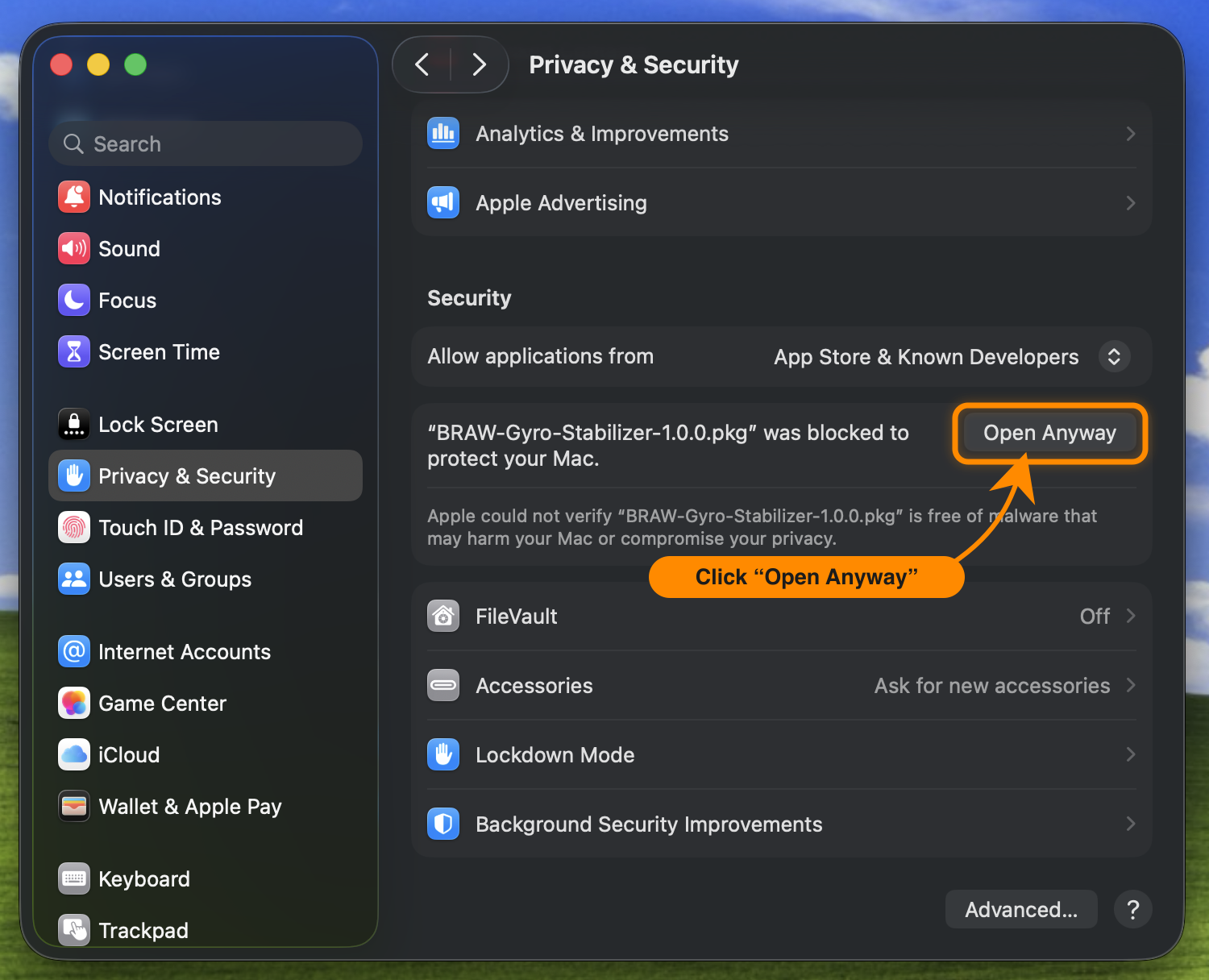
- Double-click it. macOS blocks it the first time ("…was blocked to protect your Mac.") — expected, since it isn't signed with an Apple Developer ID.
- Open System Settings → Privacy & Security, scroll to Security, click Open Anyway, and follow the installer.
- Restart Premiere Pro → Video Effects → BRAW Tools → BRAW Gyro Stabilizer.
Requires an Apple-silicon Mac and Premiere Pro 26. See the README for supported cameras and the full controls table.