Your app must:
- Use Mongo & Express to build an API and a front-end that consumes it
- Create an API using at least 2 related models, one of which should be a user
- Include all major CRUD functions in a RESTful API for at least one of those model
- Consume your own API by making your front-end with HTML and AngularJS
- Add authentication to your API to restrict access to appropriate users
- Craft thoughtful user stories together, as a team
- Manage team contributions and collaboration using a standard Git flow on Github
- Layout and style your front-end with clean & well-formatted CSS
- Deploy your application online so it's publically accessible
Created by Sophie Downey, Lourenco Sequeira, Tim Shaw and Alex Yeates.

RUNCH is an app targeted at getting people, who have little spare time, active. It enables them to use their lunch-time wisely - they can go for a quick run and meet other like-minded professionals. It is an opportunity to not only get fit, but also to network, and feel refreshed for the second half of the day.
This app was created for our Group Project on the Web Development Immersive course at General Assembly. It was built using:
- MEAN - MongoDB, Express.js, AngularJS and Node.js
- JavaScript
- jQuery
- HTML
- CSS & Bootstrap
- bcrypt
- bluebird
- body-parser
- cors
- express
- express-jwt
- forever
- jsonwebtoken
- mongoose
- morgan
- validator
- babel
- gulp
- chai
- istanbul
- mocha
- supertest
- angular
- angular-jwt
- angular-ui-router
- angular-resource
- angular-moment-picker
- bootstrap-css-only
- angular-animate
A hosted version of RUNCH can be found here.
The code can be viewed here.
Fed up of sitting down all day?
The idea for RUNCH came from an Evening Standard article which profiled the rise of people choosing to use their lunch-break for exercise. The benefits of getting their exercise done in the middle of the day include:
- no food coma
- heightened endorphines for the rest of the afternoon
- no need to get up early
- can go home, eat pizza and drink beer!
The time we took to plan and draw out the project helped us to get off on the right foot straight away. We continually used Trello to help us divvy out our work and created a strong wireframe which we stuck to.
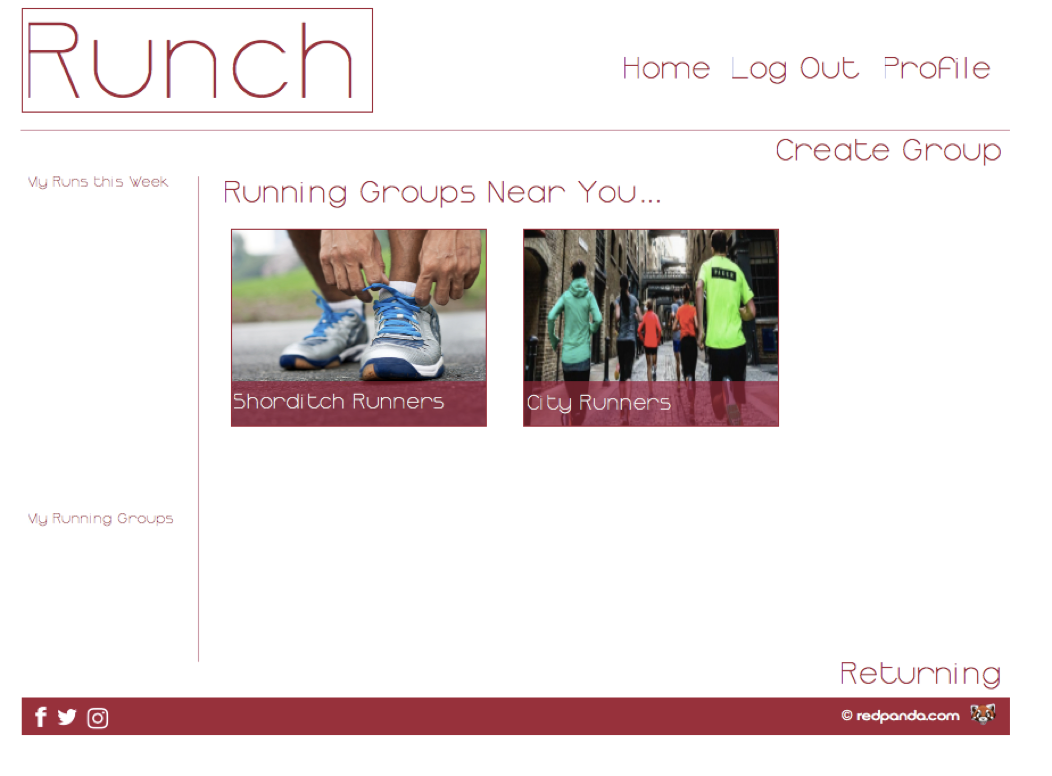 Wireframe for the dashboard
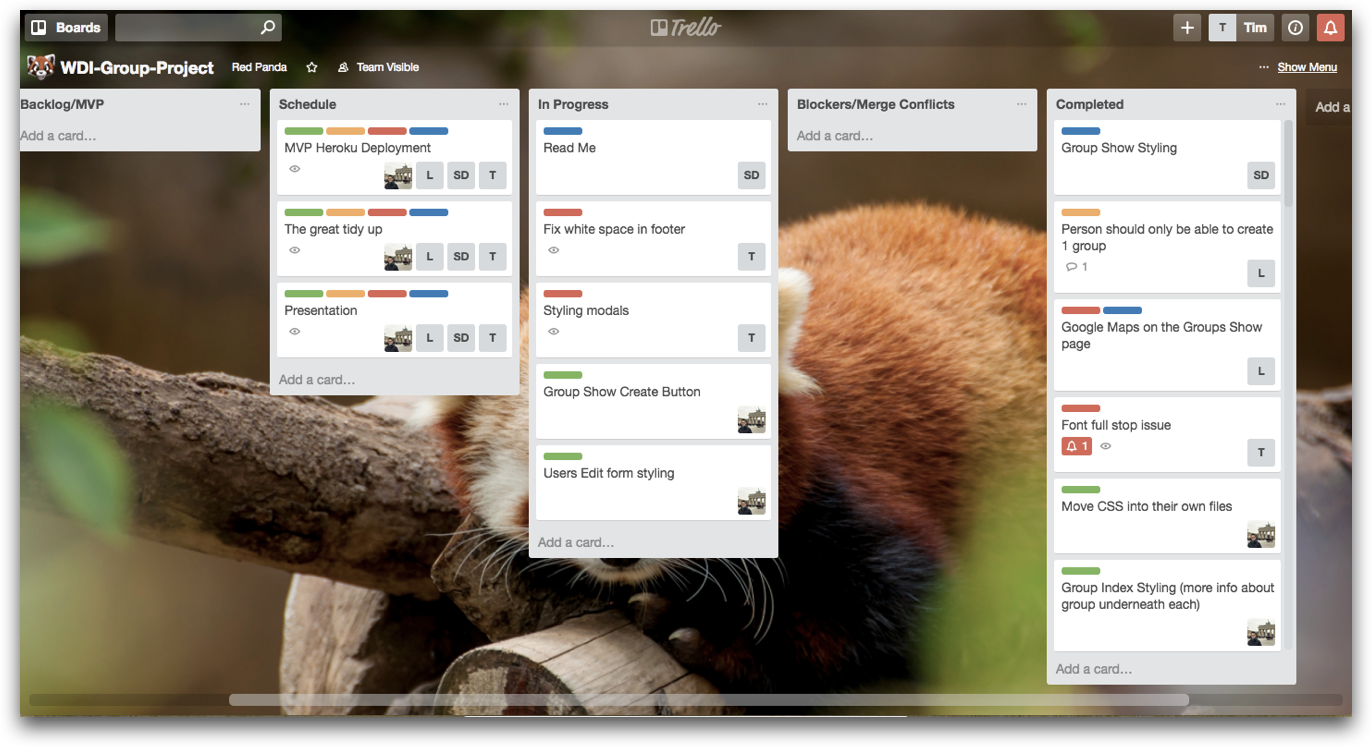 Trello Board
The project started on a Friday with the presentation being the next Friday. We hit MVP on Tuesday afternoon as result of this strong planning. The app contained all the CRUD features required with two models and our own seeded API.
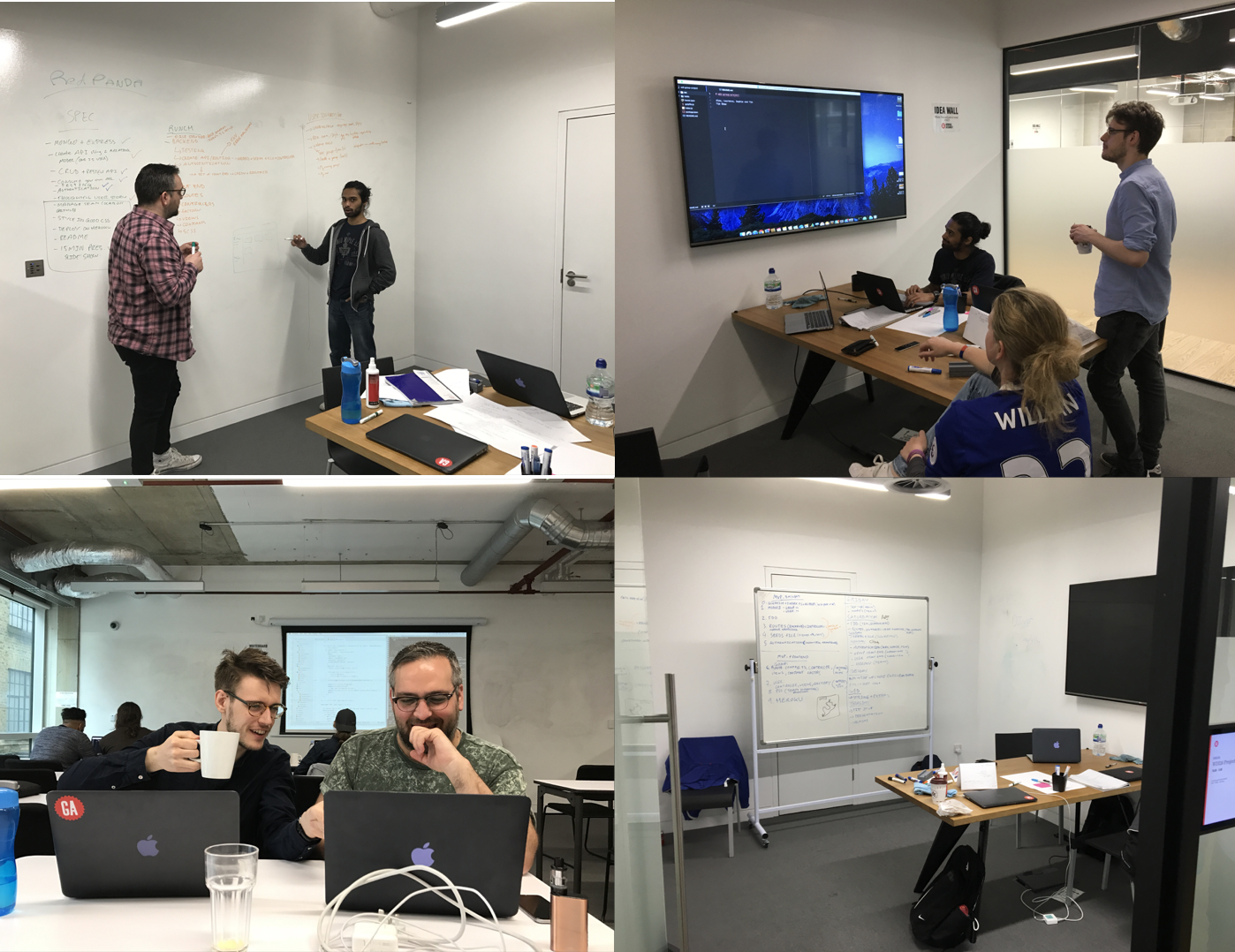 Team work
Good communication allowed us to use GitHub as a team with relatively few conflicts. Making a strong number of commits on everyone's branches as completing merges on average 3x a day meant we all could stay up to date with and on top of what is happening.
As part of our work process we opted to utilise TDD. In order to test various API endpoints and responses, we had to create users and groups to test. As groups require an admin, we need to allocate a created user to be a group admin, and a couple of users to be members of the group.
The user data has been created in an array called testUserArray. The code below registers the users using the API endpoint /api/register in order to generate a token which is used to authenticate the session in order to carry out the tests.
function registerUsers() {
  promise1 = api
    .post('/api/register')
    .set('Accept', 'application/json')
    .send(testUserArray[0])
    .then(data => {
      const jsonData = JSON.parse(data.text);
      user0 = new userAndTokens(jsonData.user, jsonData.token);
    });

  promise2 = api
    .post('/api/register')
    .set('Accept', 'application/json')
    .send(testUserArray[1])
    .then(data => {
      const jsonData = JSON.parse(data.text);
      user1 = new userAndTokens(jsonData.user, jsonData.token);
    });

  promise3 = api
    .post('/api/register')
    .set('Accept', 'application/json')
    .send(testUserArray[2])
    .then(data => {
      const jsonData = JSON.parse(data.text);
      user2 = new userAndTokens(jsonData.user, jsonData.token);
    });
}
Promise.all is used here as we need the simultaneous API requests above to be all completed before a group is created.
function registerUsersAndCreateGroup(done) {

  registerUsers();

  Promise.all([promise1,promise2,promise3])
    .then(() => {
      return Group
        .create(createGroup([user0.user, user1.user, user2.user]));
    })
    .then(group => {
      groupId = group._id;
    })
    .then(done)
    .catch(done);
}
createGroup is a function that creates the group for the TDD tests.
function createGroup(users) {
  const runningGroup = {
    name: 'Aldgate Runchers',
    admin: users[0]._id,
    members: [
      users[1]._id,
      users[2]._id
    ],
    schedule: {
      day: 'Monday',
      date: new Date('2017-05-15'),
      startTime: '12:30',
      location: 'Aldgate East Station',
      distance: '3.0km',
      description: 'A nice easy run'
    },
    comments: [
      { comment: 'Welcome to my group', user: users[0]_id },
      { comment: 'This is a great run group', user: users[1]._id }
    ]
  };
  return runningGroup;
}
The user dashboard has a timetable where we needed to display the user's upcoming runs in order without showing runs that have already ended. Below is code snippet from the dashboard-controller file to accomplish this task.
We cycle through the run groups that the user has signed up for and retrieve the date-time string. We convert this date-time string to a Date object and compare it to the time right now which stored in vm.now. If the date-time of the run group is later than the time right now, we push the run group into an array called upcomingArray. We then specify that we order the run groups by date-time.
vm.now = new Date();

function getUpcomingRuns(){
  vm.upcomingArray = [];
  vm.user.groups.forEach(group => {
    const runDate = new Date(group.schedule[0].date);
      if (runDate > vm.now) {
        vm.upcomingArray.push(group);
        vm.orderBy = 'schedule[0].date';
      }
    });
}
We then set AngularJS attributes as follows to cycle through all the groups in the upcomingArray and use our orderBy specification to place the groups in ascending order of time. Relevant information about the run is then displayed.
<div ng-repeat="group in dashboard.upcomingArray  | orderBy : dashboard.orderBy track by $index">
  <a ui-sref="groupsShow({ id: group._id })"><h5><strong>{{ group.name }}</strong></h5></a>
  <p>{{ group.schedule[0].viewableDate }}, {{ group.schedule[0].startTime }}</p>
  <p>{{ group.schedule[0].meetingPoint }}, {{ group.schedule[0].location }}</p>
</div>
We wanted to display a map on each group page with a marker that showed the starting location of the run, entered as a postcode.
While the Google Maps directive was relatively simple to set up, the dropping of the marker onto the page linking to the location stored in the 'Group Model' required more planning. The code is as follows.
googleMap.$inject = ['$window', '$http'];
function googleMap($window, $http) {
  return {
    restrict: 'E',
    replace: true,
    template: '<div class="map-styling">GOOGLE MAP GOES HERE</div>',
    scope: {
      location: '@'
    },
    link(scope, element) {
      scope.$watch('location', function(postcode){

        if (postcode) {
          $http({
            method: 'GET',
            url: `https://maps.googleapis.com/maps/api/geocode/json?address=${postcode}&key=AIzaSyC4JQgV8ccrZQWkaBr0uIaeVNlLWH1hvzY`
          })
          .then(function successCallback(response) {
            const coordinates = response.data.results['0'].geometry.location;

            const map = new $window.google.maps.Map(element[0], {
              zoom: 14,
              center: coordinates,...

              });

              new $window.google.maps.Marker({
                position: coordinates,
                map: map
              });
              },
              function errorCallback(response){
              console.log('Error response:', response);
            });
          }
        });
      }
    };
  }
scope.$watch is used here because the Google Maps directive loads up before the location can be retrieved from the server-side and rendered into the location attribute of the directive. scope.$watch looks for a change in the value of the attribute location and runs the code again when this change occurs.
Trouble started to occur when we all began styling. With everyone working on the one SCSS sheet, conflicts began to happen and more frequently. We decided to split each page out into its own SCSS sheet and import it into the main SCSS page to stop any problems.
We didn't get to include as many extras as originally planned due to lack of time. We could have maybe planned this better.
In order to give users a better experience, we propose the following features to be built into Runch:
- More than one run per Group
- Location specific groups for the User
- Map of routes in the Groups Show pages
- Age range in the user model