Report generation Options
On initial entry to Reports :: Sales Report II, you're presented with the following display:
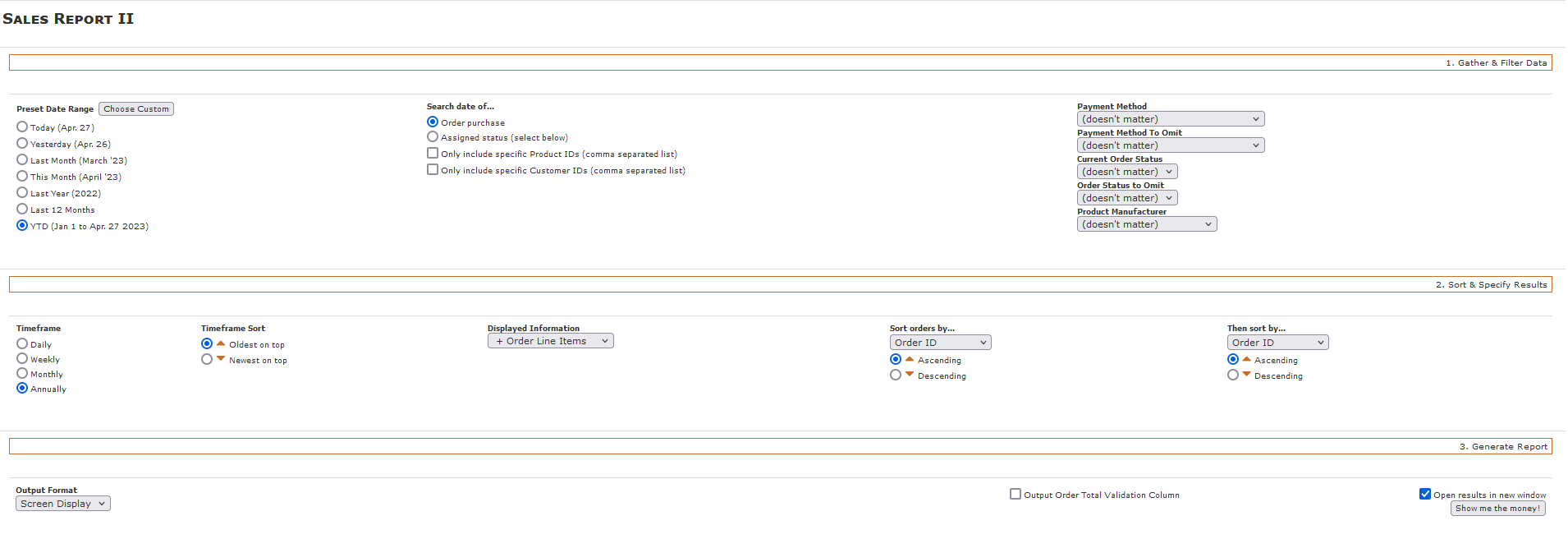
In this section of the report-generation options, you identify the filters to be used for the to-be-generated report.
Determine the orders' dates to be included in the report from either one of the date 'presets' or a specific date-range. When you click on the Choose Custom button, you're presented with a starting/ending date range for the report:

... and clicking in either of the date-entry fields brings up a "datepicker" to make it easier for you to choose your custom date-range:

In the Search Date of... section, choose either
- Order purchase, to select all orders purchased in the specified date-range.
- Assigned status (select below), to select only orders whose status was changed to the selected order-status in the specified date-range. Clicking on this choice brings up a drop-down selection so that you can identify the status value you're interested in.

To limit the report's output to specific products or customers or both, tick the respective checkbox and enter either a comma-separated list of products_id or customers_id values.

Use each of these drop-downs to further filter the results.
