terraform init: Initializes remote backends; downloads providers and remote modules defined in your configuration.
terraform init -upgrade: used to upgrade the existing downloaded providers.
terraform plan: generates the execution plan for the infrastructure creation or updation.
terraform apply: creates or updates the infrastructure after requesting confirmation from user.
terraform apply –auto-approve: creates or updates the infrastructure; user approval stage is skipped.
terraform destroy: deletes the infrastructure after requesting confirmation from user.
terraform destroy –auto-approve: deletes the infrastructure; user approval stage is skipped.
terraform fmt: scans the current directory for configuration files and formats them according to the HCP canonical style and format.
terraform fmt –recursive: scans the current directory as well as the sub directories for configuration files and formats them according to the HCP canonical style and format.
terraform show: provides a human-readable output from a state or plan file.
A terraform null resource is a configuration that runs like a standard terraform resource block but does not create any resources. This may sound like a strange and useless resource, but it can be useful in various situations to work around limitations in Terraform.
Terraform has built-in dependency management. Terraform has two kinds of dependencies between resources- implicit and explicit dependencies.
Implicit dependencies, as the name suggests, are detected by Terraform automatically. This is when the output of a “resource A” is used in “resource B”. Terraform automatically detects that “resource B” needs to be created only after “resource A”
Explicit dependencies can be specified in cases where two resources are internally dependent on each other without sharing any outputs. This can be done by using the depends_on parameter in the configuration block.
Run ‘terraform init’ with ‘-upgrade’ option. This command rechecks the releases.hashicorp.com to find new acceptable provider versions. It also downloads available provider versions. “.terraform/plugins/_” is the automatic downloads directory.
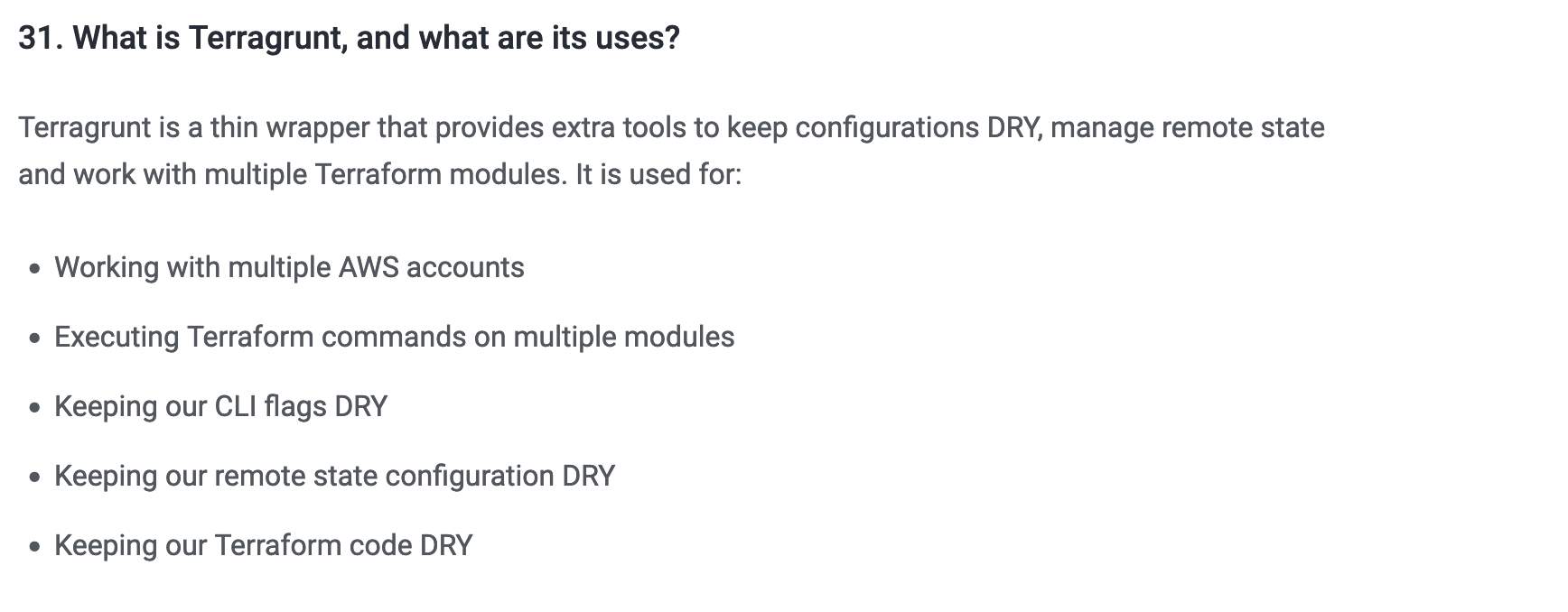
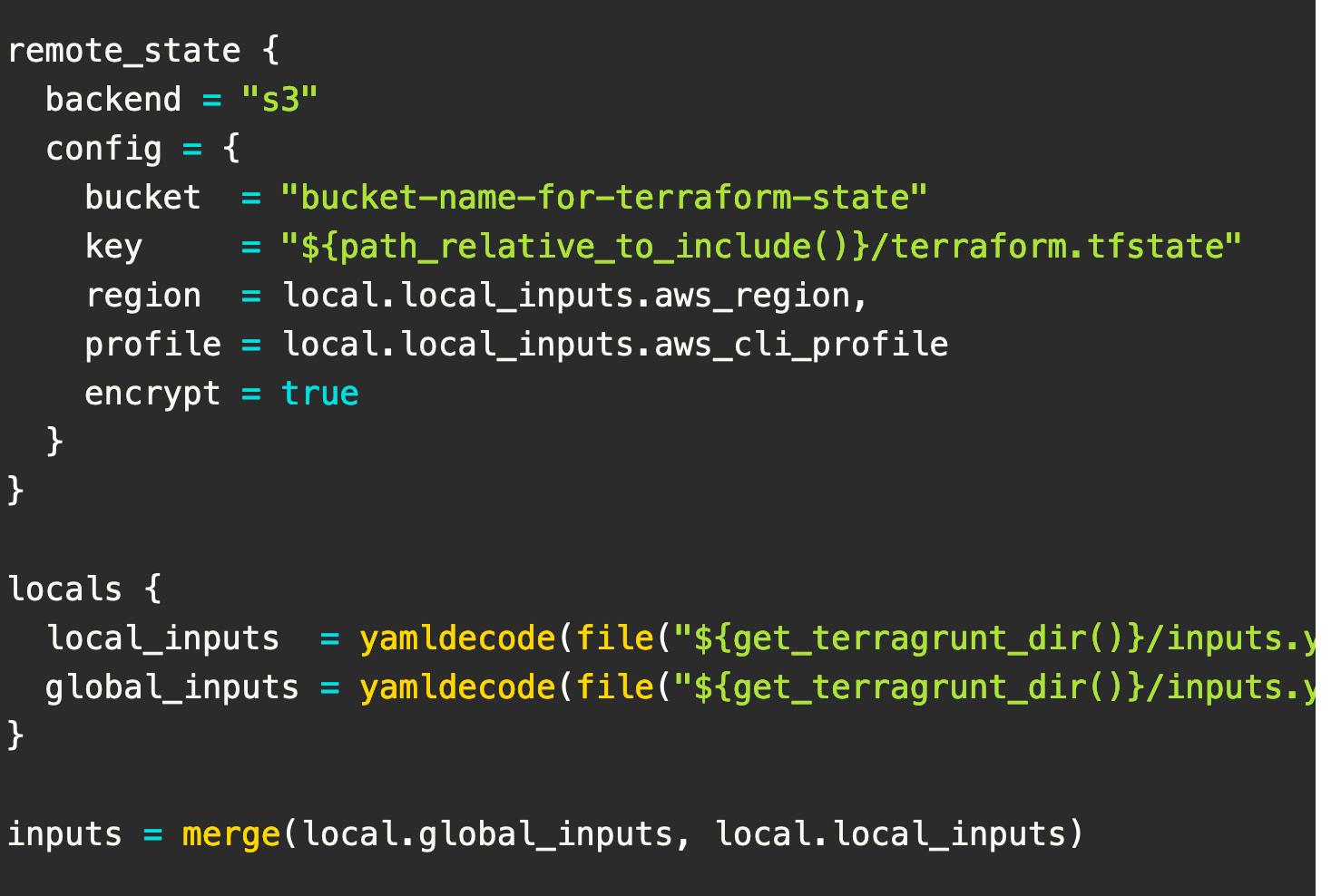
Terragrunt can help with structuring your code directories where you can write the Terraform code once and apply the same code with different variables and different remote state locations for each environment.Another useful feature of Terragrunt is before and after hooks.

This example shows how dynamic blocks can be used to dynamically create multiple instances of a block within a resource from a complex value such as a list of maps.
The special dynamic block type serves the same purpose as a for expression, except it creates multiple repeatable nested blocks instead of a complex value.
Example-1 :
      dynamic "zones" {
        for_each = (var.worker_zone != null ? var.worker_zone : [])
        content {
          name      = "${var.region}-${zones.key + 1}"
          subnet_id = zones.value
        }
      }
Example-2 :
    locals {
        ingress_rules = [{
            port        = 443
            description = "Port 443"
        },
        {
            port        = 80
            description = "Port 80"
        }]
    }

    resource "aws_security_group" "main" {
        name   = "foo"
        vpc_id = data.aws_vpc.main.id

        dynamic "ingress" {
            for_each = local.ingress_rules

            content {
                description = ingress.value.description
                from_port   = ingress.value.port
                to_port     = ingress.value.port
                protocol    = "tcp"
                cidr_blocks = ["0.0.0.0/0"]
            }
        }
    }
A tainted resource is a resource that is forced to be destroyed and recreated on the next apply command. When a resource is marked as tainted, the state files are updated, but nothing changes on infrastructure. The terraform plan out shows that help will get destroyed and recreated. The changes get implemented when the next apply happens.
If you manually mark a terraform resource as Tainted, It will force to detsroy / recreate on the next plan/apply by using CLI.
Terraform taint resource.name
Terraform untaint resource.name
        ## IBM provider
        terraform {
            required_providers {
                ibm = {
                    source = "IBM-Cloud/IBM"
                    version = "~>1.30.0"
                }
            }
        }

        provider "ibm" {
            region = "us-south"
            ibmcloud_timeout = 300
            ibmcloud_api_key = var.api_key
        }

        ## AWS provider
        terraform {
          required_providers {
            aws = {
              source  = "hashicorp/aws"
              version = "~> 3.0"
            }
          }
        }

        provider "aws" {
          region = "us-east-1"
        }
    You can configure multiple providers ( one per account in your case) and create an alias for each. Then you will need to specify the provider for each ressource.

    Example:

        provider "aws" {
          region  = "eu-west-1"
          profile = "profile1"
          alias   = "account1"
        }

        provider "aws" {
          region  = "eu-west-1"
          profile = "profile2"
          alias   = "account2"
        }

        resource "aws_lambda_function" "function1" {
          provider = "aws.account1" // will be created in account 1
          ...
        }
        resource "aws_lambda_function" "function2" {
          provider = "aws.account2" // will be created in account 2
          ...
        }
        terraform apply -target=aws_vpc.myvpc -target=aws_s3_bucker.mybucket

If you want to create a specific module code then do like below.

    terraform apply -target=module.instance

Destroy a specific resource

    terraform destroy -target=aws_vpc.myvpc
Syntax :

    terraform import <resource_type>.<resource_name> <resource_id>z

Example :

    terraform import aws_s3_bucket.examplebucket anand0987uio
    In Terraform CLI, workspaces are separate instances of state data that can be used from the same working directory. You can use workspaces to manage multiple non-overlapping groups of resources with the same configuration.

    Note: If you are using the backend, then fro every workspace it will have separete folder in S3 backend to store the config files.

            terraform workspace list
            terraform workspace new dev
            terraform workspace select dev
            terraform workspace delkete dev

    Example :

            terraform apply -var-files "filename" or -var "prefix=variables"

    Example :

            locals {
                env="${terraform.workspace}"
    attempts to find any resources held in the state file and update with any drift that has happened in the provider outside of Terraform since it was last ran.
    - terraform refresh
    Terraform will lock your state for all operations that could write state. This prevents others from acquiring the lock and potentially corrupting your state.

    State locking happens automatically on all operations that could write state. You won't see any message that it is happening. If state locking fails, Terraform will not continue. You can disable state locking for most commands with the -lock flag but it is not recommended.

            terraform force-unlock -force 9db590f1-b6fe-c5f2-2678-8804f089deba

        Or to relaunch the plan with the following option -lock=false

            terraform plan -lock=false ...

        Or Sometime you need to kill your process

            ps aux | grep terraform and sudo kill -9 <process_id>
    List All state:-

            terraform state list

    remove state which you want to:-

            terraform state rm <name>

    Question : Delete all resources except one

            # list all resources
            terraform state list

            # remove that resource you don't want to destroy
            # you can add more to be excluded if required
            terraform state rm <resource_to_be_deleted>

            # destroy the whole stack except above excluded resource(s)
            terraform destroy
    variable "api_key" {
      type        = string
      sensitive   = true
      validation {
        condition     = var.api_key != ""
        condition     = length(var.api_key) <= 11
        condition     = 1 <= var.worker_nodes_per_zone && var.worker_nodes_per_zone <= 1000
        condition     = contains(["true", "false"], var.required_monitoring)
        condition     = contains(["3", "5", "10"], var.bandwidth)
        condition     = var.db_vsi_count <= 3
        condition     = contains([8, 16, 32, 64, 128, 256, 512, 1024, 2048, 4096, 8192, 16384], var.bastion_ip_count)
        error_message = "API key for IBM Cloud must be set."
      }
      validation {
        condition     = can(regex("^[A-Za-z][-0-9A-Za-z]*-$", var.prefix))
        error_message = "For the prefix value only a-z, A-Z and 0-9 are allowed."
      }
    }
  - Data sources allow Terraform to use information defined outside of Terraform, defined by another separate Terraform configuration, or modified by functions.
  - Data sources can be used for a number of reasons; but their goal is to do something and then give you data.

  Example-1 :

            data "aws_ami" "web" {
              filter {
                name   = "state"
                values = ["available"]
              }

              filter {
                name   = "tag:Component"
                values = ["web"]
              }

              most_recent = true
            }

   Example-2  :

            data "ibm_resource_group" "res_grp" {
              name = var.resource_group
            }

   Usage :

    resource_group_id = data.ibm_resource_group.res_grp.id
Data Source from user input
            data "ibm_is_ssh_key" "ssh_key" {
              for_each = toset(split(",", var.ssh_key_name))
              name     = each.value
            }

            locals {
              ssh_key_list = split(",", var.ssh_key_name)
              ssh_key_id_list = [
                for name in local.ssh_key_list :
                data.ibm_is_ssh_key.ssh_key[name].id
              ]
            }
    You can use local values to simplify your Terraform configuration and avoid repetition. Local values (locals) can also help you write more readable configuration by using meaningful names rather than hard-coding values.

            locals {
              lin_userdata = <<-EOUD
                    #!/bin/bash
                    curl -sL https://raw.githubusercontent.com/IBM-Cloud/ibm-cloud-developer-tools/master/linux-installer/idt-installer | bash
                    ibmcloud plugin install vpc-infrastructure
                    EOUD
            }
   - The primary use-case for the null resource is as a do-nothing container for arbitrary actions taken by a provisioner.
   - A common scenario is to perform custom actions using local-exec and remote-exec when a number of resources gets created. Example of such case is introduction of a delay in resource creation.
   - The triggerdefined in your null_resourceblock defines when the script you have specified is executed.

        For example:

            The null_resourcetrigger can be set to run only if a resource exists:

            id = resource.id


            /**
            * This null resource block is for deleting the dynamic ssh key generated via bastion server. This will execute on terraform destroy.
            * This block is for those users who has Linux/Mac as their local machines.
            * Trigger :The triggers argument allows specifying an arbitrary set of values that, when changed, will cause the resource to be replaced.
            **/

            resource "null_resource" "delete_dynamic_ssh_key" {
              count = lower(var.local_machine_os_type) == "windows" ? 0 : 1

              triggers = {
                region          = var.region
                api_key         = var.api_key
                prefix          = var.prefix
                bastion_ssh_key = var.bastion_ssh_key
              }
              provisioner "local-exec" {
                when    = destroy
                command = <<EOT
                  echo 'connection success'
                  ibmcloud config --check-version=false
                  i=3
                  ibmcloud login -r ${self.triggers.region} --apikey ${self.triggers.api_key}
                  while [ $? -ne 0 ] && [ $i -gt 0 ]; do
                       i=$(( i - 1 ))
                       ibmcloud login -r ${self.triggers.region} --apikey ${self.triggers.api_key}
                  done
                  key_id=$(ibmcloud is keys | grep ${self.triggers.prefix}${self.triggers.bastion_ssh_key} | awk '{print $1}')
                  if [ ! -z "$key_id" ]; then
                      i=3
                      ibmcloud is key-delete $key_id -f
                      while [ $? -ne 0 ] && [ $i -gt 0 ]; do
                          i=$(( i - 1 ))
                          ibmcloud is key-delete $key_id -f
                      done
                  fi
                  ibmcloud logout
                EOT
              }
              depends_on = [
                ibm_is_instance.bastion,
              ]
            }
Example-1
  provisioner "file" {
    source      = "conf/myapp.conf"
    destination = "/etc/myapp.conf"
  }
Example-2
    provisioner "file" {
        content     = "I want to copy this string to the destination file server.txt"
        destination = "/home/ubuntu/server.txt"
    }
Example-3
    provisioner "remote-exec" {
            inline = [
              "chmod +x /tmp/script.sh",
              "sudo /tmp/script.sh",
            ]
    }
Example-4
      provisioner "local-exec" {
        command = "touch hello-jhooq.txt"
      }
Example-5
      provisioner "local-exec" {
        command = "ANSIBLE_HOST_KEY_CHECKING=False ansible-playbook -u root -i '${self.ipv4_address},' --private-key ${var.pvt_key} -e 'pub_key=${var.pub_key}' apache-install.yml"
      }


Complete Example :

resource "aws_key_pair" "mykey" {
  key_name   = "mykey"
  public_key = file(var.PATH_TO_PUBLIC_KEY)
}

resource "aws_instance" "example" {
  ami           = var.AMIS[var.AWS_REGION]
  instance_type = "t2.micro"
  key_name      = aws_key_pair.mykey.key_name

  provisioner "file" {
    source      = "script.sh"
    destination = "/tmp/script.sh"
  }
  provisioner "remote-exec" {
    inline = [
      "chmod +x /tmp/script.sh",
      "sudo /tmp/script.sh",
    ]
  }
  connection {
    host        = coalesce(self.public_ip, self.private_ip)
    type        = "ssh"
    user        = var.INSTANCE_USERNAME
    private_key = file(var.PATH_TO_PRIVATE_KEY)
  }
}
As this bastion server is very important to access other VSI. So to prevent the accidental deletion of this server we are adding a lifecycle block with prevent_destroy=true flag to protect this. If you want to delete this server then before executing terraform destroy, please update prevent_destroy=false.
    resource "ibm_is_instance" "bastion" {
      name           = "${var.prefix}bastion-vsi"
      keys           = var.bastion_ssh_key
      image          = var.bastion_image
      profile        = var.bastion_profile
      resource_group = var.resource_group
      vpc            = var.vpc_id
      zone           = element(var.zones, 0)
      user_data      = local.lin_userdata

      primary_network_interface {
        subnet          = ibm_is_subnet.bastion_sub.id
        security_groups = [ibm_is_security_group.bastion.id]
      }

     lifecycle {
       prevent_destroy = false // TODO: Need to toggle this variable before publishing the script.
       ignore_changes = [
         user_data,
       ]
     }
    }
Terraform offers several different looping constructs, each intended to be used in a slightly different scenario:
- count parameter: loop over resources.
- for_each expressions: loop over resources and inline blocks within a resource.
- for expressions: loop over lists and maps.
Count : Example -1 :
     resource "aws_iam_user" "example" {
              count = 3
              name  = "neo.${count.index}"
     }

     Example 2:

     resource "aws_iam_user" "example" {
              count = length(var.user_names)
              name  = var.user_names[count.index]
     }
For_each :
Input :
      variable "user_names" {
              description = "Create IAM users with these names"
              type        = list(string)
              default     = ["neo", "trinity", "morpheus"]
      }

      Example :

      resource "aws_iam_user" "example" {
              for_each = toset(var.user_names)
              name     = each.value
      }

      Dynamic For_each :

            resource "aws_autoscaling_group" "example" {
              # (...)
              dynamic "tag" {
                for_each = var.custom_tags
                content {
                  key                 = tag.key
                  value               = tag.value
                  propagate_at_launch = true
                }
              }
            }

            Example-2:

              dynamic "zones" {
                for_each = (var.worker_zone != null ? var.worker_zone : [])
                content {
                  name      = "${var.region}-${zones.key + 1}"
                  subnet_id = zones.value
                }
              }
- S3
- CloudFront
- EC2
- VPC
- ELB
- AutoScaling
- RDS
Ref : https://www.bogotobogo.com/DevOps/Terraform/
-
It is An Infrastructure as a Code ( IAC )
-
Terraform is a tool for developing, changing and versioning infrastructure safely and efficiently. Terraform can manage existing and popular service providers as well as custom in-house solutions. Terraform is the first multi-cloud immutable infrastructure tool that was introduced to the world by HashiCorp, released three years ago, and written in Go.
- wget https://releases.hashicorp.com/terraform/0.11.11/terraform_0.11.11_linux_amd64.zip
- export PATH=/root/terraform/:$PATH (or) PATH=${PATH}:/root/terraform
It support any kind of cloud for provisining your infrastructure.
- AWS
- Azure
- GoogleCloud
- openStack
- VM's etc...
It supports two kind of configuration files
- .tf files
- .tf.json files
Note : Terraform will download the required plugins based on provider name specified in the configuration file.
Create a IAM user with admin access and configure in Linux/Windows/Mac Server.
- aws configure --profile <profile_name> ex: aws configure --profile terraform_user.
-
Initialize the terraform
terraform init. ( Terraform will download the required plugins based on provider name specified in the configuration file ) -
Validate the Code
terraform validate -
Arrange the terraform configuration file in proper format
terraform fmt -
Run your script as DRY RUN mode.
terraform plan Note : Store the dryrun mode output like below terraform plan -out out.terraform -
Provision your script
terraform apply. // terrafor apply --auto-approve ( for auto creating the ec2 ) -
Update your existing infrastructure.
terraform apply -
Destroy your Infrastructure
terraform destroy -
Destroy a Specific Service insted of all
terraform destroy --target resource_type.name --target resource_type.name terraform destroy --target aws_instance.httpd -
Terraform Console
terraform console -
Sample configuration to craete a EC2_Server
provider "aws" {
profile = "terraform_user"
      region = "eu-west-1"
}
resource "aws_instance" "my-ec2-ins" {
  ami     = "ami-02df9ea15c1778c9c"
  instance_type = "t2.micro"

  tags = {
    Name = "terraform_anand"
  }
}
    [root@ip-172-31-31-8 ec2_demo]# cat ~/.aws/config
    [default]
    region = eu-west-1
    [profile terraform_user]
    region = eu-west-1
    [root@ip-172-31-31-8 ec2_demo]# cat ~/.aws/credentials
    [default]
    aws_access_key_id = AKIAJHO7C627BHFOAMOA
    aws_secret_access_key = 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
    [terraform_user]
    aws_access_key_id = AKIAXSB5ISV5RWIQFB26
    aws_secret_access_key = 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
- String
- Number
- Boolean
- List
- Set
- Map
- Object
- Tuple
-
String declaration
variable "myvar" {
  type = "string"
  default = "Hello Platform"
}
Run :
- terraform console - var.myvar. or "${var.myvar}" -
Map Declaration
variable "mymap" {
  type = map(string)
  default = {
mykey = "my value"
  }
}
Run :
- var.mymap - var.mymap["mykey"] or "${var.mymap["mykey"]}" -
List Declaration
variable "mylist" {
  type = list
  default = [1,2,3]
}
Run:
 - var.mylist
 - var.mylist[1]
 - element(var.mylist, 1)
 - slice(var.mylist, 0, 2)
    provider "aws" {
        region = "eu-west-1"
    }

    resource "aws_instance" "httpd" {
        count   =  2
        ami              = "ami-0ff760d16d9497662"
        instance_type    = "t2.micro"
        key_name         = "Anand-Mac-Ireland"
        monitoring       = true
        vpc_security_group_ids = ["sg-0635bbd6766f3cab1"]
        subnet_id        =  "subnet-e7257faf"
        tags = {
            Name = "apache-test"
            Env  = "test"
        }
    }
            provider "aws" {
                region = "${var.region_name}"
            }

            variable "instance_count" {
                default = "1"
            }

            variable "ami_types" {
                type = map(string)
                default = {
                    "eu-west-1" = "ami-0ff760d16d9497662"
                    "eu-east-2" = "ami-0ff760d16d9497663"
                    "eu-west-3" = "ami-0ff760d16d9497662"
                }
            }

            variable "region_name" {
                default = "eu-west-1"
            }

            variable "instance_type" {
                default = "t2.micro"
            }

            variable "monitoring" {
                default = "true"
            }

            variable "tags" {
                type = map(string)
                default = {
                    "name" = "apache-test"
                    "env" = "test"
                }
            }

            resource "aws_instance" "httpd" {
                count            = "${var.instance_count}"
                ami              = "${lookup(var.ami_types,var.region_name)}"
                instance_type    = "${var.instance_type}"
                key_name         = "Anand-Mac-Ireland"
                monitoring       = "${var.monitoring}"
                vpc_security_group_ids = ["sg-0635bbd6766f3cab1"]
                subnet_id        = "subnet-e7257faf"
                tags = "${var.tags}"
            }

            output "instance_ip" {
                value = "${aws_instance.httpd.*.public_ip}"
            }


            // TAGS DECLARATION WITH LIST
            // variable "instance_tags" {
            //  type = "list"
            //  default = ["Terraform-1", "Terraform-2"]
            // }

            // tags = {
            //    Name  = "${element(var.instance_tags, count.index)}"
            //    Batch = "5AM"
            //  }

    Note :

        ## See the Output

        terraform output
The user_data only runs at instance launch time.

Way -1 :

      resource "aws_instance" "httpd" {
      count            = "${var.instance_count}"
      ami              = "${lookup(var.ami_types,var.region_name)}"
      instance_type    = "${var.instance_type}"
      key_name         = "Anand-Mac-Ireland"
      monitoring       = "${var.monitoring}"
      vpc_security_group_ids = ["sg-0635bbd6766f3cab1"]
      subnet_id        = "subnet-e7257faf"
      user_data = <<-EOT
          #! /bin/bash
          sudo yum update -y
          sudo yum install -y httpd
          sudo systemctl enable httpd
          echo "<h1>Deployed via Terraform</h1>" | sudo tee /var/www/html/index.html
          sudo service httpd start
      EOT
      tags = "${var.tags}"

      }

Way -2 :
But we prefer to use a file() function:

      // user_data        = "${file("software_install.sh")}"

          provider "aws" {
              region = "${var.region_name}"
          }

          variable "instance_count" {
              default = "1"
          }

          variable "ami_types" {
              type = map(string)
              default = {
                  "eu-west-1" = "ami-0ff760d16d9497662"
                  "eu-east-2" = "ami-0ff760d16d9497663"
                  "eu-west-3" = "ami-0ff760d16d9497662"
              }
          }

          variable "region_name" {
              default = "eu-west-1"
          }

          variable "instance_type" {
              default = "t2.micro"
          }

          variable "monitoring" {
              default = "true"
          }

          variable "tags" {
              type = map(string)
              default = {
                  "name" = "apache-test"
                  "env" = "test"
              }
          }

          resource "aws_instance" "httpd" {
              count            = "${var.instance_count}"
              ami              = "${lookup(var.ami_types,var.region_name)}"
              instance_type    = "${var.instance_type}"
              key_name         = "Anand-Mac-Ireland"
              monitoring       = "${var.monitoring}"
              vpc_security_group_ids = ["sg-0635bbd6766f3cab1"]
              subnet_id        = "subnet-e7257faf"
              user_data        = "${file("software_install.sh")}"
              tags = "${var.tags}"

          }

          output "instance_ip" {
              value = "${aws_instance.httpd.*.public_ip}"
          }


      software_install.sh :

        #!/bin/bash
              sudo yum update -y
              sudo yum install -y httpd
              sudo systemctl enable httpd
              echo "<h1>Hi Anand !!! You are rocking with Terraform Now </h1>" | sudo tee /var/www/html/index.html
              sudo service httpd start
resource "aws_security_group" "from_europe" {
  name = "from_europe"

  ingress {
    from_port   = "443"
    to_port     = "443"
    protocol    = "tcp"
    cidr_blocks = data.aws_ip_ranges.european_ec2.cidr_blocks
  }