Request Storage form - toggled drop-down remains fixed on screen and the page behind can be scrolled #2823

Description

Summary
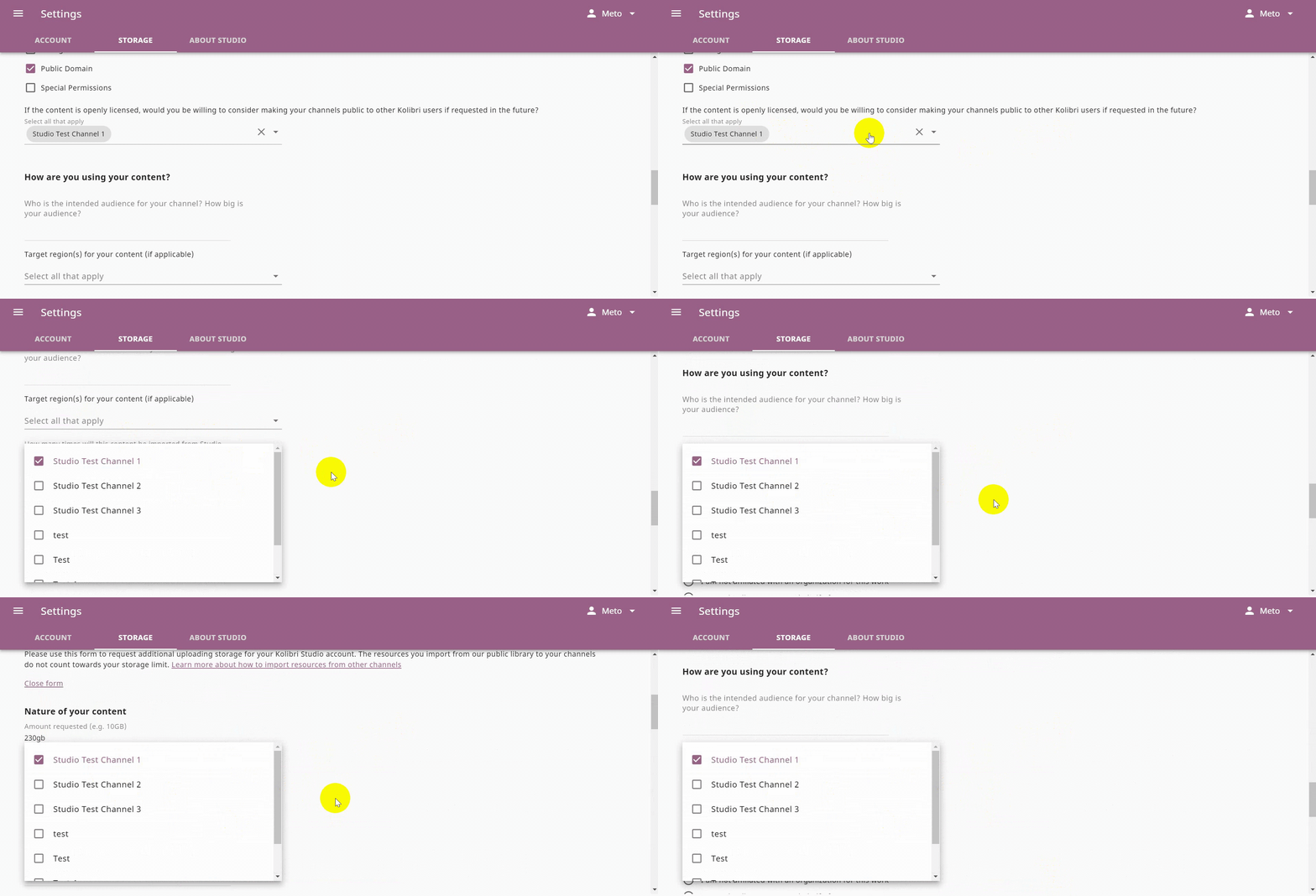
In the Request Storage form a toggled drop-down remains fixed on screen and the page behind can be scrolled up down. This concerns all the drop-down menus in the form. The drop-down must remain on it's original position under it's field during page scrolling.
Category
BUG
Usage Details
Tested at: https://studio.learningequality.org/
- Windows 10
- Browser: Chrome, Firefox, Edge (latest versions)
How to reproduce
- Login to Studio
- Click the Account drop-down
- Click Settings > Storage tab
- Scroll down to Request more space and click Open form
- Scroll down to find any drop-down field and click to toggle it
- Scroll the page up and down while the drop-down is toggled
Screenshots