Move legend table rows under tbody element for scrollable legend #820

Description

Hi @leeoniya
Thank you very much for this library. I have a requirement to plot about 20-50 time series data with the legend stacked to the right.
I have been able to move the legend to the right but it takes up too much space vertically.
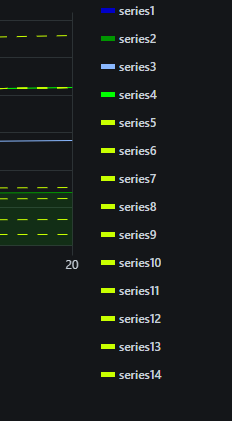
Is it possible to move the legend table u-series rows inside tbody element so that the table can be made vertically scrollable using overflow-y CSS ?
I am currently doing it using the init hook but would be nice to include it in the library.
init: [
      (u: uPlot) => {
        // Move legend to right
        u.root.classList.add('rgt-leg');

        // Get all the u-series elements
        const rows = u.root.querySelectorAll('.u-series');
        // Get the legend table
        const table = u.root.querySelector('.u-legend');
        // Create a tbody element
        const tbody = document.createElement('tbody');
        tbody.classList.add('u-legend-body');
        // Move the tbody element inside the table
        table?.appendChild(tbody);

        // Move each u-series element under the tbody element
        rows.forEach((row, _i) => {
          const parent = row.parentNode;
          parent?.replaceChild(tbody, row);
          tbody.appendChild(row);
        });
      },
],.u-legend-body {
height: 250px;
width: 200px;
overflow-y: auto;
}
<table class="u-legend u-inline">
  <tbody class="u-legend-body">
    <tr class="u-series">
    <tr class="u-series">
    <tr class="u-series">
    <tr class="u-series">
	...
  </tbody>
</table>