- Angular CLI Version: 10.0.4
- Angular Core Version: 10.0.4
- Node Version: 12(LTS)
- Default Port: 8000
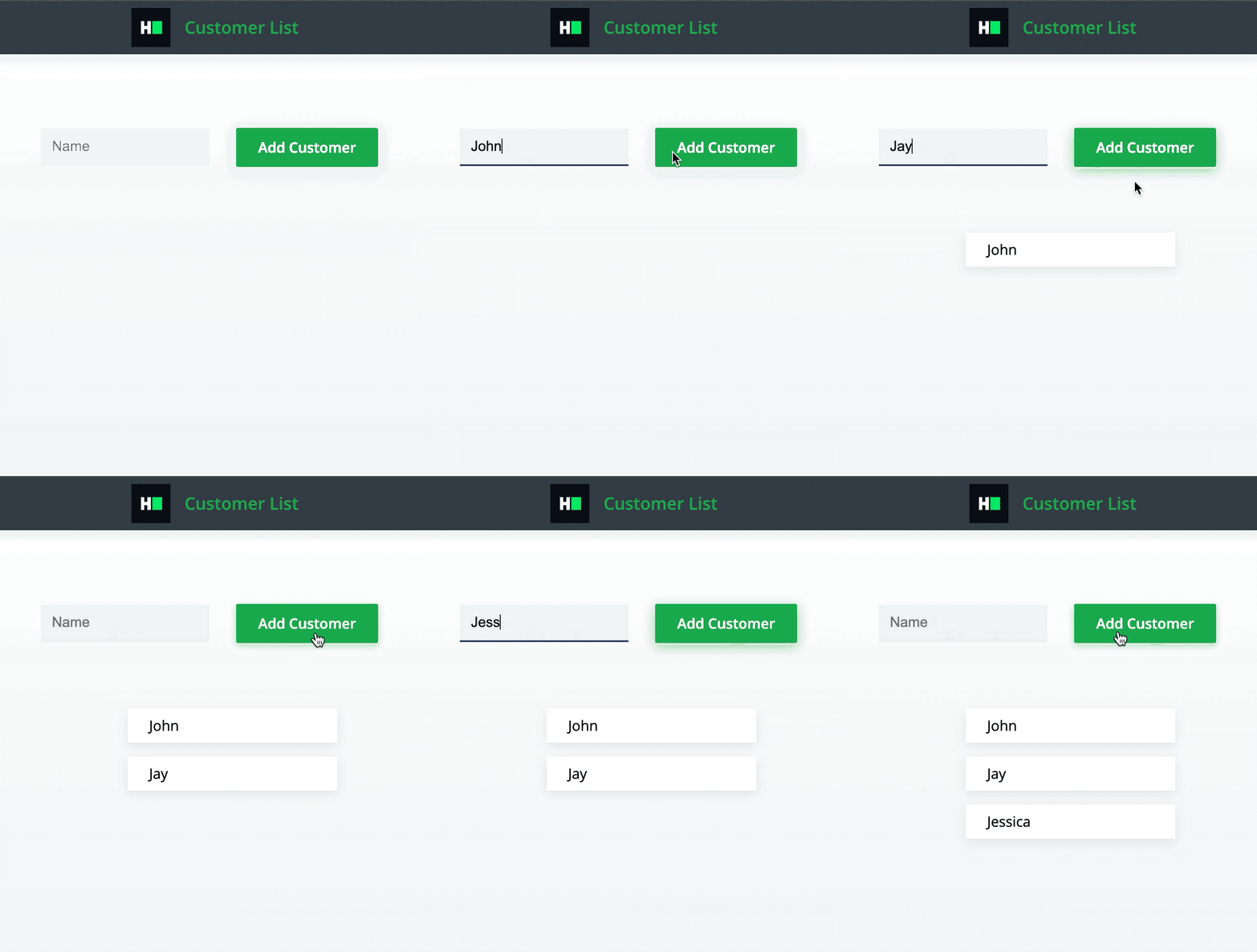
The component must have the following functionalities:
-
The input should initially be empty.
-
If no value is entered, clicking on the
Add Customerbutton should not do anything. -
If a value is present, clicking on the
Add Customerbutton should add the input value to the list below. For this, add<li>{input}</li>to the<ul data-test-id="customer-list">element. -
After adding the value to the list, clear the value of the input box.
-
Please note that the customer list
<ul>element should only be rendered if it has at least one customer added (i.e., at least one<li>child). So initially, when the app is mounted, the<ul>element should not be rendered since no customers have been added. -
All the values added by the button should be rendered in the list below.
- The input should have the data-test-id attribute
app-input. - The button should have the data-test-id attribute
submit-button. - The customer list
<ul>should have the data-test-id attributecustomer-list. - Elements in the list should have the data-test-id attribute as
list-item0,list-item1,list-item2,list-item3, and so on.
Read Only Files
- src/app/app.component.spec.ts
- src/app/customer-list/customer-list.component.spec.ts
Commands
- run:
bash bin/env_setup && . $HOME/.nvm/nvm.sh && npm start- install:
bash bin/env_setup && . $HOME/.nvm/nvm.sh && npm install- test:
bash bin/env_setup && . $HOME/.nvm/nvm.sh && npm test