Keyboard shortcuts for tiling/snapping no longer functioning #10227

Description

 * Cinnamon 5.0.5/5.0.4 (Used Timeshift during troubleshooting which downgraded Cinnamon)
 * Distribution - Mint 20.2
 * Graphics hardware - Intel HD 602
 * 64 bit
 * Attached .xsession-errors [here](https://pastebin.com/iujzcxY3).
Issue
Previously I would use keyboard shortcuts to tile my windows. An example of this is taking a focused, unmaximized window and using super+right to snap the window to the right. Then, I would use super+left to "untile" the window back into it's original position, unmaximized. Same in all other directions.
Just today, I ran into an issue where tiling left/right/top/bottom would work properly but once I tried to "untile" the window back into it's original position, the window would not budge and sometimes would glitch a little. I played around with this for a while and eventually, my windows would no longer respond to my keyboard shortcuts and would not tile at all. Snapping seems to still work but with the same issue. Whatever I do, I cannot get the window to "untile"
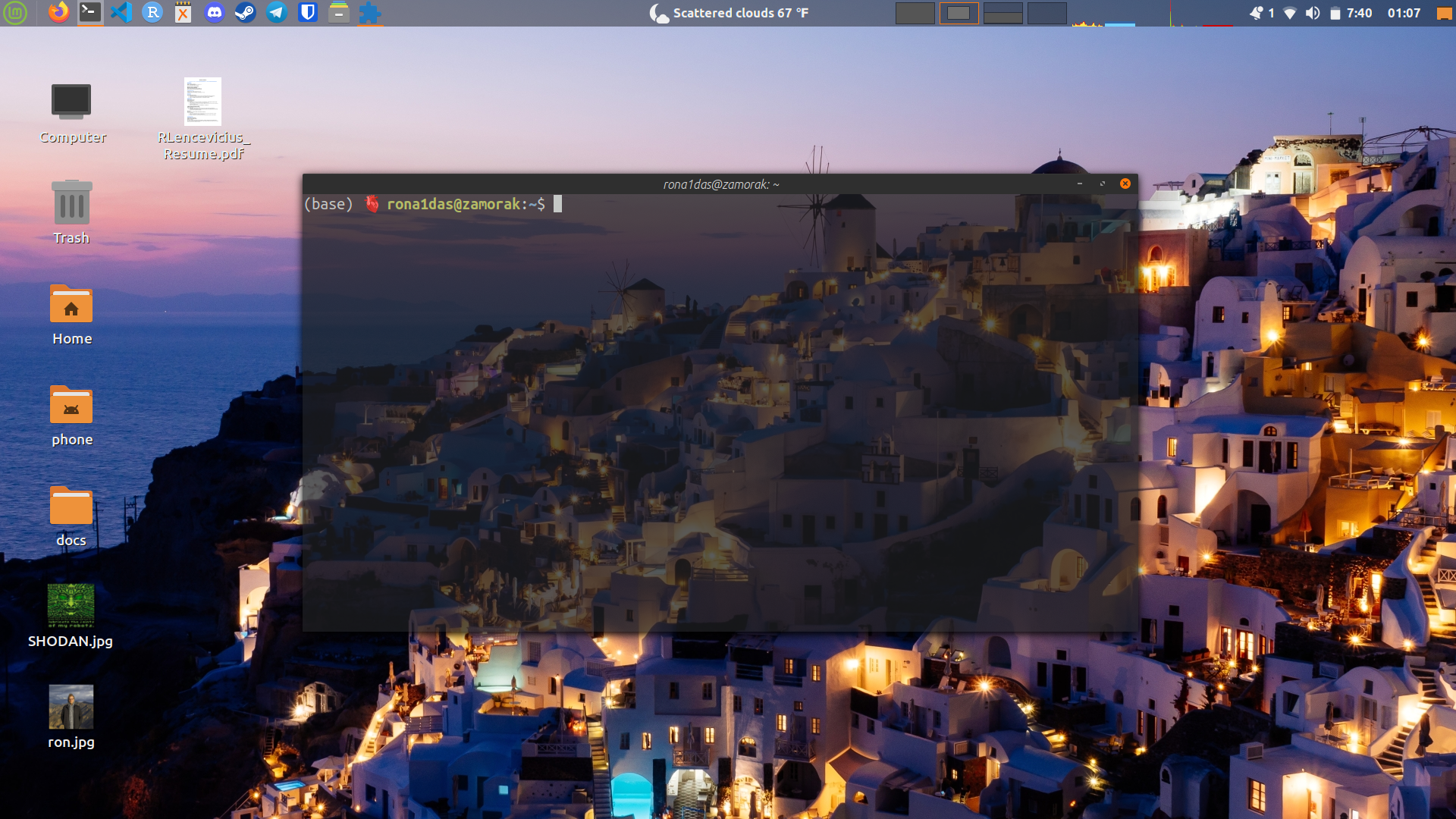
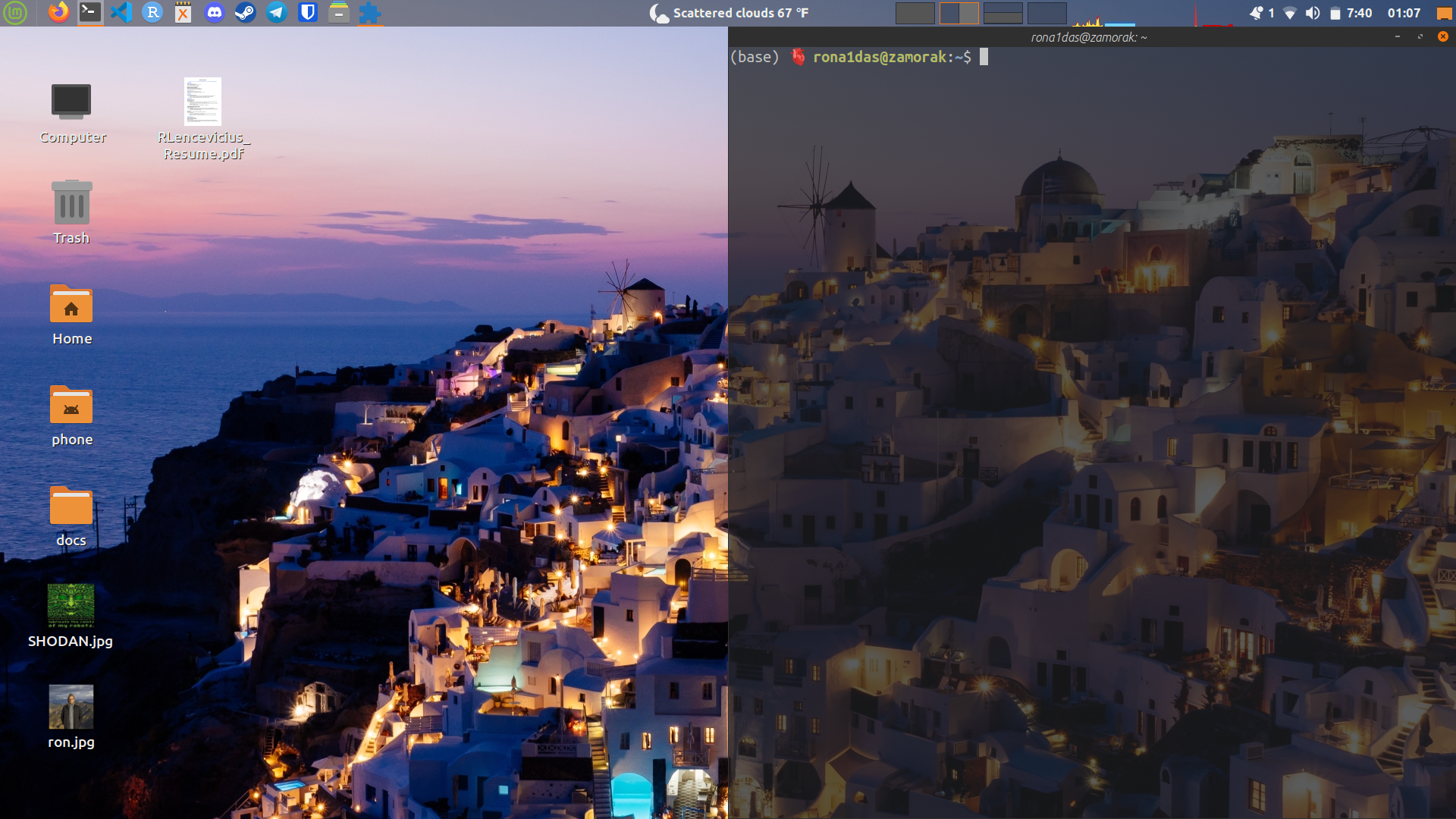
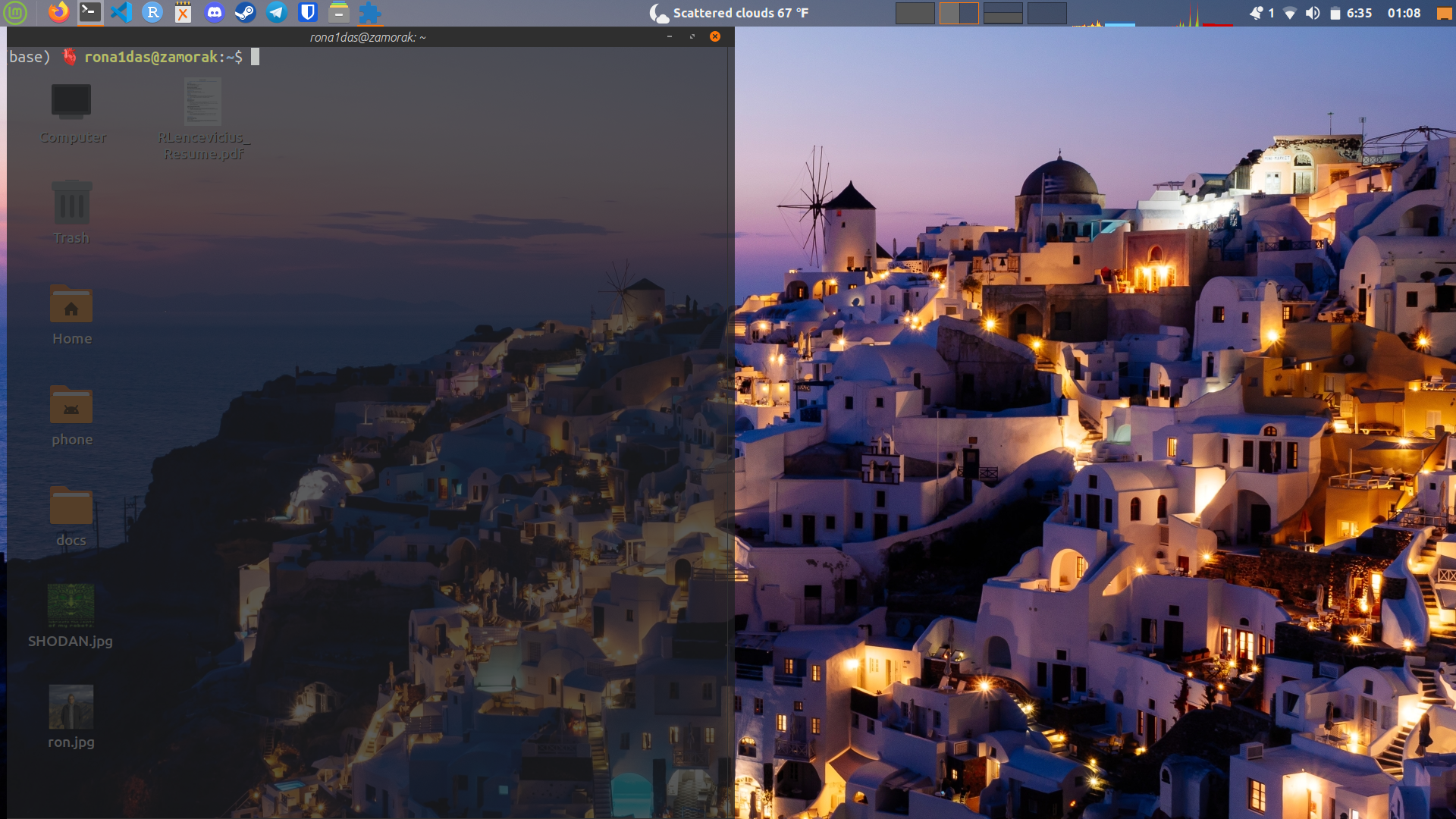
Here is an example of what is visually happening as I move the window to the right then to the left. There is no middle step between the movement where the window is back to it's original position as per the issue. Furthermore, you will notice that the window is slightly glitched in it's final position on the left side:
Steps to reproduce
I am not sure. This began today. I was tiling my windows when they suddenly stopped tiling properly.
Expected behaviour
I expect to be able to "untile" the windows and without hiccup or glitching out.
Other information
I have disabled/uninstalled various applets and extensions. In addition, I did a Timeshift reset to a previous time where tiling worked properly. I also have been trying to restart Cinnamon. None of these things were able to fix the issue.