Describe the bug
Hourly snapshots are created at 1 o-clock, 2 o-clock, etc, rather than after 1 hour of system uptime, 2 hours of system uptime, etc.
To Reproduce
Steps to reproduce the behavior:
- Have Timeshift set to make hourly snapshots
- Turn off your PC
- Two minutes before the hour, turn on your PC (e.g. turn it on at 11:58; you can also just set your BIOS or UEFI to such a time and just make sure to be disconnected from the internet)
- Observe that, when the clock hits 12:00, a Timeshift snapshot will be taken
Expected behavior
Hourly snapshots should be taken after an hour of system uptime; in the example given, that would mean at maybe 12:58 or 12:59. This would put it in-line with how boot snapshots are taken when system uptime reaches 10 minutes, and makes more sense since you should want the boot snapshots to always be taken before the hourly snapshots.
(also the current behavior can have some funky things happen if the "on the hour" snapshot occurs while Mint is still fully booting up)
Screenshots
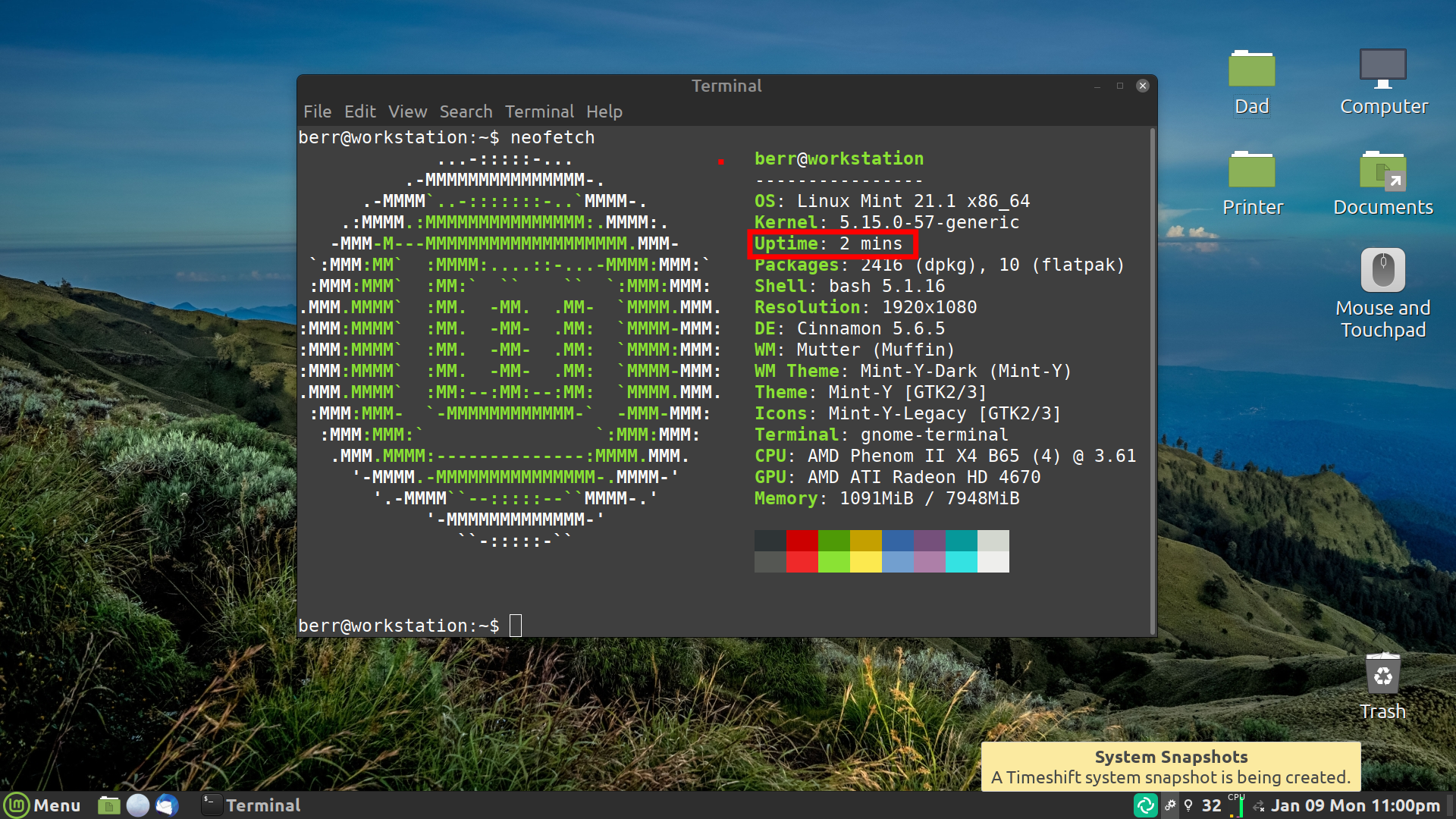
System:
- Mint 21.1 (upgraded from Mint 21.0)
- Cinnamon
- Timeshift v22.11.1 and v22.11.2

Describe the bug
Hourly snapshots are created at 1 o-clock, 2 o-clock, etc, rather than after 1 hour of system uptime, 2 hours of system uptime, etc.
To Reproduce
Steps to reproduce the behavior:
Expected behavior
Hourly snapshots should be taken after an hour of system uptime; in the example given, that would mean at maybe 12:58 or 12:59. This would put it in-line with how boot snapshots are taken when system uptime reaches 10 minutes, and makes more sense since you should want the boot snapshots to always be taken before the hourly snapshots.
(also the current behavior can have some funky things happen if the "on the hour" snapshot occurs while Mint is still fully booting up)
Screenshots

System: