Repository navigation
Tour dashboards
TACTIC Handler · Русский · Project assistant
The overview and editor below run in native Qt Quick in Handler, connected to Stream. The Asset desk example is shown in Stream's browser. Saved page definitions belong to the server.
A dashboard is a project page containing the reports, objects and actions you choose. Build it in the visual editor and open it from the sidebar. The examples below show a production overview and an asset workspace.
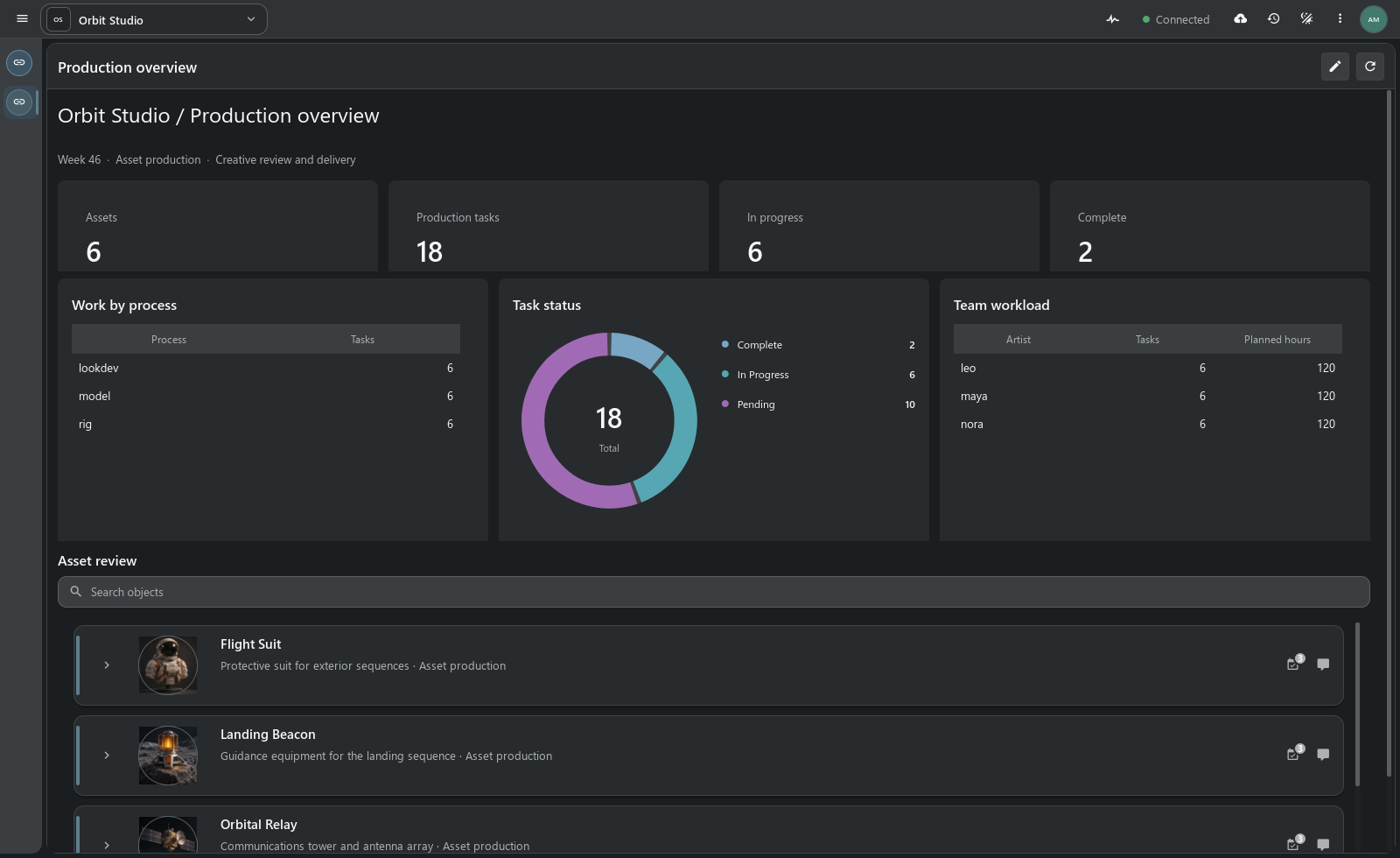
Orbit Studio demonstration project. Figures are calculated from its records.
The project has 6 assets and 18 tasks: 6 in progress and 2 complete. The chart shows statuses; reports list processes and planned hours by assignee. Item View displays the assets below.
Reports recalculate when the page refreshes and respect the user’s access to records.
Asset desk puts objects on the left and the selected asset’s preview, description and actions on the right. Editing and notes open from here.
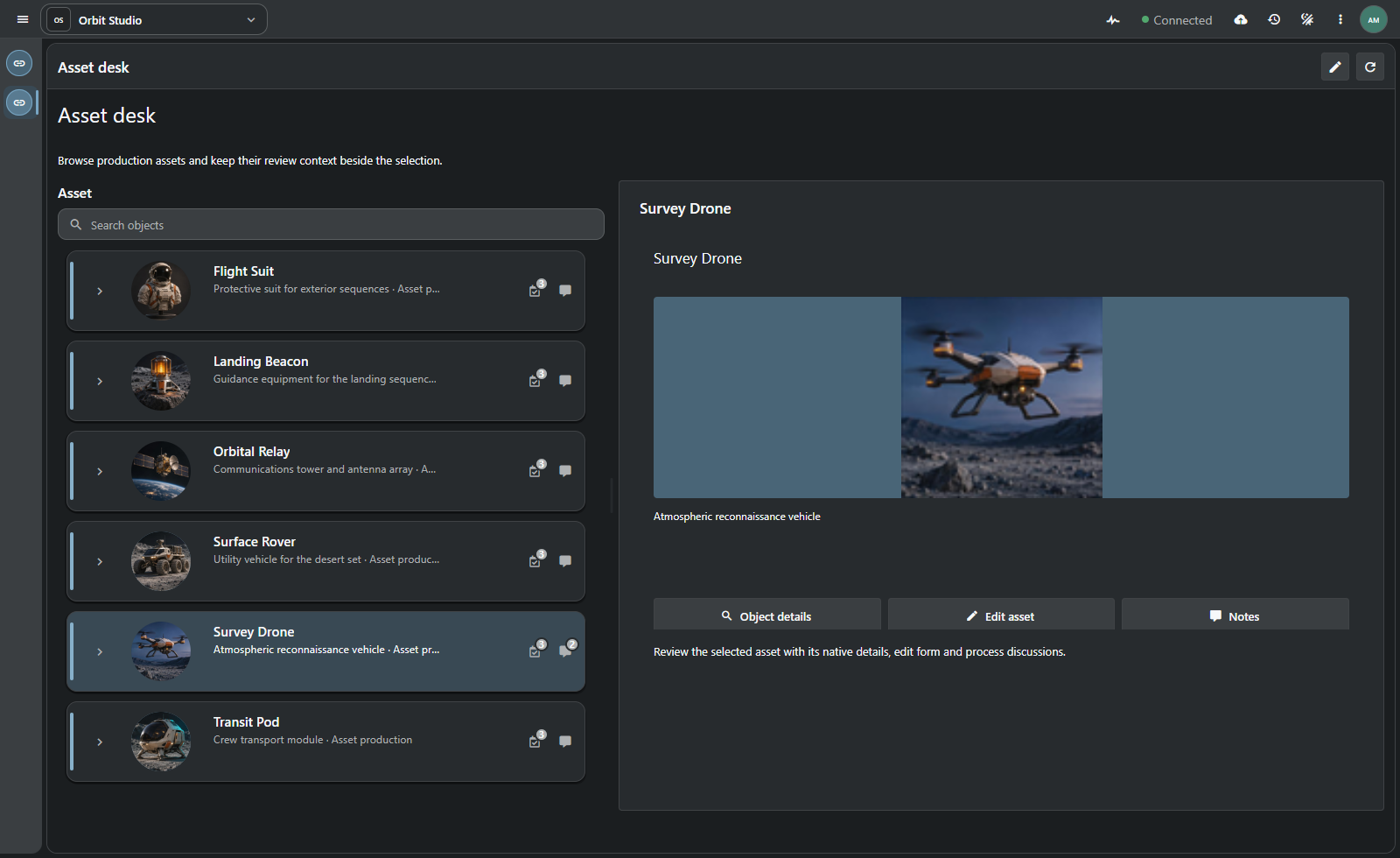
Details and actions follow the selection. Different object types in the tree can have separate detail groups.
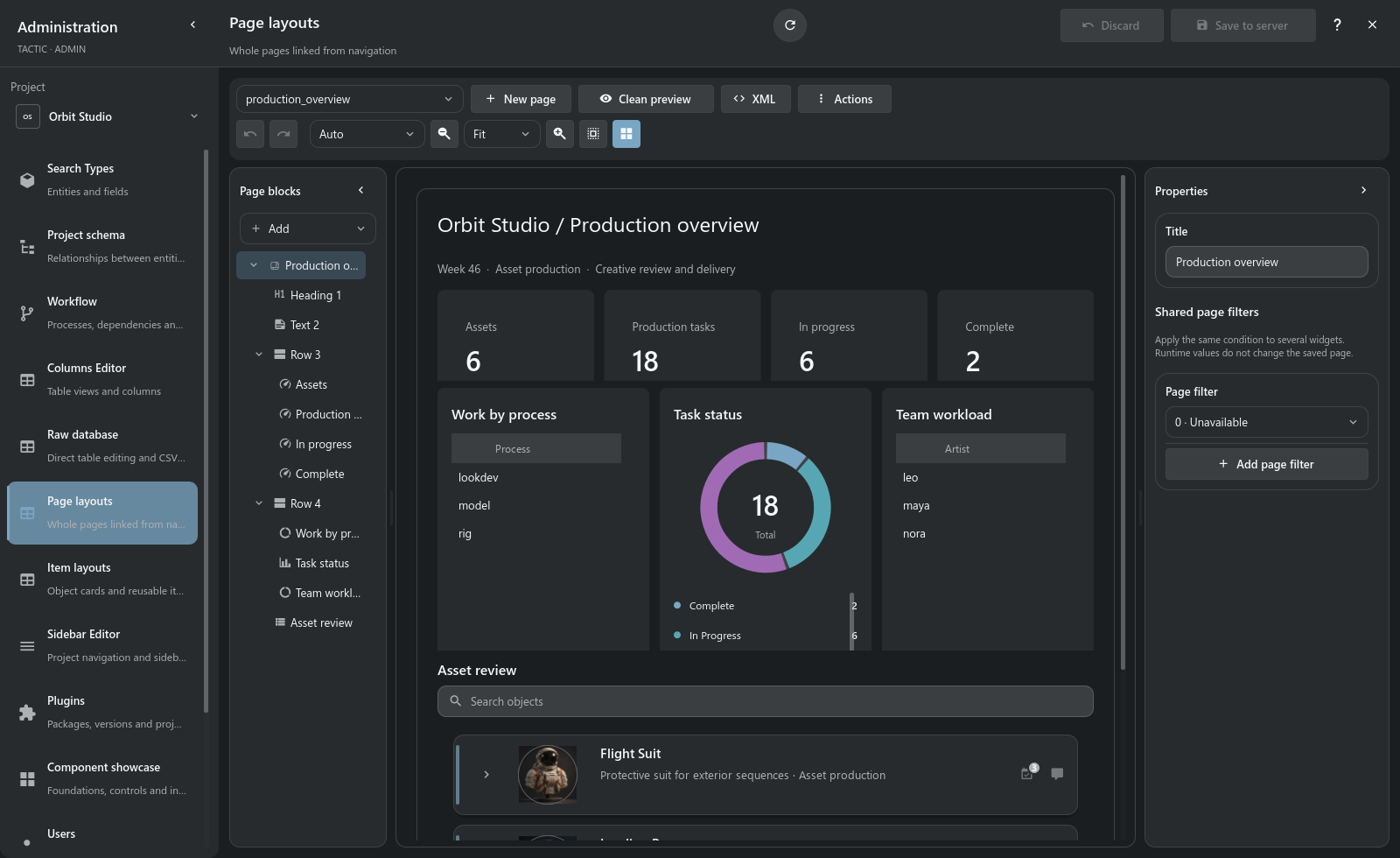
Open Administration → Page layouts. The block tree sits beside a preview using project data and the element’s properties. Rearrange blocks, change sizes and spacing, align and snap them into place. The editor includes undo, width previews and an XML view.
| Building blocks | What they add |
|---|---|
| Row, column, grid | Containers, weights, spans and structured composition. |
| Heading, text, Markdown, icon, image | Context, instructions, previews and visual hierarchy. |
| Metric | A number computed from the selected data source and filters. |
| Chart | Bar, line or donut presentation of supported grouped aggregates. |
| Summary | Grouped report with count, sum, average, minimum or maximum. |
| Table | An existing native table view with a configurable set of workspace controls. |
| Items | Item View with its object tree, previews, relationships and native actions. |
| Details, field, form | Selection-aware content and supported object editing. |
| Action, button, link | Native operations and navigation. |
| Divider, spacer | Separation and breathing room without empty data widgets. |
The page has header, content and footer regions. Blocks have size limits, spacing, backgrounds, borders, radii and shadows. Colors and other settings can use application theme values.
A data source specifies the Search Type, fields, filters and view. Shared page filters can update several reports together. Grouping accepts up to three fields.
Table uses a saved table view; Item View uses an item layout. Their editors open from the block’s settings.
A page supports one Items workspace, whose selection drives the detail blocks. Several metrics, reports and tables can accompany it. Forms and actions perform writes with permission checks.
- Create a page in Page layouts and give it a meaningful name and title.
- Establish containers and the primary data source; choose views for object/table blocks.
- Add metrics, reports and supporting text or actions.
- Test the preview with real project records, selection and the intended viewport sizes.
- Save the definition and open its project navigation entry.
Pages are stored in config/widget_config and open at URLs such as /projects/orbit/dashboard/production_overview. Saving checks the source revision to detect concurrent edits.
The assistant can draft a dashboard using the available blocks. The result opens in the same visual editor and remains editable. project assistant
Example request: “Create a production overview with task counts by status, planned hours by assignee and an asset navigator. Use existing project records.” Saving requires project permissions and enabled write operations.
The same page definition is used by Stream in Vue and Handler in Qt Quick. Handler renders native controls. The server stores definitions and enforces access permissions.
Page editing is a project administration function. Readers see records and actions allowed by their permissions. Check the page under the intended roles, with an empty selection and at narrow widths.
Frame contracts · Administration
Dashboards are part of the prototype. These examples use small selections from the demonstration project.