Skip to content

Add Gen2 Class Saver (JPEG) - #62

Merged
VanDavv merged 3 commits into
masterfrom
class_saver_jpeg
Feb 6, 2021
Merged

Add Gen2 Class Saver (JPEG)#62
VanDavv merged 3 commits into
masterfrom
class_saver_jpeg

Conversation

@VanDavv

@VanDavv VanDavv commented Feb 4, 2021

Copy link
Copy Markdown
Contributor

Gen2 Class Saver (JPEG)

This example demonstrates how to run MobilenetSSD and collect images of detected objects, grouped by detection label.
After running this script, DepthAI will start MobilenetSSD, and whenever it detects objects, it will add a dataset entry

Dataset is stored under data directory, and a main dataset file is located under data.dataset.csv.
For each detected object, a new dataset entry is created, with each entry having files with a precise purpose:

  • timestamp uses int(time.time() * 10000) to store a timestamp of the capture. Please note that this value can be duplicated, if multiple objects are detected on a single image

  • label is a human-readable label of the detected object

  • left, top, right, top are object bounding box coordinates

  • raw_frame represents a path to raw RGB frame captured on DepthAI when detection occured

    raw_frame example

  • overlay_frame represents a path to RGB frame with detection overlays (bounding box and label)

    raw_frame example

  • cropped_frame represents a path to cropped RGB frame containing only ROI of the detected object

    raw_frame example

An example entries in dataset.csv are shown below

timestamp,label,left,top,right,bottom,raw_frame,overlay_frame,cropped_frame
16125187249289,bottle,0,126,79,300,data/raw/16125187249289.jpg,data/bottle/16125187249289_overlay.jpg,data/bottle/16125187249289_cropped.jpg
16125187249289,person,71,37,300,297,data/raw/16125187249289.jpg,data/person/16125187249289_overlay.jpg,data/person/16125187249289_cropped.jpg
16125187249653,bottle,0,126,79,300,data/raw/16125187249653.jpg,data/bottle/16125187249653_overlay.jpg,data/bottle/16125187249653_cropped.jpg
16125187249653,person,71,36,300,297,data/raw/16125187249653.jpg,data/person/16125187249653_overlay.jpg,data/person/16125187249653_cropped.jpg
16125187249992,bottle,0,126,80,300,data/raw/16125187249992.jpg,data/bottle/16125187249992_overlay.jpg,data/bottle/16125187249992_cropped.jpg
16125187249992,person,71,37,300,297,data/raw/16125187249992.jpg,data/person/16125187249992_overlay.jpg,data/person/16125187249992_cropped.jpg
16125187250374,person,37,38,300,299,data/raw/16125187250374.jpg,data/person/16125187250374_overlay.jpg,data/person/16125187250374_cropped.jpg
16125187250769,bottle,0,126,79,300,data/raw/16125187250769.jpg,data/bottle/16125187250769_overlay.jpg,data/bottle/16125187250769_cropped.jpg
16125187250769,person,71,36,299,297,data/raw/16125187250769.jpg,data/person/16125187250769_overlay.jpg,data/person/16125187250769_cropped.jpg
16125187251120,bottle,0,126,80,300,data/raw/16125187251120.jpg,data/bottle/16125187251120_overlay.jpg,data/bottle/16125187251120_cropped.jpg
16125187251120,person,77,37,300,298,data/raw/16125187251120.jpg,data/person/16125187251120_overlay.jpg,data/person/16125187251120_cropped.jpg
16125187251492,bottle,0,126,79,300,data/raw/16125187251492.jpg,data/bottle/16125187251492_overlay.jpg,data/bottle/16125187251492_cropped.jpg
16125187251492,person,74,38,300,297,data/raw/16125187251492.jpg,data/person/16125187251492_overlay.jpg,data/person/16125187251492_cropped.jpg

Demo

Gen2 Class Saver (JPEG)

Side note:
I was wondering if I should record the demo video with a some lamps turned on, but I think this also shows that detection in fairly low-light levels is possible. Any thoughts?

Comment thread gen2-class-saver-jpeg/main.py Outdated
@VanDavv
VanDavv merged commit e01c2b5 into master Feb 6, 2021
@VanDavv
VanDavv deleted the class_saver_jpeg branch February 6, 2021 17:33
@dhruvmsheth

dhruvmsheth commented Mar 10, 2021

Copy link
Copy Markdown
Contributor

This is a really useful example, on top of existing Mobilenet SSD Object detection!
Here's a suggestion on the implementation ( Could be used as a Future Update )

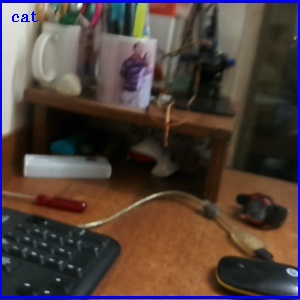
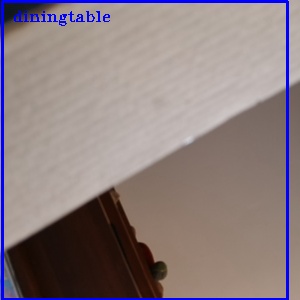
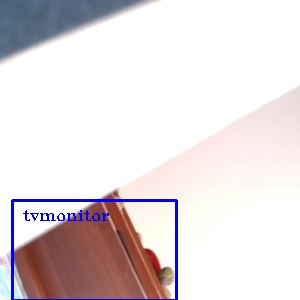
MobileNet SSD's are bias with some classes, which is prevalent in almost all models. This leads to creating false positives which are unidentified while seeing the visualisation, but can be observed when 30frames in a second are split and observed.

  • My table being classified as a cat
    16153831988498_overlay

This example is saving nearly 30 Frames a second (If an object is detected in frame), which creates many some positives - (an example here)

16153490725708_overlay

16153490715451_overlay

All these detections aren't evident in the preview output, however nearly hundreds of them are saved to the folder while running the detection nearly for a minute. This accounts to these being detected total of 3seconds in a 60second time frame. Also since the detections are continuous, nearly 30 detected frames are stored each second, one with bounding boxes in the total frame, and the other image with the image inside the bounding box area - total of 60 frames. Upon calculating, total data stored within a minute of detection, it is nearly 90Mb.

So here is a suggestion (Not really sure on this, and the existing method might turn out to be better)
Add a an object tracker irrespective of each class to eliminate false positives while saving the results. [by hook or crook each model will have bias and false positives] (This solution only solves the issue of flase positives). Store the timeframe, before and after the tracking is completed to identify the absolute difference between them. If greater than 1second, store the class images detected in the frame, else not record them considering they are false detections of a class. Most false positives are split second detected, do not last for more than a second.

Although I also noticed that this is really useful for saving frames of classes which are not evident in the preview imshow, like potted plants which are really hard to capture.
I will tinker around this the coming week to see if it is possible to improvise on the existing script, let me know if this makes sense. :)

Thanks!

@Luxonis-Brandon

Copy link
Copy Markdown
Contributor

Is there a bug where the detection threshold isn't being used to save the JPEGs?

@dhruvmsheth

Copy link
Copy Markdown
Contributor

Sometimes the issue is really simple, haha. Detection threshold should do the work

@Luxonis-Brandon

Copy link
Copy Markdown
Contributor

Thanks. Did that fix it?

@dhruvmsheth

Copy link
Copy Markdown
Contributor

Will try it today

@Luxonis-Brandon

Copy link
Copy Markdown
Contributor

Great thanks!

@dhruvmsheth

Copy link
Copy Markdown
Contributor

So, I was trying the fix right now. Seems that the confidence threshold is already implemented, and it is filtering objects detected below 50% threshold

@Luxonis-Brandon

Copy link
Copy Markdown
Contributor

Thanks. So maybe would it be a good idea to do one of two, or perhaps both things:

  1. Make a system where there's a threshold of how many frames the object class has to be present consecutively for the JPEG to be saved.
  2. Increase the min threshold to something like 75%, so that there's less chance of just little blips resulting in a saved JPEG.

Thoughts?

Thanks,
Brandon

@dhruvmsheth

Copy link
Copy Markdown
Contributor

Seems like a good idea. Will try a few of them, and let's see what's best

@Luxonis-Brandon

Copy link
Copy Markdown
Contributor

Great thanks!

Sign up for free to join this conversation on GitHub. Already have an account? Sign in to comment

Labels

None yet

Projects

None yet

Development

Successfully merging this pull request may close these issues.

5 participants