
Replies: 2 comments 20 replies

|
Additionally, I observed that when selecting the background through Desktop Preferences, the image quality appears fine initially, but immediately degrades after clicking 'OK' (as shown in the video). Previously, I was applying the wallpaper by right-clicking the image file and selecting 'Set as wallpaper', rather than setting it from the Desktop Preferences window. 1.mp4 |

|
I was unable to reproduce this issue with the wallpaper provided (website redirected me to windows virus links a few times!). This leads me to suspect a GPU related issue.I tested on a i7-11700KS and a GTX 1650 SUPER, but I will try again on a different device with an older iGPU. |

And lxqt-archiver. |

|
May I suggest adding a tooltip (or even inline text) that would explain what it does? Like
By the way, a similar note for the EXIF option would be nice. I presume it rotates image if necessary? |
|
Already added: lxqt/pcmanfm-qt@e81b449 The cache isn't limited to RAM usage and doesn't necessarily result in a lower quality. Realistically, the difference in resource usage is next to zero for most users, even with that wallpaper. |

|
IMHO we should still aspire to run on 2GB/4GB of RAM. I can get my system down to ~1.2GB, and it's Ubuntu Server not even Gentoo. The checkbox here is a quick workaround, but I'd say even with 2GB/4GB RAM using Qt's high-quality would be okay 99.9% of the time -- who uses 4K with 2GB/4GB RAM ? |
|
@isf63 , I agree. However, using a cache file was an old idea. We might want to forget it later for more than one reason. |


Uh oh!
There was an error while loading. Please reload this page.
Uh oh!
There was an error while loading. Please reload this page.
I noticed a strange issue in PCManFM: when I set a desktop wallpaper, the wallpaper initially appears at normal quality. However, after I reboot the system, the wallpaper quality noticeably decreases. To restore the original quality, I have to set a different wallpaper and then set the wallpaper I was originally using again. After doing that, the wallpaper quality returns to normal.
This issue does not seem to be noticeable with every wallpaper. I noticed it very clearly with this Windows 11 wallpaper.
To reproduce the issue, set any wallpaper and take a close look at it so you can remember how it looks. Then reboot the system and compare the wallpaper after the reboot to how it looked before.
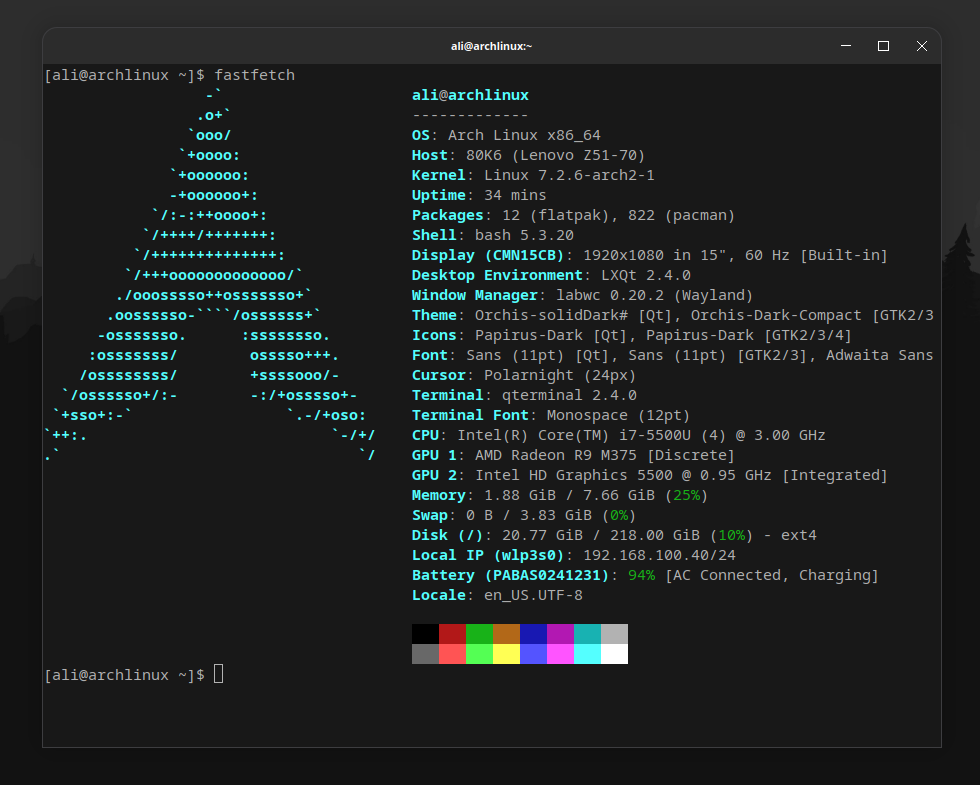
Here are my system specifications:
All reactions