NTFS 3G
Download and install the latest version of OSXFUSE from http://osxfuse.github.com. When installing OSXFUSE make sure to select the "MacFUSE Compatibility Layer" option.
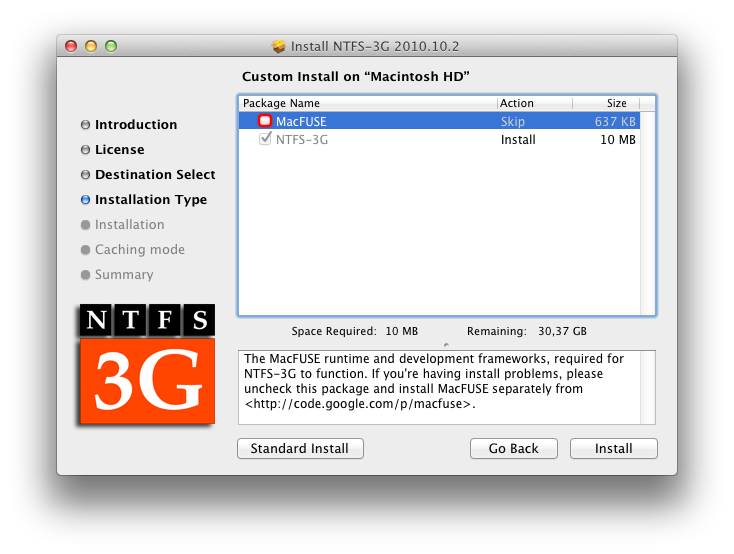
NTFS-3G for Mac OS X (NTFS-3G 2010.10.2) can be downloaded from the NTFS-3G for Mac OS X blog. This is the most recent installer package for OS X as of this writing. When installing NTFS-3G click the "Customize" button in the "Installation Type" section and deselect the "MacFUSE" option. MacFUSE is fully replaced by OSXFUSE.
If you are installing "NTFS-3G for Mac OS X" on OS X 10.7 or later, read the "fuse_wait" section under "Known Issues".
fuse_wait is a tool distributed with "NTFS-3G for Mac OS X". It executes a specified MacFUSE/OSXFUSE mount program with all of its arguments and displays an error message in case the mount operation fails. Because of a change in OS X 10.7, fuse_wait displays a timeout error every time a NTFS volume is mounted.
A package containing a patched version of fuse_wait fixing this issue can be downloaded at bfleischer/fuse_wait/downloads. More information about the fix including manual installation instructions can be found at bfleischer/fuse_wait.
Note: This is an unofficial patch, that is intended as a workaround until a new official version of NTFS-3G is released.