feat: add sentry integration docs #352
Conversation


|
The latest updates on your projects. Learn more about Vercel for GitHub.
|


|
Note Other AI code review bot(s) detectedCodeRabbit has detected other AI code review bot(s) in this pull request and will avoid duplicating their findings in the review comments. This may lead to a less comprehensive review. WalkthroughAdds Sentry integration docs and navigation: a new Changes
Sequence Diagram(s)sequenceDiagram
autonumber
actor User
participant Plane as Plane (Workspace)
participant Sentry as Sentry
participant Makeplane as Makeplane
rect rgb(235,245,255)
note over User,Plane: Setup
User->>Plane: Connect Sentry account (Workspace Settings → Integrations)
User->>Plane: Configure state mappings
end
rect rgb(240,255,240)
note over Sentry,Plane: Alert-driven creation
Sentry-->>Sentry: Alert triggers
Sentry->>Plane: Create or link work item per rule
Plane-->>User: Work item appears with Sentry link
end
rect rgb(255,250,230)
note over Plane,Sentry: Bidirectional sync (via Makeplane)
alt Resolve in Sentry
Sentry->>Plane: Mark linked work item closed/done
else Update in Plane
Plane->>Sentry: Update/resolve linked Sentry issue
end
end
Estimated code review effort🎯 3 (Moderate) | ⏱️ ~20 minutes Poem
Pre-merge checks and finishing touches✅ Passed checks (3 passed)
✨ Finishing touches🧪 Generate unit tests
📜 Recent review detailsConfiguration used: CodeRabbit UI Review profile: CHILL Plan: Pro 📒 Files selected for processing (1)
🚧 Files skipped from review as they are similar to previous changes (1)
⏰ Context from checks skipped due to timeout of 90000ms. You can increase the timeout in your CodeRabbit configuration to a maximum of 15 minutes (900000ms). (1)
Thanks for using CodeRabbit! It's free for OSS, and your support helps us grow. If you like it, consider giving us a shout-out. Comment |
![coderabbitai[bot]](https://avatars.githubusercontent.com/in/347564?s=60&v=4)

There was a problem hiding this comment.
Actionable comments posted: 1
🧹 Nitpick comments (5)
docs/integrations/sentry.mdx (4)
60-73: Tighten grammar in “Set up Sentry alerts”.Minor copyedits for clarity and consistency.
-### Set up Sentry alerts
-
-In Sentry alerts, users can setup an action to auto create a work item in Plane when trigger and conditions are met.
+### Set up Sentry alerts
+
+In Sentry, you can set up an action to auto‑create a Plane work item when the trigger fires and conditions are met.
@@
-3. Select environment and project.
-4. Setup conditions to filter the alerts (e.g., error rate threshold, issue frequency, etc.).
-5. Create an action to create a Plane work item.
-6. Click **Settings** and open the modal to configure the properties on work item that will be created on Plane like priority, assignee, etc.
+3. Select the environment and project.
+4. Configure conditions to filter alerts (e.g., error rate threshold, issue frequency).
+5. Add an action to create a Plane work item.
+6. Click **Settings** and configure properties of the Plane work item (priority, assignee, etc.).
80-81: Use “bidirectional” consistently.Hyphenation is inconsistent; prefer “bidirectional”.
-This will start a bi-directional sync with Plane work items. +This starts a bidirectional sync with Plane work items.-This bi-directional sync keeps your error tracking and project management in perfect alignment, ensuring that issue resolution status is consistent across both platforms. +This bidirectional sync keeps your error tracking and project management in perfect alignment, ensuring that the issue resolution state is consistent across both platforms.Also applies to: 94-96
98-112: Prefer “state” over “status” for Plane work items; align header and body.Plane uses “states” as a first‑class concept; keep terminology consistent.
-### Update work item status from Plane
+### Update work item state from Plane
@@
-If the status is changed back to the unresolved state of your Sentry mapping, it will mark the Sentry issue as "unresolved" as well.
+If the state is changed back to the Unresolved state from your Sentry mapping, the Sentry issue will be marked as “unresolved” as well.
29-29: Improve image alt text for accessibility.Make alt text descriptive of the UI shown.
- + - + - + - + - +Also applies to: 43-43, 64-64, 82-82, 102-102
docs/integrations/about.mdx (1)
24-26: Add an icon to the Sentry card for visual consistency.Other integration cards include an icon; add one if supported (e.g.,
SiSentryfrom react‑icons).- <Card title="Sentry" href="/integrations/sentry"> + <Card title="Sentry" icon="SiSentry" href="/integrations/sentry"> Connect Sentry to Plane to automatically create work items from Sentry issues, sync issue states, and streamline your error tracking workflow. </Card>If
SiSentryisn’t available in the component, please pick a suitable alternative and map it in@site/src/components.
📜 Review details
Configuration used: CodeRabbit UI
Review profile: CHILL
Plan: Pro
📒 Files selected for processing (3)
docs/integrations/about.mdx(1 hunks)docs/integrations/sentry.mdx(1 hunks)sidebars.ts(2 hunks)
🔇 Additional comments (2)
docs/integrations/sentry.mdx (1)
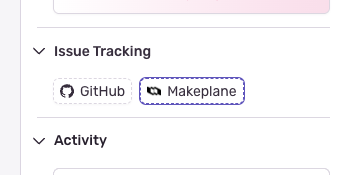
80-87: Confirm Sentry integration label shown in the UI ('Makeplane' vs 'Plane') and update docs accordingly.
Docs currently use "Makeplane" in docs/integrations/sentry.mdx (lines 80–87); verify the exact label users see in Sentry and align the wording.sidebars.ts (1)
154-161: Approve — Sentry sidebar entry verified.
docs/integrations/sentry.mdx exists and contains the referenced anchors (#connect-sentry-account, #setup-state-mapping) on lines 22–23; sidebar entry integrations/sentry is valid.

![cursor[bot]](https://avatars.githubusercontent.com/in/1210556?s=60&v=4)
This comment was marked as outdated.
This comment was marked as outdated.
Sorry, something went wrong.
There was a problem hiding this comment.
Actionable comments posted: 0
♻️ Duplicate comments (1)
docs/integrations/sentry.mdx (1)
22-25: Use “set up” (verb) and sentence case for “state mapping.”Keeps style consistent across TOC and heading.
-2. [Set up State Mapping](/integrations/sentry#set-up-state-mapping)
+2. [Set up state mapping](/integrations/sentry#set-up-state-mapping)
...
-### Set up State Mapping
+### Set up state mapping
Also applies to: 41-41
🧹 Nitpick comments (4)
docs/integrations/sentry.mdx (4)
66-77: Tighten grammar in Alerts section.Minor wording fixes for clarity and consistency.
-In Sentry alerts, users can setup an action to auto create a work item in Plane when trigger and conditions are met.
+In Sentry alerts, you can set up an action to auto‑create a Plane work item when the trigger and conditions are met.

-Select environment and project.
+Select an environment and project.

-Setup conditions to filter the alerts (e.g., error rate threshold, issue frequency, etc.).
+Set up conditions to filter alerts (for example, error‑rate threshold, issue frequency).

-Click **Settings** and open the modal to configure the properties on work item that will be created on Plane like priority, assignee, etc.
+Click **Settings** and open the modal to configure the properties of the Plane work item to be created (priority, assignee, etc.).
Also applies to: 73-73
62-62: Prefer second person (“you”) over “we.”Keeps tone consistent with the rest of the docs.
-Now that Sentry is connected to your Plane workspace, we can resolve Sentry issues from Plane and vice versa.
+Now that Sentry is connected to your Plane workspace, you can resolve Sentry issues from Plane and vice versa.
85-85: Standardize to “bidirectional.”Use one spelling throughout.
-...start a bi-directional sync with Plane work items.
+...start a bidirectional sync with Plane work items.

-Once linked, the Sentry issue and Plane work item will sync bi-directionally:
+Once linked, the Sentry issue and Plane work item will sync bidirectionally:

-This bi-directional sync keeps your error tracking and project management in perfect alignment, ensuring that issue resolution status is consistent across both platforms.
+This bidirectional sync keeps your error tracking and project management in perfect alignment, ensuring that issue‑resolution status is consistent across both platforms.
Also applies to: 97-101
31-31: Improve image alt text for accessibility.Make alt text action‑oriented and specific; center images consistently or drop the hash if not needed.
Example edits:
-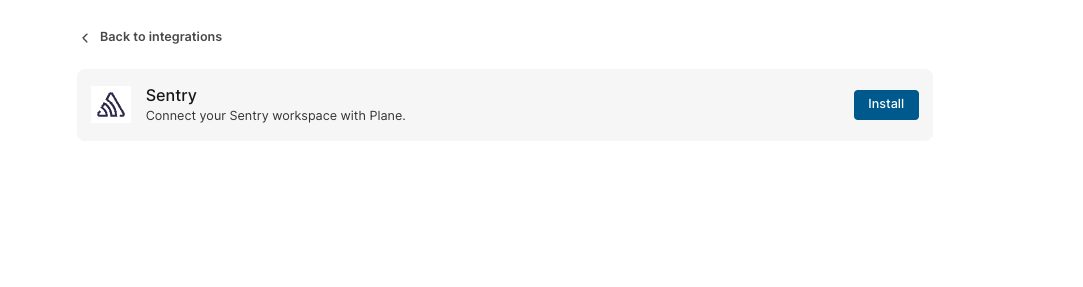 + -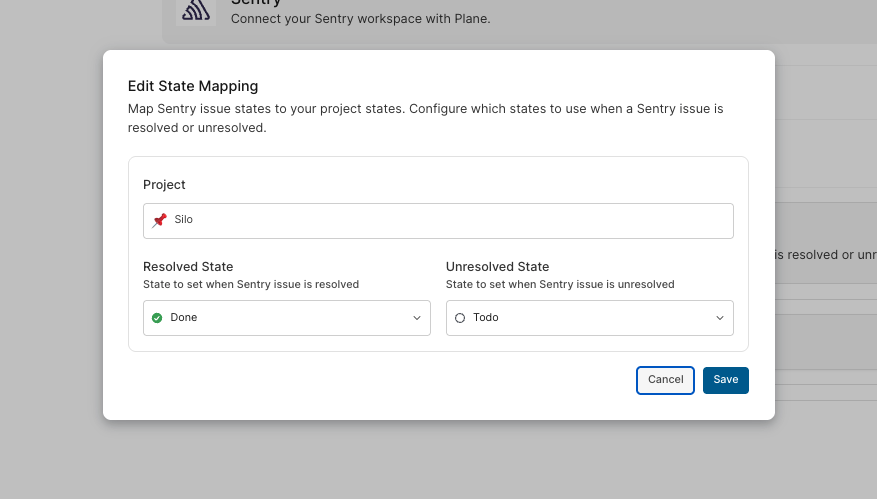 + -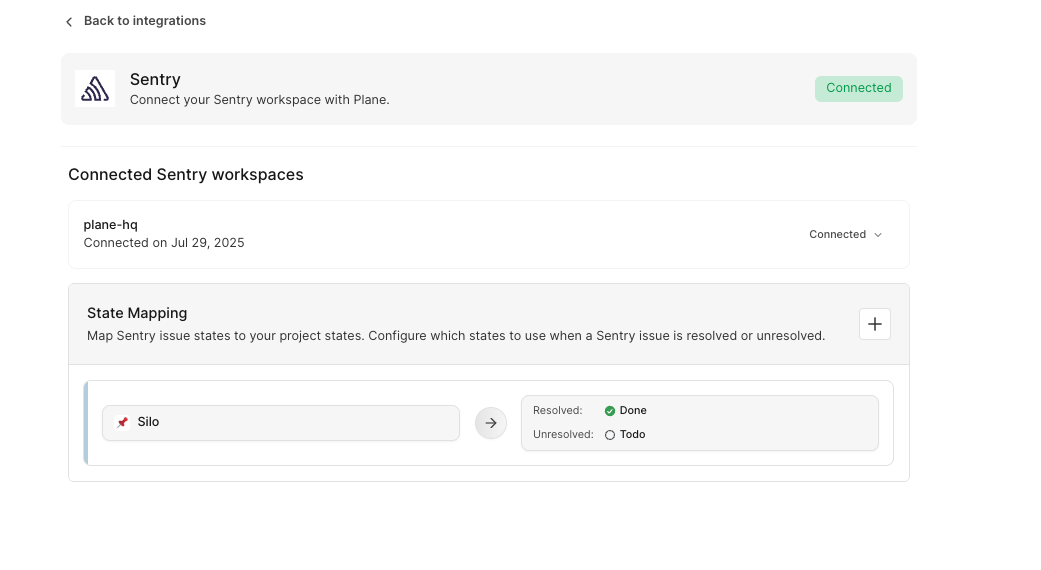 + -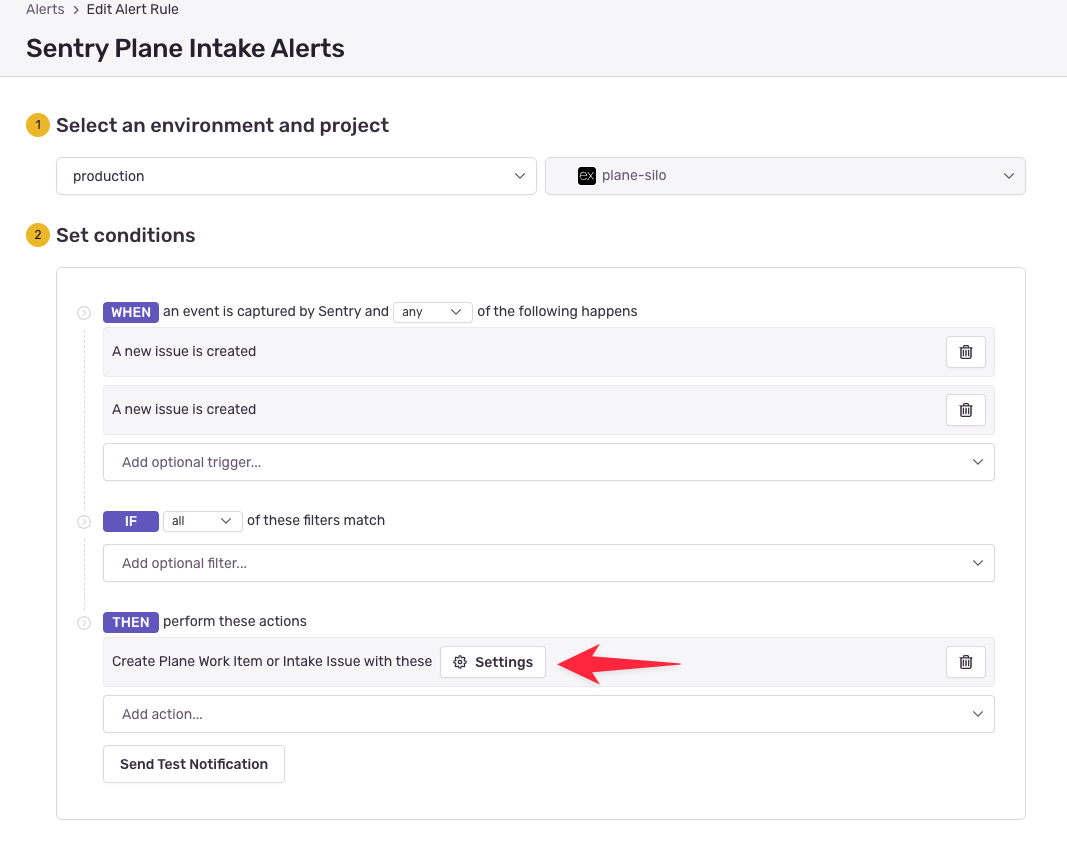 + -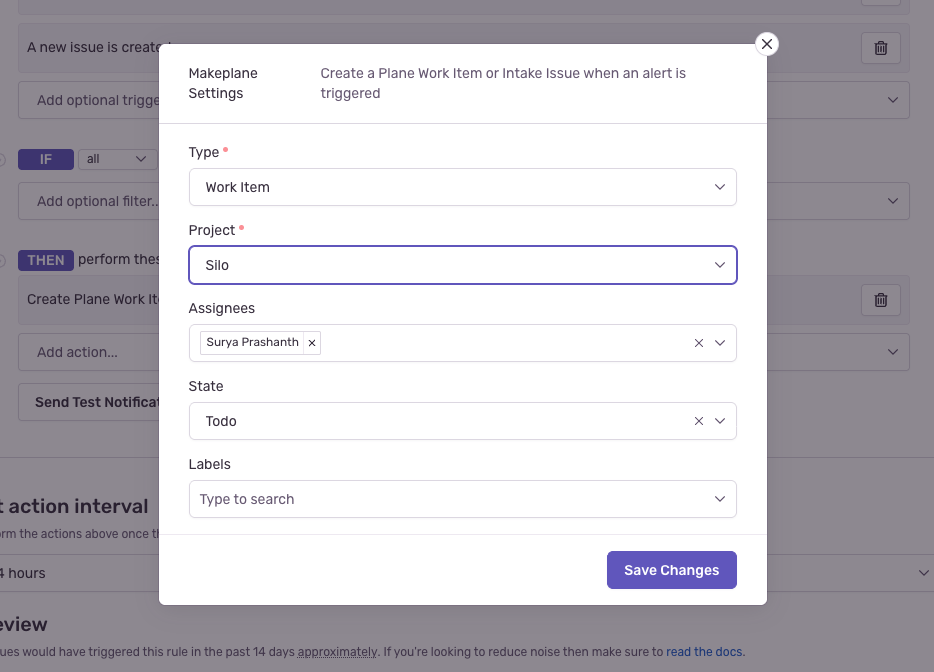 + - + -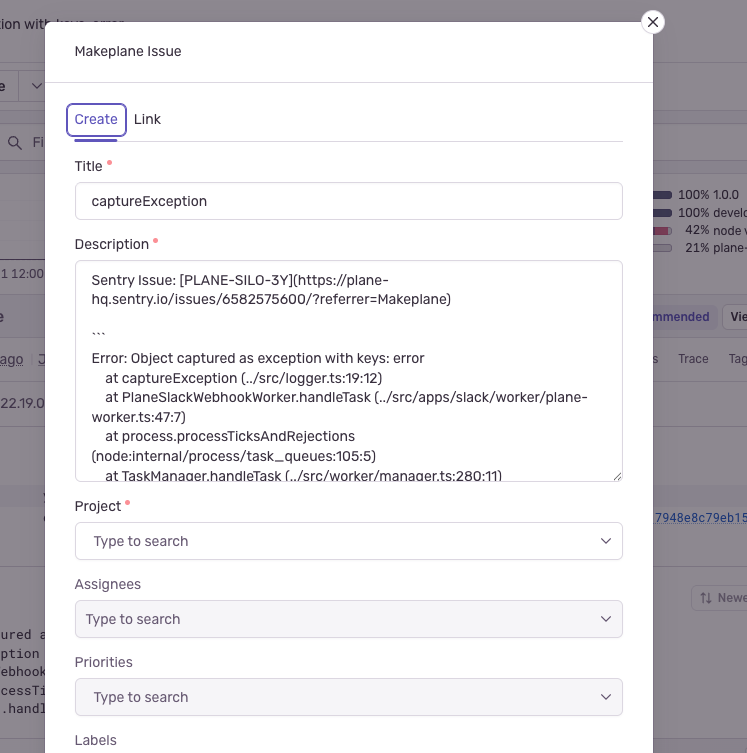 +Also applies to: 52-52, 54-54, 68-69, 93-94
📜 Review details
Configuration used: CodeRabbit UI
Review profile: CHILL
Plan: Pro
📒 Files selected for processing (1)
docs/integrations/sentry.mdx(1 hunks)
🔇 Additional comments (3)
docs/integrations/sentry.mdx (3)
22-25: Anchors now match headings.The in-page links correctly match the generated slugs. Nice fix.
85-91: Verify the integration label in Sentry UI (“Makeplane” vs “Plane”).Double‑check the exact label and capitalization as shown in Sentry’s Issue Tracking section to avoid user confusion.
9-12: Confirm plan gating for the “Pro” tag.If Sentry integration isn’t Pro‑only (or is behind a different plan/feature flag), update the badge accordingly.


Description
Type of Change
Summary by CodeRabbit
Documentation
New Features
Chores