Plan InPlace
Plan InPlace is a lightweight, open-source planner for agile projects.
- No setup. Your plan lives inside your project, or anywhere you choose.
- Keep data local or track with Git and sync with your cloud services.
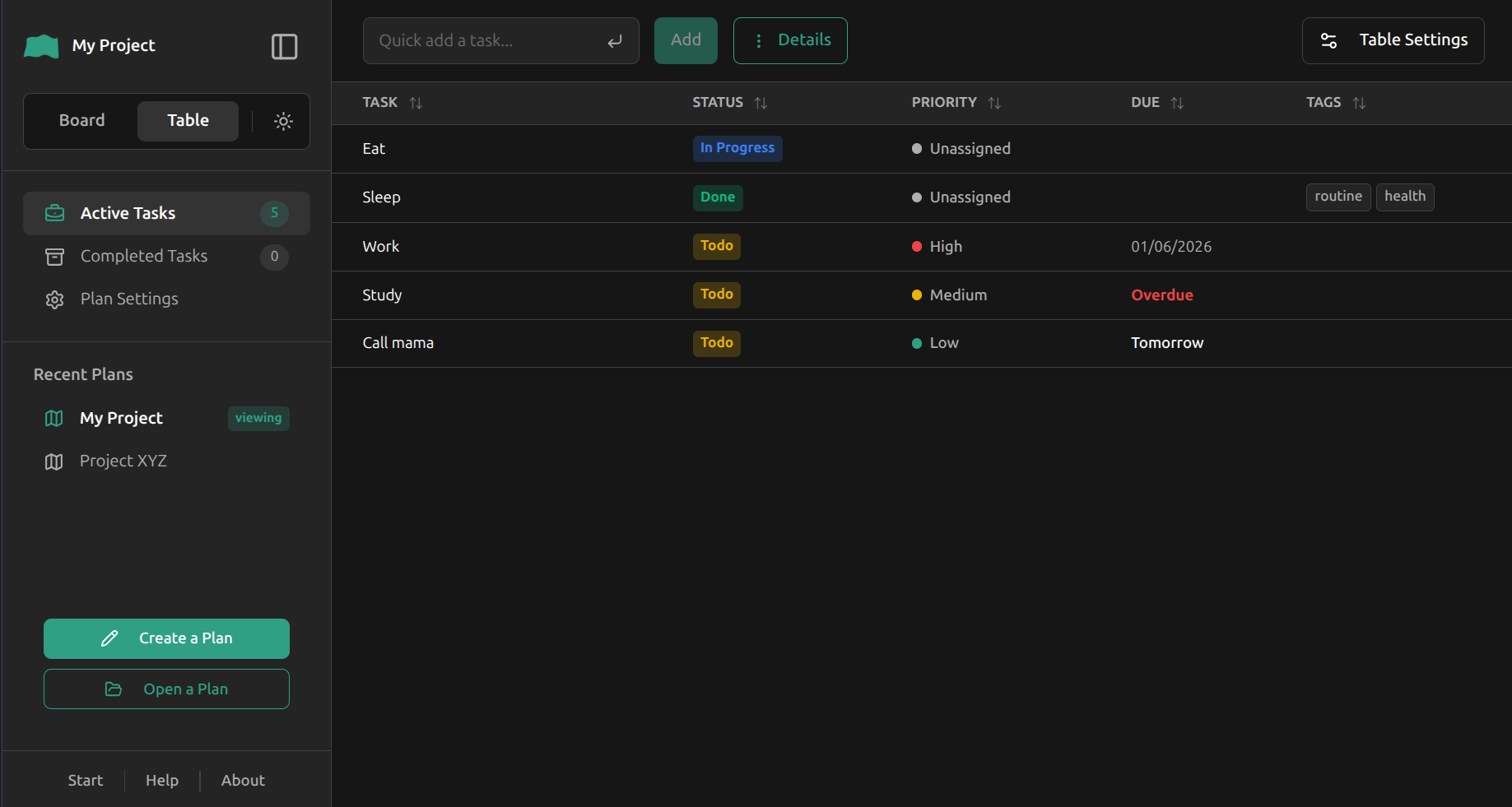
- Manage tasks with Kanban, table, and more.
- AI-ready JSON data and templates (to be provided in next release). Generate plans for your projects easily and manage them with Plan InPlace.
Kanban view:
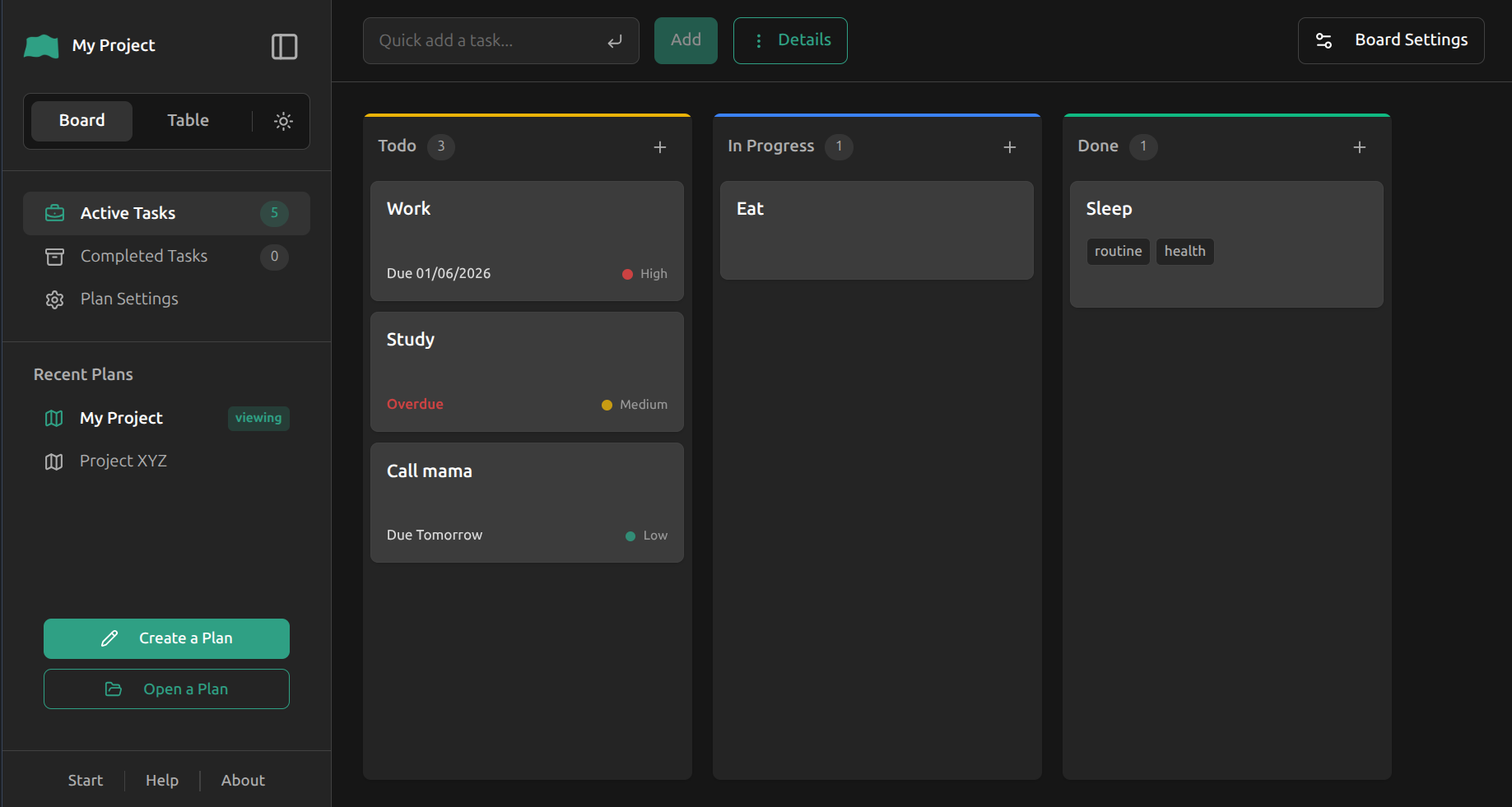
Table view:
VS Code: Install via the VS Code Marketplace.
Web app: Launch the app at planinplace.netlify.app.
ATTENTION: It takes a few seconds for VS Code to activate the extension during startup. The interfaces may not be responsive until the extension is fully activated.
The extension provides two interfaces:
-
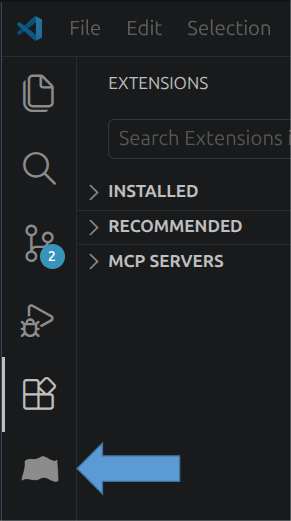
Sidebar: Press the Plan InPlace icon on the sidebar.
-
Main UI: Launch it using one of the following options:
-
Press
Shift+Alt+P -
Press the button Open Full App in the sidebar.
-
Enter in the command palette:
> Plan InPlace:Open Plan InPlace App
-
- To create a plan in the current workspace, press Create a Plan.
- A folder (
plan-inplace) will be created in the current workspace. Your plan data will be stored there.
- A folder (
- You can then add tasks to the plan, archive tasks, or delete archived tasks quickly using the sidebar.
- Next time when you open the same workspace, the plan will be loaded automatically.
- For advanced features, use the main UI (next section).
- Click Create a Plan in the main UI.
- Select a location on your computer (e.g., your project folder).
- A folder named
/plan-inplacewill be created to store your data.
-
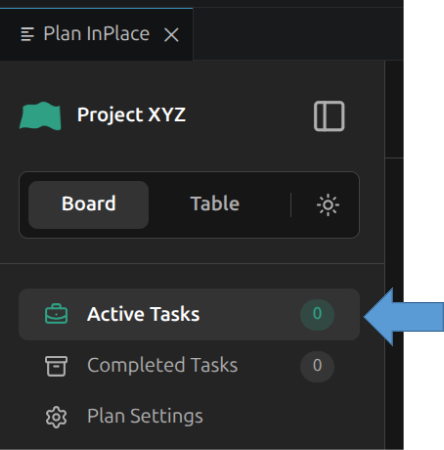
Go to Active Tasks
-
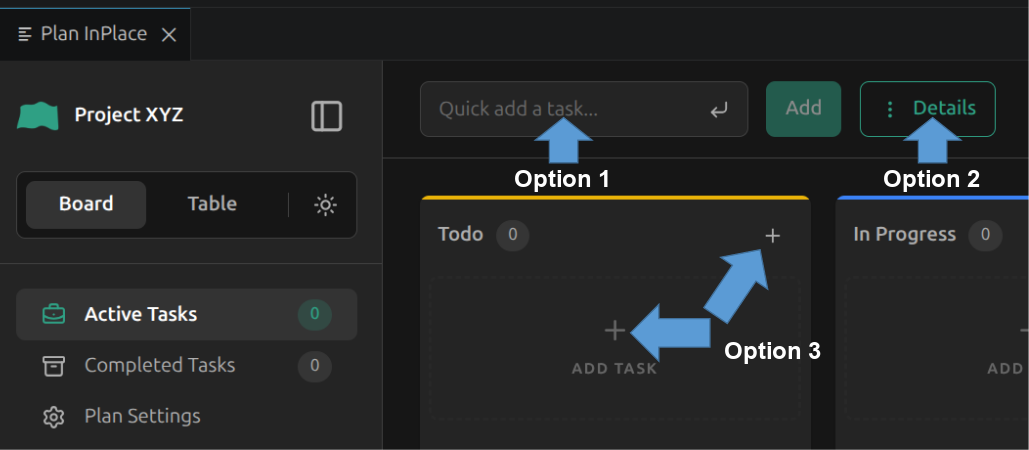
Add a task via one of the following options:
- (Option 1) Use the Quick add input in the header for fast entry.
- (Option 2) Click Details in the header. Fill in the details and click Add Task.
- (Option 3) Click the Plus icon in Board view. Fill in the details and click Add Task.
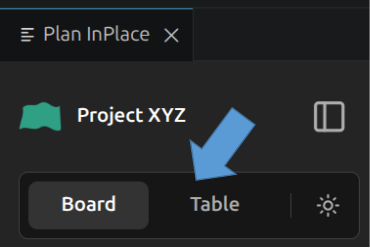
Switch between views using the toggle in the sidebar:
You can order the tasks or move tasks between status/priority categories by drag-and-drop in the board view.
Go to Plan Settings to define task metadata (e.g., add new fields). These are stored in metadata.json and apply to all tasks in the plan.
To customize the order or visibility of table columns, or how tasks are grouped on Kanban, go to Active Tasks and press Table Settings or Board Settings.
Where is my plan stored?
In the folder you picked during plan creation. It is located at /plan-inplace/plan.json (tasks) and /plan-inplace/metadata.json (configuration).
Can I move the /plan-inplace folder?
Yes. You can move the folder to any location, but the app won't know the folder's new location and you won't be able to open it from the Recent Plans list. Simply press Open a Plan to open it and add it back to the Recent Plans list.
Can I track my plan with Git or cloud services?
Yes. Since the data is stored in standard JSON format, you can initialize a Git repository in the plan folder or save the plan inside a cloud folder (e.g., Google Drive) for syncing.
Can I share my plan and collaborate with others?
Yes. Multiple users can edit the same plan if they have shared access to the filesystem (e.g., via a shared cloud folder or Git).
Source: github.com/manhowong/plan-inplace
Developer: @manhowong
License: Apache License 2.0
Support:
