


DAM N Fast is a self-hosted, ultra-lightweight MicroCDN and Headless Asset Manager built on Python. It provides localized asset organization and high-speed file delivery for private applications.
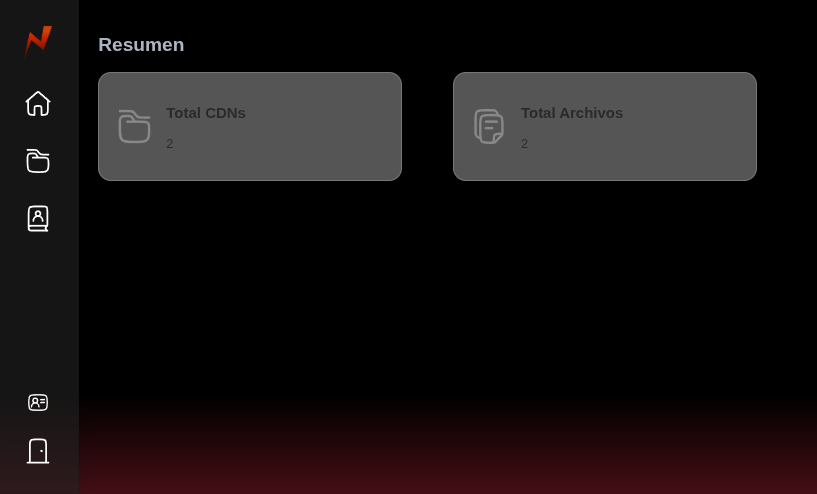
- Batch Management Dashboard: Intuitive UI to create asset batches, upload, update, and delete files.
- Privacy & Access Control: Toggle batches between Public (open access) and Private (secured via unique API Keys).
- Configurable Admin Credentials: Secure your initial deployment easily via environment variables.
- File Discovery API: Instant JSON endpoint listing all files within a batch, including checksums and direct streaming URLs.
- MicroCDN Delivery: High-speed streaming of raw static files (
.mp4,.jpg,.json, etc.) optimized for private local networks.
GET /api/{username}/{cdn_name}
GET /api/{public_cdn_name}
Returns the structured file tree and metadata for a specific user and asset batch.
X-API-Key: your_batch_api_key_here// Status 200 (dns:0ms,tcp:0ms,req:346.1ms,res:2.1ms)
{
"username": "admin",
"cdn": "nasa",
"files": [
{
"name": "15472490_1280_720_30fps.mp4",
"checksum": "c8eb600bd7b295a80003cbba4bcd70e5",
"url": "http://IP:9005/api/admin/nasa/15472490_1280_720_30fps.mp4)"
},
{
"name": "4mjxogx6F0s.jpg",
"checksum": "108fc763cdc0b1c7786ffb523efb3319",
"url": "http://IP:9005/api/admin/nasa/4mjxogx6F0s.jpg"
}
]
}Deploy the entire MicroCDN infrastructure with a single command:
- Clone the repository:
    git clone https://github.com/man/dam-n-fast.git
    cd dam-n-fast
- Configure Admin Environment Variables: Create a .env file in the root directory to set your initial administrator credentials:
    ADMIN_USER=admin
    ADMIN_PASSWORD=admin123
- Build and Run:
docker compose up --build -d
- Access the Application:
Dashboard & API Root: http://localhost:9005
Distributed under the MIT License.
Managing your assets shouldn't be a damn slow process.