This bot is used to monitoring in real time stock of RTX-3070 graphic card and buy it when is available. This is done by continously requesting 9 Add-To-Cart links (ATC) of different RTX-3070 models. The bot was tested on Linux.
- Firefox browser installed.
- PIP installed.
- Selenium.
- Beautiful Soup
- Numpy
- Clone this repository: git clone https://github.com/elpollazo/sniper_bot
- geckodriver, killer1.sh, killer2.sh, install.sh must have execution privileges: chmod +x geckodriver && chmod +x install.sh && chmod +x killer1.sh && chmod +x killer2.sh
- Install the libraries needed: ./install.sh
- Set the parameters of the configuration file in ./objects/config.json. The description of the parameters needed are below.
- Start the bot: python3 main.py --page amazon --card rtx-3070
-
drymode: 1 (True) or 0 (False). When drymode is 1 the bot will do the all the steps of the buying process but it won't purchase the card in the final step. When drymode is 0 the bot will complete the last purchase step of buying process. This was used for testing purposes.
-
headless: 1 (True) or 0 (False). When headless is 1 the bot will do all buying steps in headless mode without displaying a Firefox tab in the screen. This is useful when the bot is running on a server or a Raspberry Pi where is required the headless mode. Set this parameter to 0 if you want to deactivate the headless mode in the buying process. (Note: While the bot is checking the availability of stock the headless mode will be activated)
-
maxprice: This is the maximum price you are disposed to pay for the RTX-3070 in USD. If the price of the card is above of the maxprice seted the bot will shutdown the buying process.
-
timedout_time: Probably the bot will need more than one try to finally purchase a card. This parameter will set a timedout time (in seconds) if the buying process went wrong in a try for some reason. Then, after the timedout time has past, the bot will be retrying the buying process again until the card is purchased.
-
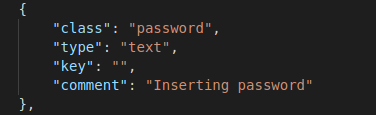
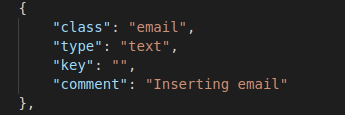
Amazon credentials: You must provide your amazon credentials in the buying steps of config.json file to complete the buying process. The credentials must be inserted in the "key" field shown below:
Email:
Password: