Terminay is a desktop terminal workspace built with Electron, React, and Vite. It pairs native shell sessions with dockable project tabs, file tools, macros, settings, and browser-based remote access so project work can stay in one focused desktop app.
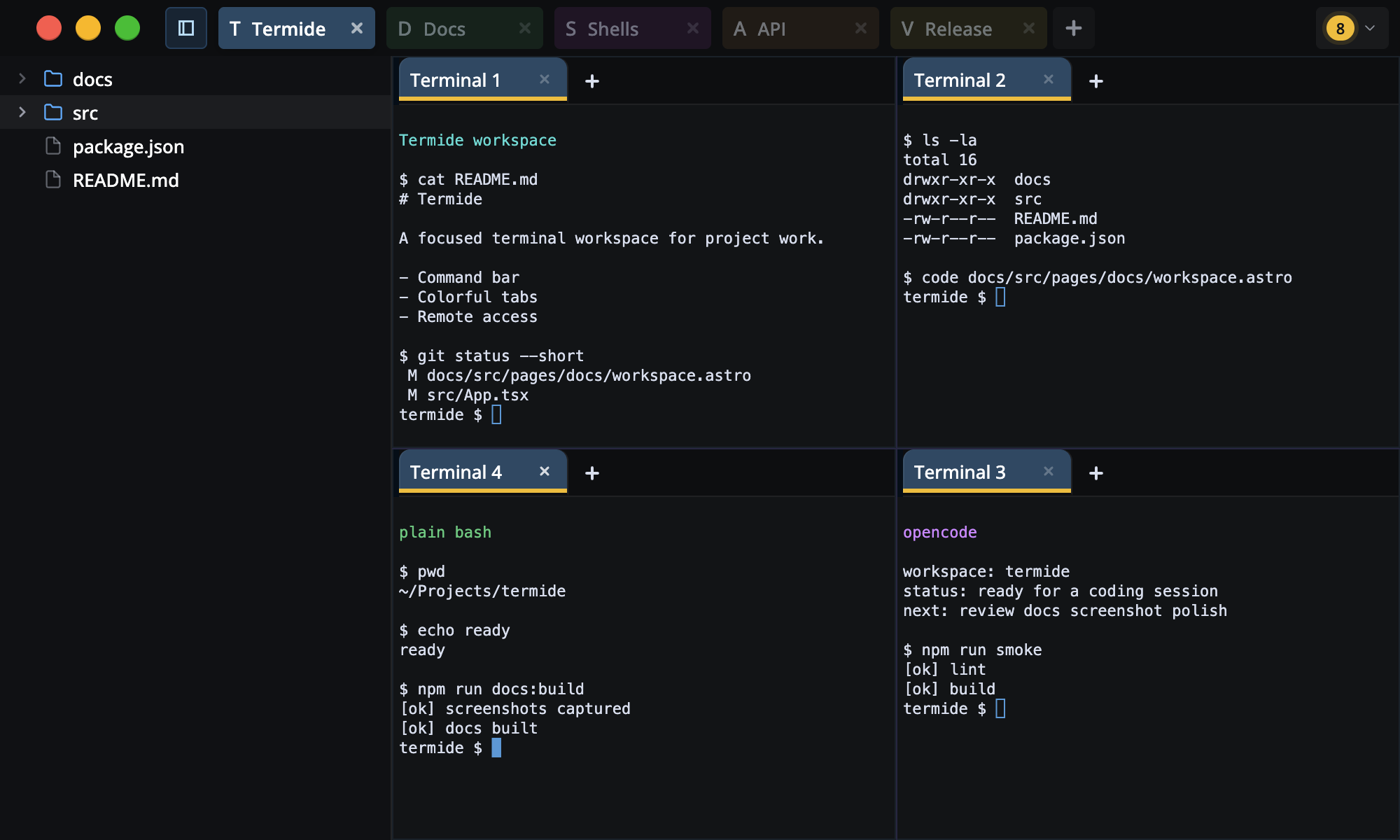
- Open multiple native shell sessions in project workspaces
- Split terminal, file, and folder tabs horizontally or vertically with Dockview
- Reorder tabs, pop active panels into separate windows, and close the active tab from shortcuts or menus
- Create project tabs with root folders, per-project file explorer state, colors, and short icons
- Rename project and terminal tabs, set tab colors, and inherit project styling
- Use the Command bar to search app commands and run saved macros
- Build reusable macros with typed steps, placeholder fields, waits, clipboard paste, and stored secrets
- Browse project folders from a resizable sidebar with Git new/modified coloring
- Open folders as dockable folder tabs with tree, list, thumbnail, and gallery views
- Open files beside terminals with preview, text, hex, and Git diff modes
- Edit and save text/hex files, detect external changes, and resolve dirty-file conflicts
- Preview Markdown, images, and PDFs, with large-file handling for heavy text buffers
- Tune terminal appearance, shell launch behavior, shortcuts, accessibility, scrolling, themes, and remote host settings
- Pair a browser over the built-in HTTPS remote host, manage devices, inspect live connections, and review audit events
- Check for GitHub release updates from the app chrome
- Node.js 22+
- npm 10+
- macOS or Linux for the packaged binaries in CI
npm cinpm run devnpm run smokesmoke runs Biome linting and the renderer/main TypeScript plus Vite build.
npm run test:e2enpm run buildPlatform-specific packaging is also available:
npm run build:mac
npm run build:linuxThe Astro docs site lives in docs/.
npm --prefix docs run dev
npm --prefix docs run build
The release docs build regenerates app screenshots before building the site:
npm run docs:buildRelease packaging syncs package.json from the release tag during CI, so the source tree can use the placeholder version while published builds carry the tagged version.