
Tiny public Markdown pastebin.
- Rendered Markdown, Mermaid as zoomable SVG, LaTeX math
- No account. No token.
- Works from any shell, script, or agent.
- Self-hosts free on Deno Deploy in under a minute.
Most paste tools are cluttered editing environments that require an account or token and don't render Markdown, Mermaid, and LaTeX all in one. This one is for quickly sharing: paste Markdown, get a short public URL, move on.
Example: https://tnypst.xyz/6XvGcED
POST Markdown. The default response is the short URL.
curl -X POST https://tnypst.xyz/api/pastes \
  -H "Content-Type: text/plain" \
  --data-binary '# hello'
curl -X POST https://tnypst.xyz/api/pastes \
-H "Content-Type: application/json" \
-H "Accept: application/json" \
-d '{"markdown":"# hello\n\n- one\n- two"}'curl -X POST https://tnypst.xyz/api/pastes \
-H "Content-Type: text/markdown" \
--data-binary @README.mdYou can deploy it on Deno quickly:
- Fork this repo and push it to GitHub.
- Open https://console.deno.com.
- Create an app from the GitHub repo.
- Use this build config: no preset, dynamic runtime, entrypoint
main.js, empty install and build command. - Provision a Deno KV database.
- Assign that KV database to the app.
Easy to integrate with existing tools. Here's the script to use it with Raycast.
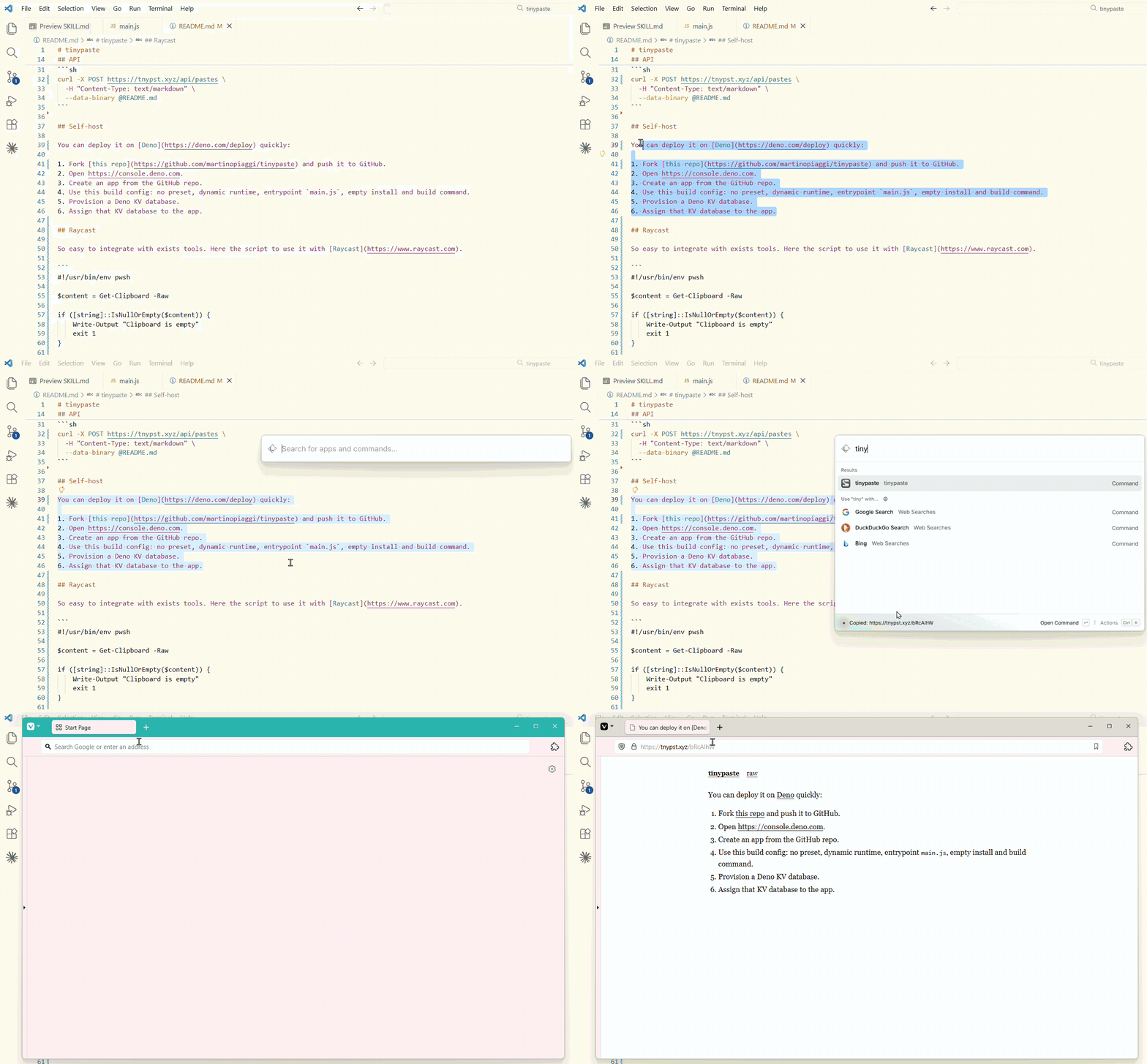
#!/usr/bin/env pwsh

$content = Get-Clipboard -Raw

if ([string]::IsNullOrEmpty($content)) {
    Write-Output "Clipboard is empty"
    exit 1
}

try {
    $url = Invoke-RestMethod -Uri "https://tnypst.xyz/api/pastes" `
        -Method Post `
        -ContentType "text/plain" `
        -Body $content
} catch {
    Write-Output "Failed: $_"
    exit 1
}

Set-Clipboard -Value $url
Write-Output "Copied: $url"The instance at https://tnypst.xyz is live and free. Do not paste secrets, private data, illegal material, or content you do not have the right to publish. Pastes are public.