SNMP External device monitoring
sudo apt install snmpd snmp
In /etc/snmp/snmpd.conf:
-
Change the following
agentAddress udp:127.0.0.1:161toagentAddress udp:0.0.0.0:161. Instead of zeros you can put a specific IP. -
Monitoring specific processes/services running:
To get the list of processes and their names:
ps -A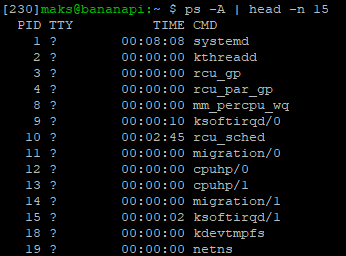
Add proc entries in the config, eg:
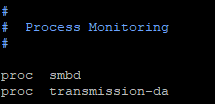
Then the following command should return us two entries
snmpwalk -v 2c -c public localhost 1.3.6.1.4.1.2021.2.1.100:iso.3.6.1.4.1.2021.2.1.100.1 = INTEGER: 0 iso.3.6.1.4.1.2021.2.1.100.2 = INTEGER: 0The
0state indicates OK state and any other value an error one.