


An unofficial native recompilation of the Xbox 360 version of Skate 3, supporting Windows, Linux, and macOS. Built with a Skate-specific rexglue SDK fork.
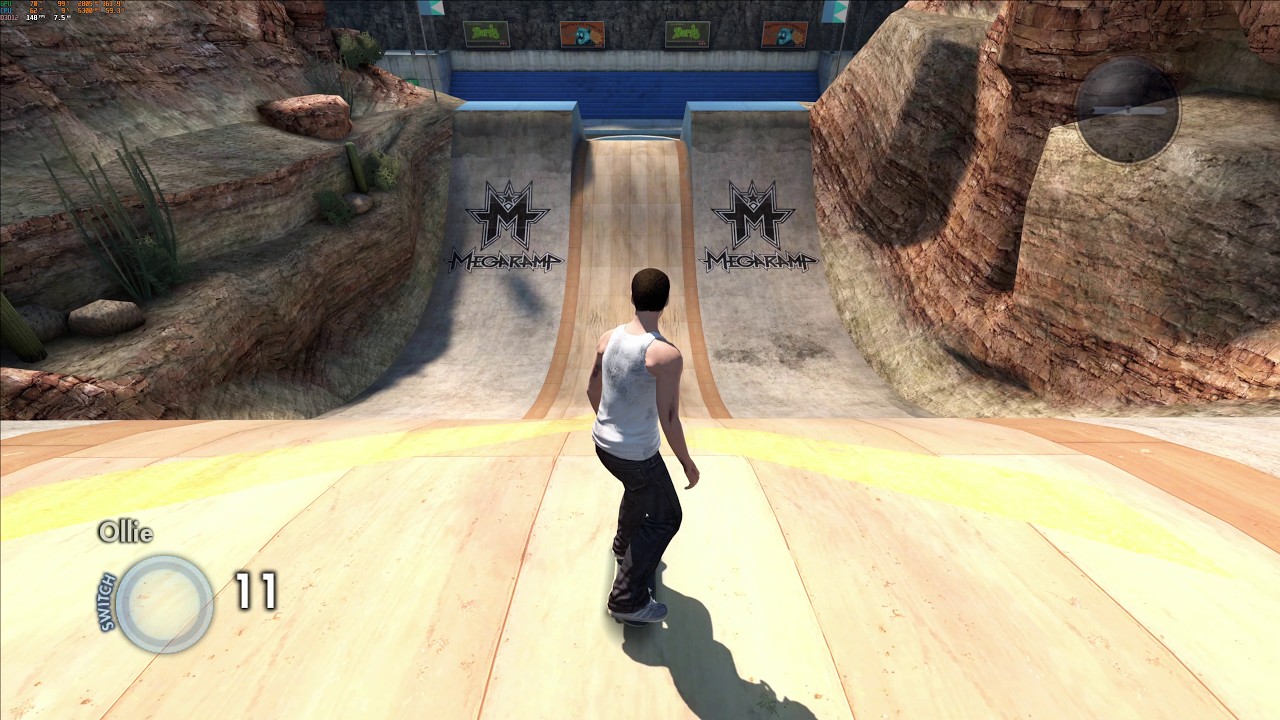
The game is currently capable of running at ~165FPS at 4K with MSAA, using an RTX 4090.
The project does not include Skate 3 retail game files. To run or build the project, you must provide files from your own legally obtained Xbox 360 copy of Skate 3.
Gameplay (click to go to YouTube):
- Download the latest release Skate3Recomp-Windows.zip from the releases page.
- Extract it anywhere you like, to a folder you control.
- Run skate3.exe.
- Click "Select ISO" to select your legally obtained copy of Skate 3.
- Wait for the installer to extract the game files.
- Click "Start Game".
- Download the latest release Skate3Recomp-Linux.zip from the releases page.
- Extract it anywhere you like, to a folder you control.
- Run skate3.
- Click "Select ISO" to select your legally obtained copy of Skate 3.
- Wait for the installer to extract the game files.
- Click "Start Game".
- Download the latest release Skate3Recomp-macOS.zip from the releases page.
- Extract it anywhere you like, to a folder you control.
- Run skate3 by double-clicking or "./skate3" in the Terminal.
- You may need to approve it in System Preferences before macOS will allow you to run it.
- Click "Select ISO" to select your legally obtained copy of Skate 3.
- Wait for the installer to extract the game files.
- Click "Start Game".
To use DLC, you must provide package files from your own legally obtained Xbox 360 DLC.
Create a dlc folder either beside the executable, inside the installed game folder,
or in the user data folder. Place the DLC package files in that
folder and start the game.
The builds include an experimental true ultrawide aspect ratio mode at 21:9. You may notice occasional visual bugs or graphical glitches, especially around shadows. Performance is somewhat reduced.
- Standard Xbox controls using an Xbox controller are the preferred and main input method. DualShock and others are untested, but are likely to work with Steam Input through XInput.
- Keyboard controls can be enabled in the game settings menu.
- Press Escape on keyboard or (Back + Start) on the controller to open the game settings menu.
- Left stick: W/A/S/D
- Right stick: mouse movement
- A/B/X/Y: Space/C/E/F
- LT/RT: RMB/LMB
- LB/RB: Q/R
- Left stick press: Shift
- Right stick press: MMB
- Back/Start: Tab/Return
Clone with submodules:
git clone --recursive <repo-url> skate3recomp
cd skate3recomp
If you already cloned without submodules:
git submodule sync --recursive
git submodule update --init --recursive --jobs "$(nproc 2>/dev/null || echo 4)"
The build-time codegen needs an extracted game dump containing default.xex and
data/webkit/EAWebkit.xex. Put that dump in game/, or pass a path with
SKATE3_GAME_DATA_ROOT.
Generate the recompiled source first:
cmake --preset relwithdebinfo -DSKATE3_GAME_DATA_ROOT="$PWD/game"
cmake --build --preset relwithdebinfo --target generate-all --parallel
Then reconfigure so CMake sees the generated source lists and build:
cmake --preset relwithdebinfo -DSKATE3_GAME_DATA_ROOT="$PWD/game"
cmake --build --preset relwithdebinfo --parallel
For release packaging, use the release preset on Windows or the
linux-release preset on Linux.
These instructions target Ubuntu 24.04 LTS on x86_64. Other distributions need the same toolchain shape: CMake, Ninja, Clang 20 or newer, Vulkan development headers, GTK 3 development headers, and SDL-compatible audio/input development packages.
ReXGlue requires Clang. Clang 20 is recommended on Ubuntu because it matches the
Linux toolchain used by the rexglue SDK CI and avoids Ubuntu 24.04's
Clang 18/libstdc++ std::expected feature-test mismatch.
Install LLVM's apt repository and dependencies:
sudo apt update
sudo apt install -y wget gnupg lsb-release software-properties-common
wget https://apt.llvm.org/llvm.sh
chmod +x llvm.sh
sudo ./llvm.sh 20
sudo apt install -y \
  git cmake ninja-build build-essential pkg-config p7zip-full \
  clang-20 lld-20 \
  libgtk-3-dev libx11-xcb-dev \
  libvulkan-dev vulkan-tools mesa-vulkan-drivers \
  libasound2-dev libpulse-dev libpipewire-0.3-dev libudev-dev
Optional packages improve controller/input and diagnostics coverage in SDL:
sudo apt install -y libusb-1.0-0-dev libunwind-dev libibus-1.0-dev liburing-devInitialize submodules and verify the local environment:
./scripts/bootstrap-linux.shConfigure, generate, reconfigure, and build a development build:
cmake --preset linux-relwithdebinfo -DSKATE3_GAME_DATA_ROOT="$PWD/game"
cmake --build --preset linux-relwithdebinfo --target generate-all --parallel
cmake --preset linux-relwithdebinfo -DSKATE3_GAME_DATA_ROOT="$PWD/game"
cmake --build --preset linux-relwithdebinfo --parallel
Build a Linux release:
cmake --preset linux-release -DSKATE3_GAME_DATA_ROOT="$PWD/game"
cmake --build --preset linux-release --target generate-all --parallel
cmake --preset linux-release -DSKATE3_GAME_DATA_ROOT="$PWD/game"
cmake --build --preset linux-release --parallel
The release artifacts are:
out/build/linux-release/skate3
out/build/linux-release/librexruntime.so
On Linux:
./scripts/run-linux.shThe launcher sets LD_LIBRARY_PATH for development builds, passes
--game_data_root="$PWD/game", and selects SDL controller input on Linux. To
use a game dump outside the repository:
SKATE3_GAME_DATA_ROOT="/path/to/extracted/game" ./scripts/run-linux.shKeyboard-to-controller emulation is off by default. Pass --mnk_mode or set
SKATE3_MNK=1 to enable it:
SKATE3_MNK=1 ./scripts/run-linux.shFullscreen is on by default. Pass --no-fullscreen to start windowed.
On Windows, ultrawide displays are detected automatically in fullscreen. For an
ultrawide window, pass matching --window_width and --window_height values;
the renderer keeps the guest frontbuffer at a stable 16:9 size while applying
ultrawide presentation and Hor+ correction without stretching.
To run the Linux development executable directly:
LD_LIBRARY_PATH="$PWD/third_party/rexglue-sdk/out/linux-amd64${LD_LIBRARY_PATH:+:$LD_LIBRARY_PATH}" \
./out/build/linux-relwithdebinfo/skate3 --game_data_root="$PWD/game" --input_backend=sdlthird_party/rexglue-sdk is pinned as a Git submodule to the
skate3-sdk-clean branch of the Skate-specific rexglue fork. Clone
recursively or run:
git submodule sync --recursive
git submodule update --init --recursive --jobs "$(nproc 2>/dev/null || echo 4)"
The fork is based on rexglue's 0.8.0 release line and contains the Skate 3 runtime, codegen, input, graphics, timing, and Linux fixes needed by this project.
- rexglue SDK, the recompilation SDK used by this project.
- Xenia, whose Xbox 360 research and tooling have helped the broader recompilation ecosystem.