minimc
Effects of geometry and multiple scattering are normally included in simulations only when NCrystal is used with a suitable frontend like for example McStas, OpenMC, or Geant4. The frontend application then keeps track of neutron trajectories and fluxes as they propagate around in a particular geometry, asking NCrystal along the way for information about neutron-material interactions. However, since release v4.3.0 NCrystal actually comes with its own small frontend in form of the "MiniMC" engine, in which neutrons are propagated through a single convex volume and recorded as they come out.
This is intended as a light-weight alternative to using NCrystal in fully-fledged applications, and can be used to investigate properties of neutrons scattered in a particular material, including the effects of geometry and multiple scattering.
Here is an example of how to use the MiniMC in a Jupyter notebook:
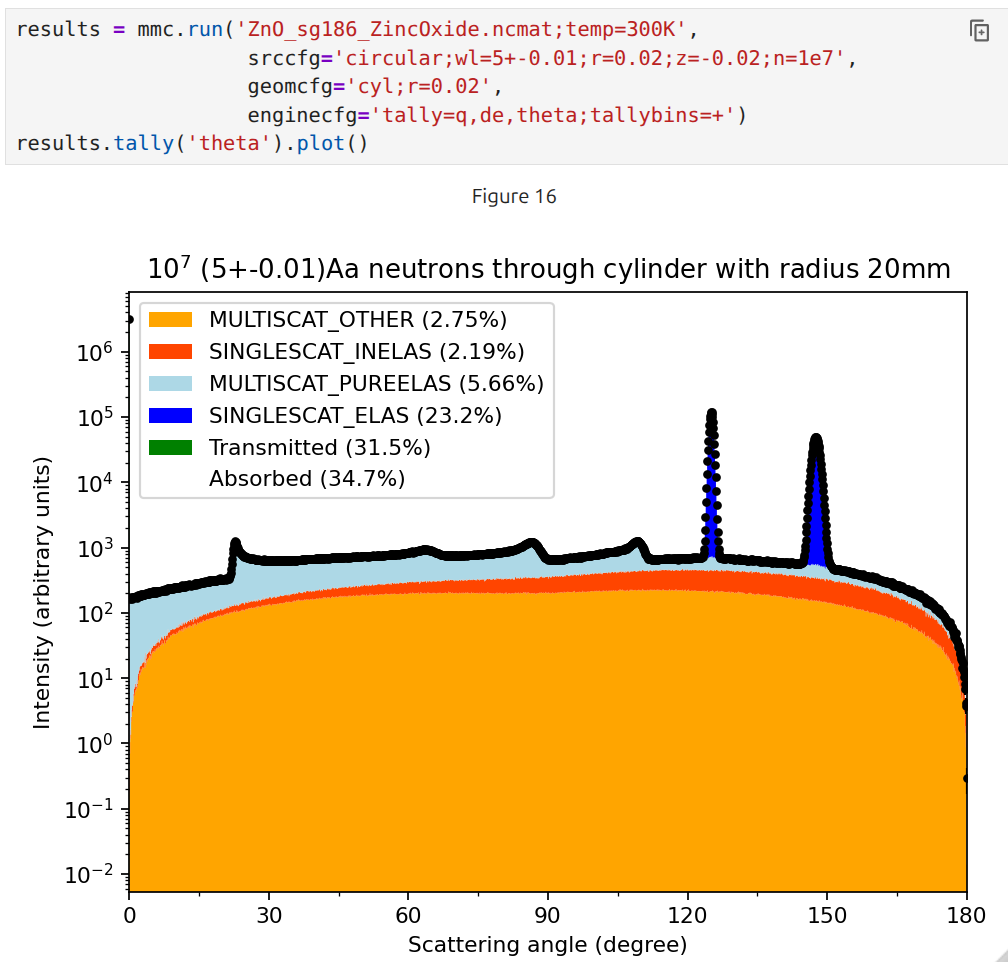
A few noteworthy features:
- Shapes available: box, sphere, cylinder, infinite slab, infinite cylinder.
- Sources geometries available: pencil beam, circular beam, isotropic.
- Source energy distributions available (in ekin or wavelength): Fixed, log-normal, uniform range, thermal (Maxwell).
- Pre-defined tally histograms: energy, q, wavelength, scatter angle, energy loss, scattering order, ...
- Flexible tallying via user (Numpy) code supported.
- JSON persistification supported.
- Focus on speed, typically filling tally histograms at above >10MHz. Relies on highly vectorized code and multithreading.
We have a complete notebook with examples available in the ncrystal-notebooks, which is currently the best general source of documentation available (just search for "MiniMC" on the ncrystal-notebooks page). Additionally, the MiniMC is also available from the command-line via the ncrystal_minimc command, as is also described in the notebook. You can also just run ncrystal_minimc --help to get more instructions..
In order to launch a MiniMC simulation, a few cfg-strings must be provided:
- A cfg-string for the material. Refer to "Uniform material configuration syntax" on the Using-NCrystal page, as well as the reference documentation.
- Geometry and source configuration via geomcfg and a srccfg string. Alternatively, to support quick interactive usage, one can provide just a simple scenario string.
- Optionally, an enginecfg string for controlling various aspects like what quantities to tally, variance reduction strategies, or number of threads to use.