
Set your Mac OS X desktop background to images pulled from Reddit
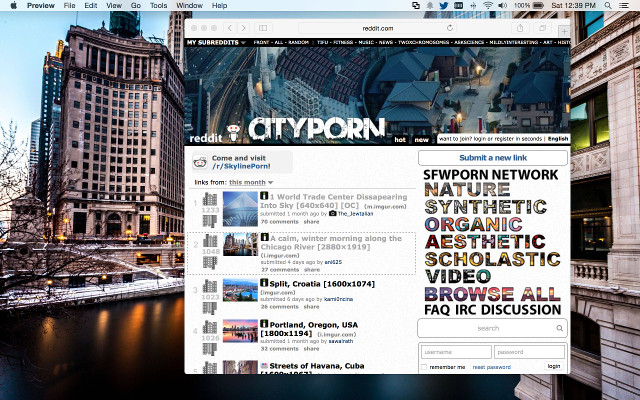
- Supports multiple monitors
- Handles multiple subreddits
- Image resolution filtering ensures your backgrounds are always beautiful
- Flexible sorting lets you choose the quality of images it downloads
- Can pick images that match the current season
- Download only option if you want to use OS X's existing folder-based background selector
-
Download the project; or clone the repo using git, like:
git clone https://github.com/rconradharris/reddit-backgrounds.git -
Run it:
cd reddit-background
./reddit-background
The default is to use images based on the current season ({seasonal}), so
for example, if it’s November, the images will be pulled from
/r/AutumnPorn.
The easiest way to install reddit-background is to copy it to
/usr/local/bin. To do this, run this command:
cp reddit-background /usr/local/bin
If you'd like to customize reddit-background so that it chooses images images
from different subreddits, you can provide a configuration file at
~/.reddit-background.conf. Here’s a sample to get you started:
# Default is used across all monitors, unless overriden with a more
# specific configuration
[default]
download_only = true
download_directory = ~/myimages

# {seasonal} will choose the correct subreddit based on the current season
subreddits={seasonal}

# Filter out any images with resolution below this
min_resolution=1280x1024

# Desktop 2 overrides the defaults to use images pulled from r/CarPorn and
# r/EarthPorn
[desktop2]
subreddits=CarPorn,EarthPorn
Once you have a configuration you like, you can set up reddit-background to rotate your background daily.
There are a number of ways to do this, but one way is to add it to your crontab.
To do this, open up your crontab in an editor:
crontab -e
And once you’ve done that, add the following line:
0 9 * * * /usr/local/bin/reddit-background
Save the file and quit the editor. Now your background will rotate daily at 9:00 in the morning.
By default, when you specify a subreddit, you are selecting the top 25 posts over the last week.
You can customize the sort by using the following format:
<subreddit>:[sort]:[limit]:[timeframe]
| Argument | Possible Values | Default |
|---|---|---|
| subreddit | A subreddit or {seasonal} | None |
| sort | contraversial, gilded, hot, new, promoted, rising, top | top |
| limit | An integer | 25 |
| timeframe | all, day, hour, month, week, year | week |
So, for example, if you want to only include the 5 newest posts from /r/EarthPorn, you would write it as:
EarthPorn:new:5
Or if you’d like to include the top 10 posts over the year for /r/CityPorn, you’d write it as:
CityPorn:top:10:year
NOTE: Only the top and controversial sort methods use the timeframe option.
reddit-background can dynamically pull images from the correct subreddit based on some criteria.
These are called 'dynamic subreddits' and they are specified just like normal except they are enclosed in curly-brackets.
Currently the only one included is {seasonal} which will choose from amongst
/r/WinterPorn,
/r/SpringPorn,
/r/SummerPorn, or
/r/AutumnPorn based on the current season
(in the northern hemisphere).
In addition to specifying a configuration file, you can also customize reddit-background directly from the command-line.
The arguments represent each subreddit you would like to pull images from. For example, to pull seasonal images and images from /r/CarPorn, you would run:
reddit-background {seasonal} CarPorn
If you have a multi-monitor setup, you can also set the background for a
single monitor using the --desktop option like:
reddit-background --desktop 1 BeachPorn
This will set the background on desktop 1 to one of the 5 hottest posts from /r/BeachPorn.
If you already know the URL of the image you’d like to use, you can use the
--url option to automatically download it and set it the background like::
reddit-background --url http://www.visit2ethiopia.com/images/Addis%20Ababa01.jpg
If you'd like to use OS X's existing folder-based background selector, then you
can use the --download-only option which will download the images to
reddit-backgrounds folder but not actually set the background. You can then
point the System Preferences/Desktop/Backgrounds folder to that location and
have it rotate every 30 minutes (or whenever)::
reddit-background --download-only
You can also configure which directory reddit-background will download the
images into using the --download-directory option or the
download_directory config in the default section of the config file.