- In the Unity Editor, select Window > Package Manager.
- Press the ➕ icon, then select Add package from git URL...
- Paste
https://github.com/pixldev/Vox2Mesh.git, then press Add.
Also available on OpenUPM
After installing the package, all .vox files behave like meshes automatically.

To display a mesh, simply drag it into a Mesh Filter component.

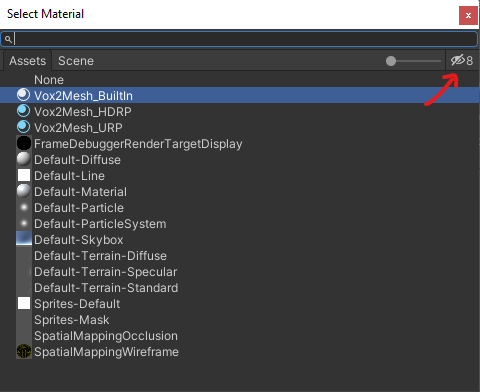
The package comes with a different material for each render pipeline. To see the materials on the list, you may need to press the eye icon in the top right corner of the window.

Vox2Mesh features a baked ambient occlusion system. You can configure it in the inspector, after selecting a .vox file.

- Unity 2021.3+
- URP, HDRP, BIRP