A videogame coded by Myles Hultgren for senior project in Computer Science. A simple isometric city builder with psychological horror and puzzle elements.
In order to successfully import, edit, build, and run Happy Pastures, follow the steps below. Keep in mind that your computer must be using either MacOS or Windows (with 3.5GB minimum storage space) to successfully run the game in its current state.
- The first step is to make sure you have Git downloaded on your computer. If not, head to the Git download page here, and download Git for your respective OS. Once the Git installer is downloaded, open the file and install Git onto your machine.
- Your computer must have GameMakerStudio 2 installed in order to have access to the game’s source code. Free and paid versions of GameMaker are available on their website, though you will need to set up an account with GameMaker regardless of whether GameMaker is free or paid. Happy Pastures was primarily developed in GameMaker v2.3.7.603, however the most recent version should work. Once the GameMaker installer is downloaded, open the file and install GameMaker.
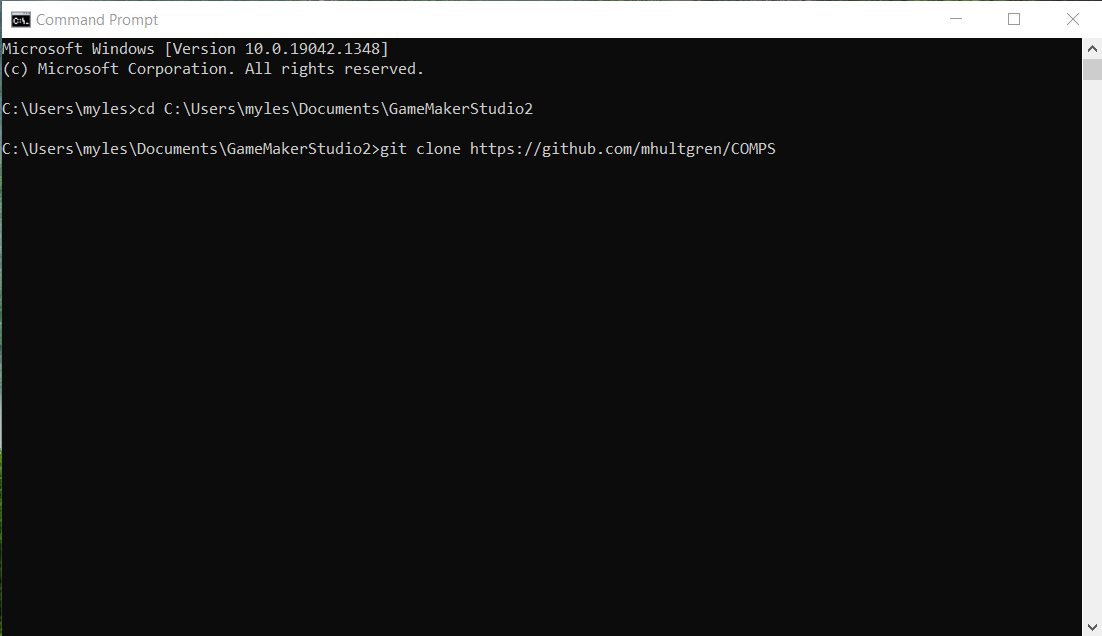
- Now that Git and GameMaker have been downloaded, it’s time to set up Git to clone the Happy Pastures repository. Open the command line on your respective OS (Command Prompt on Windows, Terminal on Mac), and navigate to the folder containing GameMakerStudio2. You can do this with the command cd, type cd followed by the file path to GameMaker. On Windows, GameMaker is installed in the Documents folder by default, so you could type “cd C:\Users\your-username\Documents\GameMakerStudio2” to navigate to the correct folder. On Mac, GameMaker is installed in PLACEHOLDER. If GameMaker is not installed in these locations, simply find the folder in Windows Explorer or Finder, copy its location, and paste after cd.
- Once you have arrived in the correct location, it’s time to clone the Happy Pastures repository. Simply type (or copy) “git clone https://github.com/mhultgren/COMPS”, press enter, and the repository will begin downloading. Wait for the repository to finish downloading, close the command line window, and head back to GameMaker.

- Now that the repository has been downloaded in the correct location, it’s only a matter of opening the downloaded project. Click the ‘Open’ option on GameMaker, and open the ‘Happy Pastures’ folder, and select the ‘Happy Pastures’ file. The project should load now.

- With the project opened, you should now be able to look at project files, make edits as you see fit, and run the project. To ensure everything is in working order, try running the project by pressing the run button in the top of the editor (circled in the screenshot above). Wait for the game to build, and it should then open in a separate game window. Congratulations!
Special thanks to Justin Li & Sky Anderson for their help in discussing and brainstorming this game and its mechanics.
Music credits to Charlie Finnerty.
This game makes use of the free GMS2 script Execute Shell by Samuel Venable.