3. View UI UX

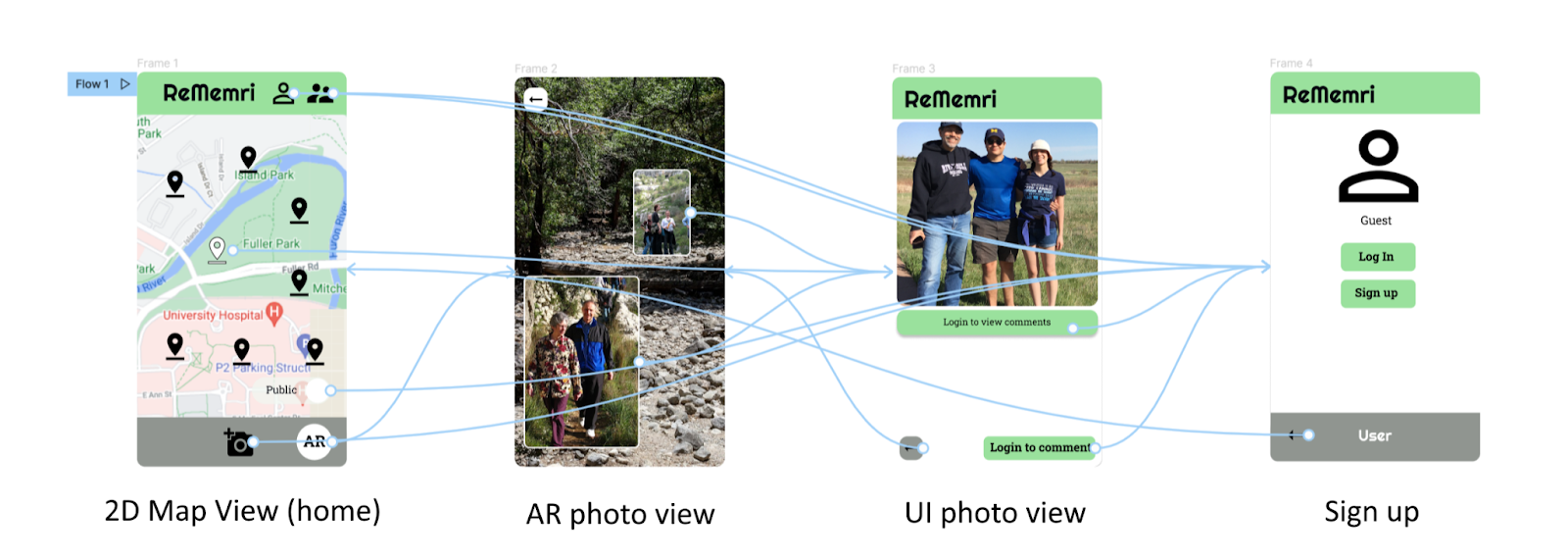
Figma Mockup (Limited Access): link to Figma
- App name visible in top tool bar
- Buttons linking to user account page and friends pages in top tool bar
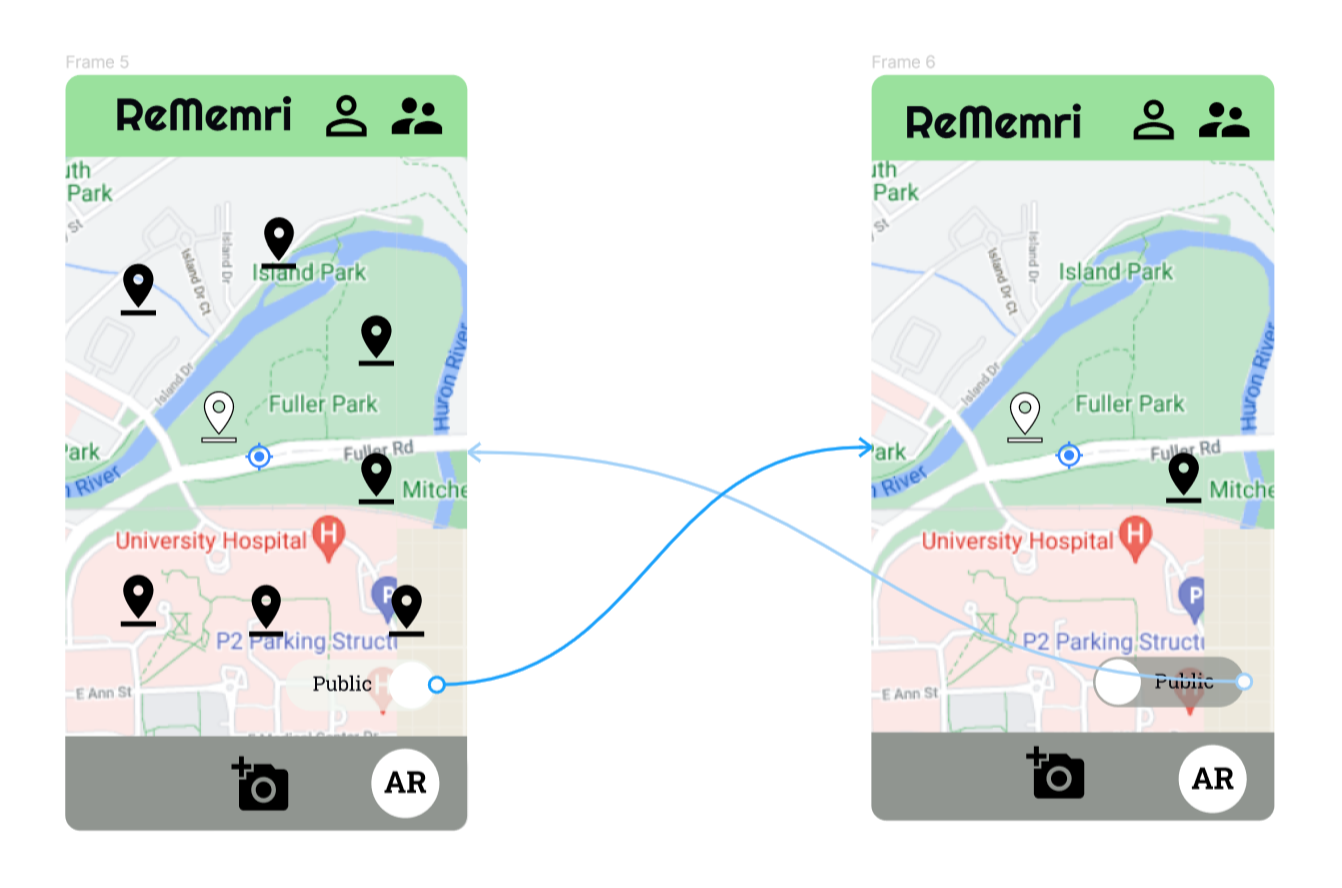
- Two dimensional map showing the user's current location and nearby posts
- Slider at the bottom of the map denoting whether all public posts will be shown, or only the user's friends posts
- Camera button in bottom tool bar connects to Camera View and will lead user through taking, editing, and posting a photo
- AR button in bottom tool bar connects to Augmented Reality View
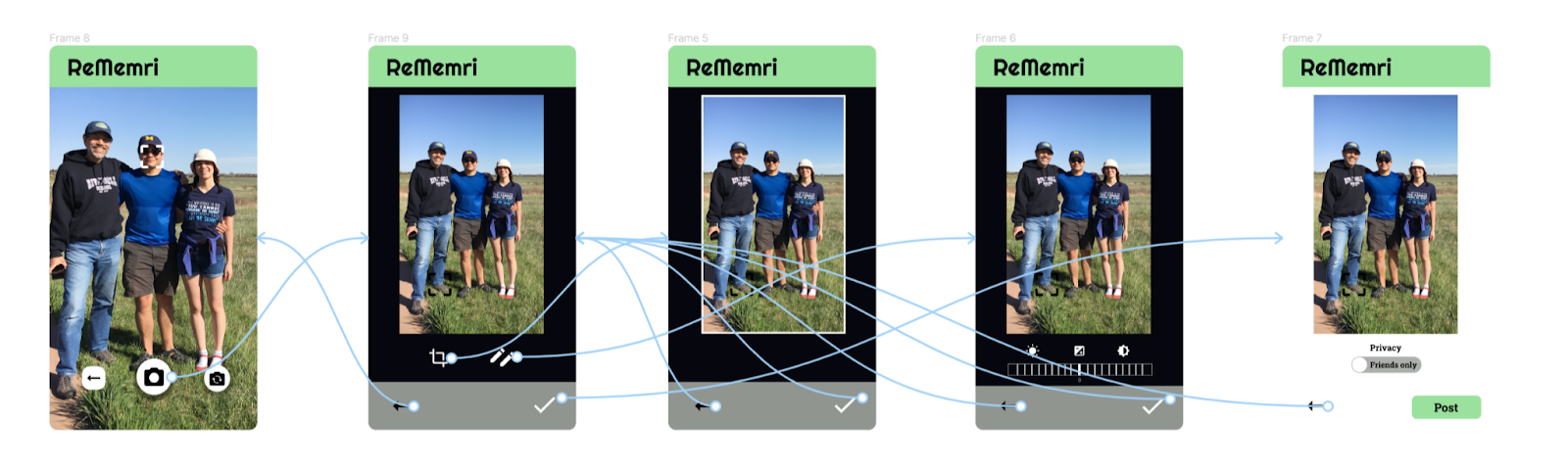
- Android Camera functionality allows user to take a picture and perform based edits, like cropping
- Once the photo is taken and edited, a custom screen will show where the user decides the privacy level for the new post (either public or friends-only)
- When finished, the user can press the "Post" button to post the photo to the AR view and the 2D Map
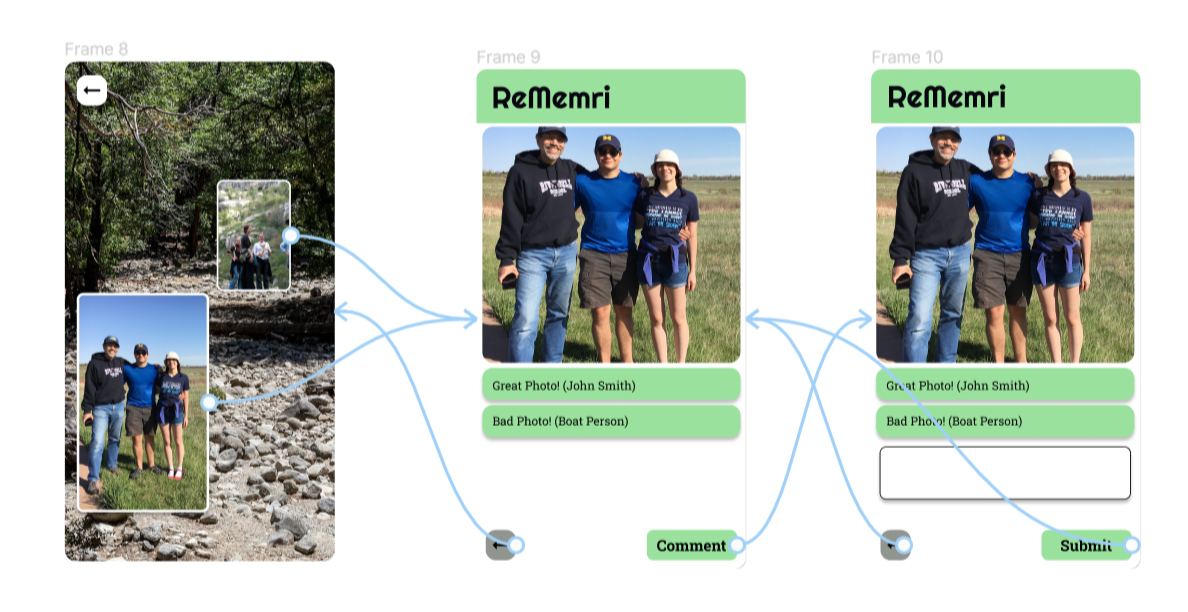
- The user is able to view nearby posts in Augmented Reality
- The posts will be displayed as floating images in rectangular picture frames
- When the user taps on a floating frame, it will open the Post View In 2D

- View Friends
- Add Friends
- Manage Friend Requests
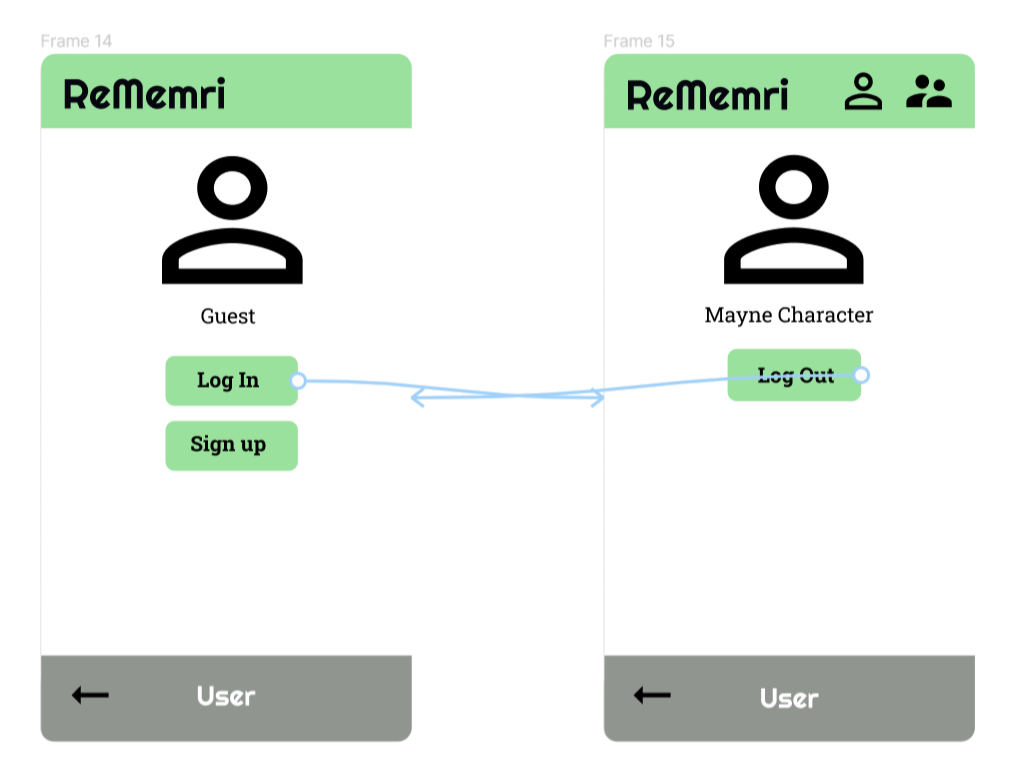
- Guest
- Logged In User