Incorrect Runtime used by compiler after switching git branches #6202

Description

Straight forward bug. I was on a branch that had app file with runtime 4.0 for the bc15 version.
I switched to the current branch, which uses runtime 5.0. The app will not build, because the compiler is stuck on the previous runtime version. I assume it's using some sort of cache. This needs to be disabled or at least cleared whenever we switch branches.
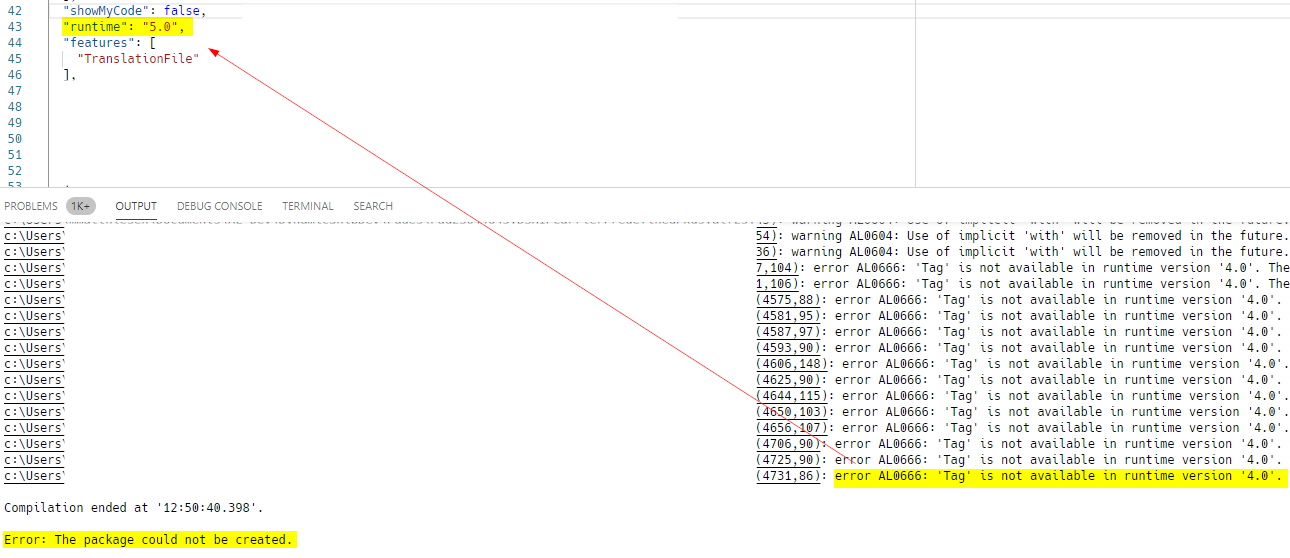
Currently I have to reload vs code in its entirety to get this to compile correctly after I switch branches.
Describe the bug
Switch from git branch with a different runtime than what you need. Then try and compile.
Expected behaviour
Compile successfully as runtime is valid.
Screenshots
See above.
5. Versions:
- AL Language: 6.0
- Business Central: 17.0